How Are Projector Screens Measured? A Complete Guide to Understanding Screen Sizing
When you’re shopping for a projector screen, you’ll quickly realize that understanding measurements isn’t as straightforward as you might think. It’s kind of like buying a TV—except with projector screens, there’s a bit more to consider. You’ve got diagonal measurements, aspect ratios, throw distances, and a whole bunch of other technical jargon that can make your head spin. But don’t worry, I’m here to break it all down for you in a way that actually makes sense.
Whether you’re setting up a home theater in your living room or creating a presentation space in your office, knowing how projector screens are measured is essential. It’s the foundation of choosing the right screen size for your space, and getting it wrong could mean either wasting money on something too big or ending up with a screen that’s too small to enjoy.
Understanding the Basics: What We Mean by Screen Size
Let’s start with the most fundamental question: what exactly are we measuring when we talk about projector screen size? The answer might surprise you because it’s not as simple as measuring the width of the screen. Just like how television sizes are measured diagonally from corner to corner, projector screens use the same principle.
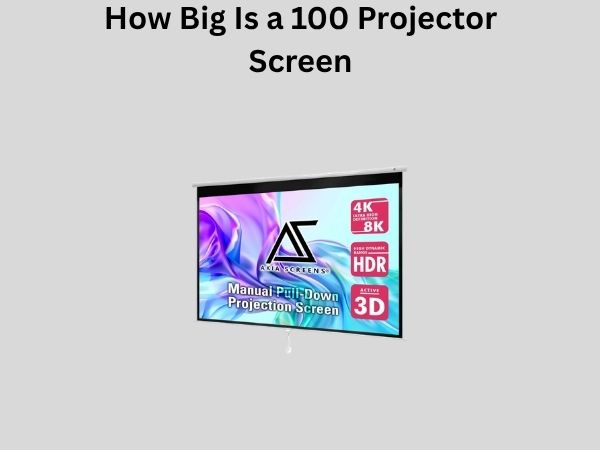
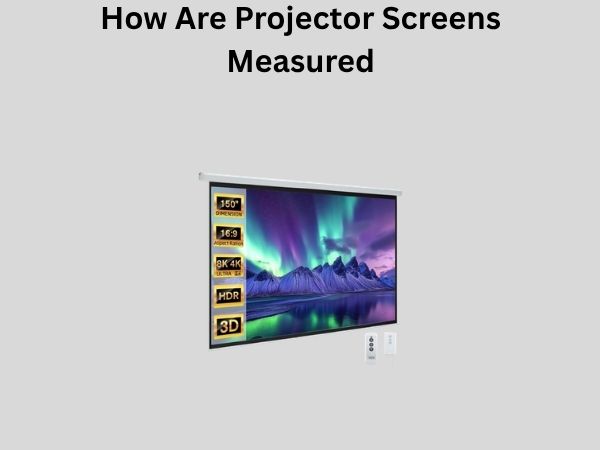
The standard measurement for a projector screen is its diagonal dimension, expressed in inches. So when you hear someone say they have a 100-inch screen, they’re referring to the measurement from the bottom-left corner to the top-right corner (or vice versa) of the viewing surface. This diagonal measurement is the universal standard across the entire industry, and it’s what you’ll see listed on product specifications and retail listings.
Why Diagonal Measurement Matters
You might be wondering why the industry settled on diagonal measurement rather than width or height. The reason is practical: diagonal measurement gives you a better sense of the actual viewing experience. Since people watch from different positions and distances, and since screens come in various aspect ratios, the diagonal gives you a standardized way to compare different screens across the board. It’s the most consistent metric regardless of whether you’re looking at a 16:9 widescreen or a 4:3 standard format screen.
The Role of Aspect Ratio in Screen Measurements
Here’s where things get interesting. Aspect ratio is basically the relationship between the width and height of your screen. Think of it as the shape of your screen—is it wider or taller, and by how much? This is crucial because the same diagonal measurement can result in very different physical dimensions depending on the aspect ratio.
For example, a 100-inch screen with a 16:9 aspect ratio (which is the standard widescreen format most of us are familiar with) will have different width and height measurements than a 100-inch screen with a 4:3 aspect ratio. The diagonal is the same, but the actual screen real estate you’re getting is quite different.
Common Aspect Ratios Explained
- 16:9 Format: This is by far the most popular aspect ratio today. It’s what you see on modern TVs, streaming services, and most movies. It’s wider and less tall, perfect for cinematic experiences.
- 4:3 Format: This older standard was common before widescreen became the norm. It’s more square-shaped and is still used in some educational and professional settings.
- 21:9 Format: This ultra-wide format is becoming increasingly popular for immersive viewing experiences, especially in premium home theaters.
- 2.35:1 Format: Sometimes called cinema scope, this is the aspect ratio used in many theatrical releases and offers a truly cinematic experience.
Calculating Width and Height From Diagonal Measurements
Now, if you know the diagonal measurement and the aspect ratio, you can actually calculate the exact width and height of the screen. This is helpful when you need to figure out if a screen will physically fit in your space. Let me walk you through this.
The calculation uses basic geometry and the Pythagorean theorem. If you have a 100-inch 16:9 screen, you can break down the aspect ratio into actual measurements. The width would be approximately 87.1 inches, and the height would be about 49 inches. For a 100-inch 4:3 screen, you’re looking at roughly 80 inches wide and 60 inches tall.
Why This Matters for Your Space
Understanding these calculations is important because just knowing the diagonal doesn’t tell you if the screen will actually fit on your wall or in your room. You need to know the actual width and height to ensure you have adequate space, proper mounting options, and good viewing angles from your seating area. There’s nothing worse than ordering a screen only to realize it’s too wide for your room.
Throw Distance: The Hidden Measurement You Need to Know
Here’s something that many people overlook when purchasing a projector screen: the throw distance. This is the distance between your projector and the screen, and it’s absolutely critical for proper setup and image quality. Different projectors have different throw ratios, which means some projectors need to be farther away from the screen than others to project a certain size image.
Think of throw distance like the focal length on a camera lens. Some projectors are “short throw,” meaning they can project a large image from a relatively short distance. Others are “standard throw,” requiring more distance between the projector and screen. And then there are “long throw” projectors that need quite a bit of distance to fill a large screen.
Understanding Throw Ratio
The throw ratio is expressed as a ratio, typically something like 1.5:1 or 2:1. This tells you the relationship between the distance from the projector to the screen and the width of the image being projected. A 1.5:1 throw ratio means that if your image is 10 feet wide, your projector needs to be roughly 15 feet away from the screen. A 2:1 ratio would require 20 feet of distance for the same image width.
If you’re limited on space, you’ll want a projector with a low throw ratio. If you have plenty of distance available, you can work with a standard or long throw projector, which are often more affordable.
Screen Width Measurement: The Practical Dimension
While the diagonal is the standard specification, when you’re actually installing a screen, the width measurement becomes incredibly practical. This is the measurement you’ll use to figure out if your screen fits on your wall, how it aligns with your furniture, and whether it dominates your room or blends in nicely.
Screen width is usually listed as the second specification on product pages, and it’s measured from the far left edge to the far right edge of the screen. For a 16:9 aspect ratio screen, the width is approximately 0.871 times the diagonal measurement. So a 120-inch 16:9 screen would be roughly 104.5 inches wide.
Considering Wall Space
Before you commit to a screen size, measure your wall carefully. You’ll want some margin on either side for aesthetics and to avoid mounting issues. Also consider where electrical outlets are located, whether you have studs in the right places for secure mounting, and if there are any obstacles like windows, doors, or light fixtures that might interfere with your screen placement.
Screen Height: The Often-Forgotten Measurement
Height is equally important to width, though it’s often overlooked by people planning their setups. Screen height determines how much vertical space your image takes up and affects the overall viewing experience, particularly for people seated at different eye levels in your room.
For a 16:9 aspect ratio screen, the height is approximately 0.491 times the diagonal. So that same 120-inch 16:9 screen we mentioned earlier would be about 58.9 inches tall. Make sure you have adequate vertical clearance and that the screen’s height is appropriate for your seating arrangement. Ideally, the center of your screen should be at or slightly below eye level when you’re seated.
Optimal Viewing Height Positioning
There’s actually a sweet spot for screen height positioning. The top of your screen shouldn’t be so high that you’re straining your neck looking up, and the bottom shouldn’t be so low that you feel like you’re looking down. Most experts recommend mounting your screen so that the center is at approximately eye level when seated, or perhaps 15 to 20 degrees above eye level for a more comfortable viewing angle over extended periods.
Understanding Viewable Area vs. Total Screen Dimensions
Here’s a detail that can catch people off guard: the viewable area of a screen might be slightly smaller than its total dimensions. Most projector screens have a frame around the edges to hold the material and provide a finished appearance. This frame takes up a bit of space, so the actual area where the image displays might be a few inches smaller than the total measurements.
When manufacturers list screen specifications, they typically give you both the viewable diagonal and sometimes the total diagonal including the frame. Always check which measurement you’re looking at to avoid surprises when your screen arrives.
Motorized vs. Fixed Screens: Does Size Measurement Change?
Whether you choose a motorized screen that rolls up and down or a fixed screen that’s permanently mounted doesn’t change how it’s measured. Both types use the same diagonal, width, and height specifications. However, motorized screens do take up more depth space because of their rolling mechanism, so you’ll need to consider the projection depth in addition to the screen dimensions themselves.
Additional Measurements for Motorized Screens
If you’re considering a motorized screen, you’ll need to pay attention to:
- The case depth (how far the motor housing extends from your wall)
- The drop length (how far the screen extends below the case when deployed)
- The take-up length (how much height the rolled-up screen takes up)
Recommended Screen Sizes for Different Viewing Distances
One of the most practical ways to think about screen sizing is in relation to your seating distance. How far you sit from your screen dramatically affects the ideal screen size. Sit too far away, and the image feels small and disconnected. Sit too close, and you’ll be constantly moving your head to follow the action on screen.
Viewing Distance Guidelines
A general rule of thumb is that you should sit at a distance of 1.5 to 2.5 times the diagonal screen size. So if you have a 100-inch screen, your seating should be between 150 and 250 inches (12.5 to 20.8 feet) away. This range provides a comfortable viewing experience without requiring excessive head movement or making the image feel too small.
Here are some practical examples:
- For a 60-inch screen: Sit between 7.5 and 12.5 feet away
- For an 80-inch screen: Sit between 10 and 16.7 feet away
- For a 100-inch screen: Sit between 12.5 and 20.8 feet away
- For a 120-inch screen: Sit between 15 and 25 feet away
Special Considerations: Portable vs. Permanent Screens
If you’re considering a portable projector screen (the kind with tripod legs that you set up for presentations or occasional use), the measurement standards are exactly the same as permanent screens. A 100-inch portable screen has the same diagonal as a 100-inch fixed screen. However, portable screens are often more limited in size options and may have slightly different width-to-height ratios available.
Practicality of Different Screen Types
Portable screens are great if you need flexibility, but they’re not ideal for permanent installations where you want the best image quality and viewing experience. Fixed screens can be precisely aligned with your seating and optimized for your space. Motorized screens offer the best of both worlds—you get a permanent installation that can be hidden when not in use.
How to Measure Your Space Before Buying
Before you decide on a screen size, do a proper space assessment. Get a measuring tape and actually measure your wall. Note the width available, the height available, and the distance from where you’ll be sitting to where the screen will be mounted. Take a photo of the wall with measurements written on it—this will help when you’re shopping online and trying to visualize different screen sizes.
Also consider the throw distance from your projector location to your screen. This is crucial because if your throw distance is too short or too long for your projector, you won’t be able to use that screen. When in doubt, consult with the projector manufacturer about recommended screen sizes and throw distances.
Using Online Screen Size Calculators
Many online tools can help you visualize different screen sizes in your space. Some allow you to input your room dimensions and seating distance, then recommend optimal screen sizes. These tools are invaluable for making an informed decision, especially if you’re ordering online and can’t see the actual screen in person.
Common Mistakes People Make When Measuring Screens
Learning from others’ mistakes can save you time and money. Here are the most common errors people make:
- Forgetting about throw distance: Many people fall in love with a screen size without checking if their projector can actually handle that distance.
- Underestimating frame width: Not accounting for the physical frame around the screen can make installation tricky.
- Ignoring wall obstacles: Outlets, switches, and light fixtures can complicate installation if not discovered beforehand.
- Not considering seating positions: Picking a screen based only on wall space, not on where people will actually sit.
- Confusing diagonal with width: Assuming a 100-inch screen is 100 inches wide is a common misunderstanding.
Conclusion
Understanding how projector screens are measured might seem technical at first, but it’s really just about understanding a few key concepts: the diagonal measurement, aspect ratio, and how these relate to the actual width and height of your screen. Once you grasp these basics, choosing the right screen size becomes much easier and more intuitive.
The diagonal measurement gives you the standardized specification you’ll see in product listings. The aspect ratio determines the actual shape and dimensions of the screen. The throw distance ensures that your projector can properly fill that screen with an image. And the width and height measurements tell you if it will actually fit in your space.
Take your time with these measurements, do your research, and don’t hesitate to reach out to manufacturers with questions about throw distance and compatibility. A projector screen is an investment that will serve you for years, so it’s worth getting the sizing exactly right from the start.
Frequently Asked Questions
How do I convert a diagonal screen measurement to width and height?
You can use mathematical formulas based on the aspect ratio. For a 16:9 screen, multiply the diagonal by 0.871 to get the width and by 0.491 to get the height. For a 4:3 screen, multiply the diagonal by 0.8 for width and 0.6 for height. Alternatively, use online projection screen calculators which do this math automatically for you.
What’s the difference between viewable area and total screen size?
The viewable area is the actual screen surface where the image displays, while the total screen size includes the frame that holds and finishes the edges. The frame can add 1-3 inches to the total dimensions depending on the screen design. Always check which measurement a manufacturer is providing to avoid confusion.
How far should I sit from a 100-inch projector screen?
The ideal viewing distance for a 100-