100-Inch vs 120-Inch Projector Screen: Which Size Is Best for Your Room?
So you’ve finally decided to transform your living room, bedroom, or basement into a personal cinema. That’s exciting! But now you’re standing at a crossroads, staring at two impressive options: a 100-inch projector screen or a 120-inch one. Both sound massive, right? Yet the decision between them isn’t as straightforward as you might think. Let me walk you through this journey, because choosing the wrong size could mean wasted money or, worse, a viewing experience that falls short of your expectations.
Understanding Projector Screen Sizes
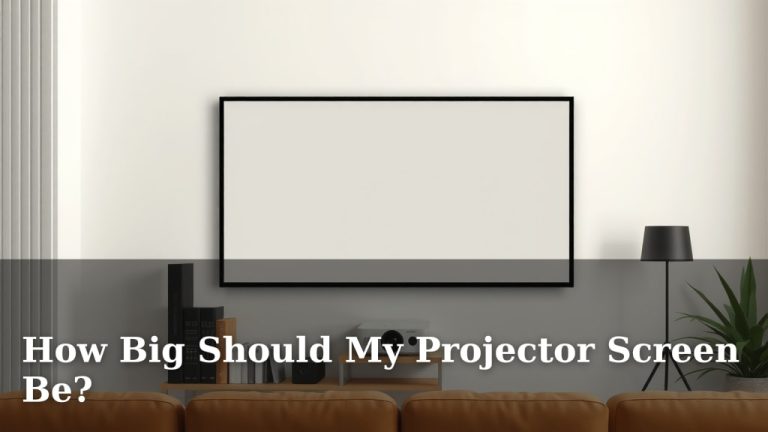
Before we dive into the nitty-gritty of 100-inch versus 120-inch screens, let’s clarify what we’re actually talking about here. When manufacturers mention a screen size, they’re referring to the diagonal measurement from one corner to the opposite corner. Think of it like measuring a television—a 100-inch screen means the diagonal is 100 inches, not that the entire wall is covered in that dimension.
This measurement matters because it directly affects how much of your visual field gets filled when you’re watching. A 20-inch difference between 100 and 120 inches might not sound like much in terms of numbers, but in terms of actual viewing area, you’re looking at a surprisingly significant jump.
The Real-World Dimensions
A 100-inch screen with a 16:9 aspect ratio (the standard for most movies and shows) measures approximately 87 inches wide by 49 inches tall. Now, compare that to a 120-inch screen in the same aspect ratio, which comes in at roughly 104 inches wide by 58 inches tall. That’s a difference of 17 inches in width and 9 inches in height. Still thinking it’s not much? Wait until you see one installed in your room.
Room Size and Viewing Distance
Here’s where things get really important. Your room’s dimensions are the ultimate deciding factor, not your personal preference or how impressive a 120-inch screen sounds at the store. There’s actually a science to this, and ignoring it is like trying to wear shoes that are five sizes too big—technically possible, but supremely uncomfortable.
The Viewing Distance Rule
Industry experts recommend that your seating distance from the screen should be between 1.5 and 2.5 times the screen’s height for optimal viewing. This range ensures that you can see the entire image without excessive eye movement and that the pixels or image elements aren’t so close that you notice the individual elements of the display.
For a 100-inch screen (49 inches tall), you’d ideally sit between 73.5 and 122.5 inches away, which translates to roughly 6 to 10 feet. For a 120-inch screen (58 inches tall), the comfortable viewing range stretches to approximately 87 to 145 inches away, or about 7.25 to 12 feet.
Small Rooms vs. Large Rooms
If you’re working with a modest bedroom or a cozy apartment living room where you sit about 8 feet from your screen, a 100-inch projector screen might actually be your sweet spot. Installing a 120-inch screen in that same room could force you to sit too close, creating an uncomfortable viewing experience where you’re constantly moving your head to follow the action.
Conversely, if you’ve got a spacious basement or a dedicated home theater room where viewers sit 12 feet or more away, the 120-inch screen becomes far more attractive because it fills your visual field appropriately without causing strain.
The 100-Inch Screen Breakdown
Let’s examine the 100-inch option in detail. This size has become incredibly popular, and for good reason. It’s the Goldilocks of projector screens—not too big, not too small, and just right for many living situations.
Advantages of 100-Inch Screens
- Space Efficiency: Fits comfortably in medium-sized rooms without overwhelming the space
- Budget-Friendly: Generally more affordable than 120-inch alternatives, saving you several hundred dollars
- Easier Installation: Lighter weight and smaller wall space requirements make setup less complicated
- Lower Projector Requirements: You don’t need as powerful a projector to achieve excellent brightness levels
- Versatility: Works well for movies, sports, gaming, and general entertainment
Limitations of 100-Inch Screens
Now, before you get too excited about the 100-inch option, let’s be honest about its drawbacks. If you’re sitting more than 10 feet away, the image might feel slightly underwhelming. You’ve paid for a projector setup, and you want to feel that immersive cinematic experience, not feel like you’re watching from the back row of a theater where the screen looks tiny.
Additionally, if you have multiple rows of seating or viewers spread across a large room, those further back might struggle to appreciate fine details or subtitles on a 100-inch screen.
The 120-Inch Screen Breakdown
Now let’s talk about the bigger sibling—the 120-inch projector screen. This is where things get dramatic, literally and figuratively.
Advantages of 120-Inch Screens
- Immersive Experience: Creates a truly cinematic atmosphere that genuinely fills your peripheral vision
- Better for Large Rooms: Perfect if you have space to back up your seating
- Future-Proof: As content resolution improves, larger screens handle it better
- Impressive Factor: Let’s be real—it looks absolutely stunning and impresses visitors
- Subtitle Readability: Larger text means easier reading without straining
Disadvantages of 120-Inch Screens
But here’s the catch—and it’s a significant one. A 120-inch screen demands more from everything in your setup. Your projector needs to be brighter to maintain image quality across that massive surface. Your room needs to be darker to prevent ambient light from washing out the image. Your electrical requirements increase. Your wall space must accommodate this giant rectangle. And your wallet? Well, it’ll definitely feel lighter.
There’s also the psychological factor. If you sit too close to a 120-inch screen, it can actually create an uncomfortable, fatiguing viewing experience. Your eyes won’t know where to focus, and you’ll spend the entire movie feeling overwhelmed rather than entertained.
Calculating Your Ideal Screen Size
Rather than leaving this to guesswork, let me give you a practical formula you can use right now.
The Step-by-Step Calculation
First, measure the distance from where you’ll be sitting to where your screen will be mounted. Let’s say it’s 9 feet, which converts to 108 inches. Now, multiply this distance by 0.6 to find your minimum screen diagonal, and multiply it by 1.0 to find your maximum.
For a 9-foot viewing distance: 108 inches × 0.6 = 64.8 inches minimum, and 108 inches × 1.0 = 108 inches maximum. This means a 100-inch screen would be perfect, while a 120-inch screen would push the upper limit but still work.
Let’s try another scenario. You have a 12-foot viewing distance (144 inches). Multiplying: 144 × 0.6 = 86.4 inches minimum, and 144 × 1.0 = 144 inches maximum. In this case, both 100 and 120-inch screens fall well within the comfortable range, with the 120-inch being more ideal.
Accounting for Multiple Viewers
If you have viewers at varying distances—perhaps one person sits 8 feet away while others sit 12 feet back—you need to find a compromise. Calculate the distances for both seating positions and find a screen size that satisfies both the minimum for the closest viewer and maximum for the furthest viewer. This balancing act is where the choice between 100 and 120 inches often gets decided.
Installation and Space Constraints
Let’s get practical about the physical reality of installation. Mounting a projector screen isn’t just about having wall space; it’s about having the right kind of space.
Wall Space Requirements
A 100-inch screen requires roughly 87 inches of horizontal wall space (about 7.25 feet), while a 120-inch screen needs about 104 inches (just over 8.5 feet). That might not sound like a massive difference, but if you have windows, doors, or architectural features in the way, that extra 17 inches could be the deciding factor.
I once knew someone who was dead set on a 120-inch screen until they realized their wall had a built-in bookshelf that consumed just enough space to make the 120-inch impossible. They went with 100 inches and never looked back.
Ceiling Height Considerations
Don’t forget about vertical space either. Your ceiling height matters because you need clearance above and below your screen for proper framing and aesthetic appeal. A 100-inch screen is roughly 49 inches tall, while a 120-inch is about 58 inches tall. If you’re working with standard 8-foot ceilings (96 inches), ensure you have enough room for the screen plus the mounting hardware and some breathing room.
Projector Mounting Options
Whether you choose 100 or 120 inches, you’ll also need to mount your projector. Ceiling mounting is popular, but you need to account for the throw distance—the distance between the projector and the screen. Some projectors have shorter throw distances than others, which affects where you can position them. A larger screen might require more mounting flexibility depending on your projector’s specifications.
Cost Comparison and Budget Considerations
Money talks, and it definitely speaks in the language of projector screens. Let’s break down what you’re actually paying for.
Screen Costs
A quality 100-inch motorized projector screen typically ranges from $400 to $1,200, depending on the brand and features. A 120-inch screen in the same quality range usually costs between $600 and $1,800. That’s a difference of $200 to $600 just for the screen itself.
But here’s what many people don’t consider: the bigger the screen, the more you might need to upgrade your projector. A 120-inch screen demands more brightness to maintain image quality, especially if you can’t fully blackout your room. An entry-level 2,500-lumen projector might work fine for a 100-inch screen but could leave you disappointed with a 120-inch.
Projector Power Requirements
For a 100-inch screen, a projector with 2,500 to 3,500 lumens typically suffices in a darkened room. For a 120-inch screen, you’re looking at needing 3,500 to 5,000 lumens to maintain the same brightness levels. That’s an upgrade that could cost you an additional $1,000 to $3,000 or more.
Electricity and Cooling
A more powerful projector means higher electricity consumption and more heat generation. You might need better ventilation, additional cooling fans, or more robust electrical installation. These aren’t huge costs, but they add up when you’re calculating the total price of your project.
Image Quality and Resolution Impact
Here’s something fascinating that many people overlook: the resolution of your source material and projector matters differently depending on screen size.
Pixel Density and Visibility
A 1080p projector on a 100-inch screen versus a 120-inch screen shows the same number of pixels, just spread across a larger area. This means a 120-inch screen will show more visible pixelation if you’re close enough, while a 100-inch screen can get away with lower resolution sources more gracefully when you’re sitting at the typical viewing distance.
However, if you’re using 4K content (which is becoming increasingly common), a 120-inch screen shows off that detail much more impressively than a 100-inch screen would. The larger canvas gives 4K content more room to shine.
Viewing Distance and Resolution Perception
This is where the viewing distance rule we discussed earlier becomes crucial. When you’re at the proper viewing distance for your screen size, the human eye can’t resolve individual pixels on either a 100 or 120-inch screen with 1080p content. Get too close, though, and a 120-inch screen becomes noticeably more pixelated.
Brightness and Ambient Light Factors
We can’t talk about screen size without addressing brightness, because they’re deeply interconnected.
Projector Brightness Requirements
Screen brightness, measured in foot-lamberts (fL), is affected by both your projector’s output (in lumens) and your screen’s reflectivity (its gain rating). A larger screen spreads the same lumens across more area, reducing the overall brightness. This is why larger screens demand brighter projectors.
Professional home theater installers recommend between 15 and 25 foot-lamberts for movies. A 100-inch screen with a high-quality projector in a dark room achieves this easily. A 120-inch screen in the same setup might fall short, forcing you to either upgrade your projector or reduce the room’s ambient light even further.
Room Control and Light Management
If you have windows that let in natural light, or if your room serves multiple purposes and can’t be completely darkened, a 100-inch screen might perform more forgivingly. The smaller size needs less absolute brightness to maintain image quality in slightly lit conditions.
Conversely, if you’ve invested in blackout curtains, doors, and light-sealing measures, a 120-inch screen rewards that effort with a more stunning image that takes better advantage of your darkened environment.
Seating Arrangement and Comfort
Think about how people will actually watch your screen. This practical consideration often gets overlooked in the excitement of choosing the biggest, most impressive option.
Single-Row vs. Multi-Row Seating
If you have just one row of seating (say, a couch in your living room), you can optimize for that single viewing distance. A 100-inch screen might be perfect. But if you’re planning a true home theater with a recliner row in front and a sofa row behind, the back