100 vs 120 Projector Screen: Viewing Distance & Experience Explained
When you’re setting up a home theater or professional projection space, one of the biggest decisions you’ll face is choosing between a 100-inch and a 120-inch projector screen. It might seem like just a 20-inch difference, but trust me, this choice can completely transform how you experience movies, presentations, and gaming. I’ve seen people make this decision based purely on gut feeling, only to regret it later. That’s why I want to walk you through everything you need to know to make an informed choice that actually fits your space and your needs.
Understanding Projector Screen Sizes: What Does 100 or 120 Really Mean?
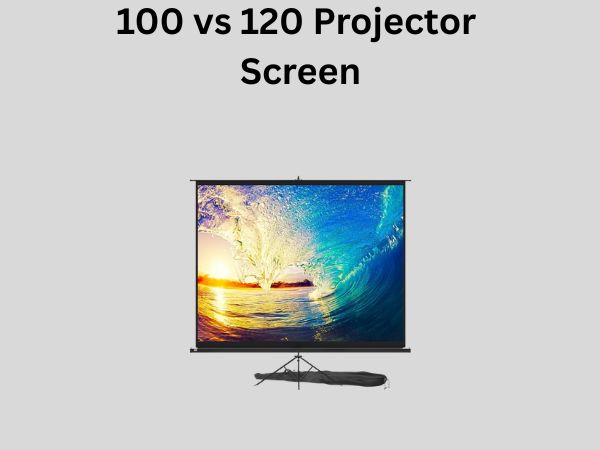
Let’s start with the basics. When we talk about a 100-inch or 120-inch projector screen, we’re referring to the diagonal measurement of the screen. It’s similar to how we measure TV sizes. However, here’s something that catches a lot of people off guard: that measurement represents the viewing area, not the physical dimensions of the screen mount itself. The actual width and height vary depending on the aspect ratio you choose.
The Aspect Ratio Factor
Most projector screens come in either a 16:9 widescreen format (standard for movies and modern content) or a 4:3 format (older presentations and some specialized content). For a 100-inch screen in 16:9 format, you’re looking at approximately 87 inches wide by 49 inches tall. Jump up to a 120-inch screen with the same aspect ratio, and you’re getting roughly 104 inches wide by 59 inches tall. That extra 17 inches of width might not sound like much, but when you’re watching it day after day, it makes a genuine difference in immersion.
Viewing Distance: The Golden Rule of Projection
Here’s where things get really important. The distance between your seating area and the screen isn’t something you should guess about. It’s actually the primary factor that determines whether a 100-inch or 120-inch screen is right for you.
The Optimal Viewing Distance Formula
Industry experts recommend that your seating distance should be between 1.5 to 2.5 times the screen width. For a 100-inch screen in 16:9 format (87 inches wide), this means you should ideally sit between 10.8 and 18 feet away. For a 120-inch screen (104 inches wide), the sweet spot falls between 13 and 21.7 feet. If you’re sitting closer than these ranges, you’ll start to notice the individual pixels or the grain of the screen material, which disrupts the immersion. Sit too far away, and the screen becomes uncomfortably small to watch.
Think of it like this: watching a projector screen from the wrong distance is like trying to read a book with the wrong eyeglass prescription. You might see something, but it’s not optimal, and your eyes and brain work overtime to compensate.
Why Distance Matters More Than You Think
The human eye has a natural field of view of about 180 degrees, but when we’re watching something entertaining, we’re most engaged when the content occupies about 30 to 40 degrees of our vision. At the right distance, a properly-sized projector screen fills this optimal range, making you feel like you’re genuinely part of the action rather than watching it from afar. Choose a screen too large for your distance, and you’ll find yourself constantly moving your head to see the full picture. Choose one too small, and you’ll feel disconnected from the experience.
Room Dimensions and Layout Considerations
Measuring Your Space Accurately
Before you get excited about a massive 120-inch screen, you need to honestly assess your room. Take measurements from where you plan to sit to where the screen will be mounted. Don’t just estimate. Use a measuring tape. I’ve watched too many people commit to a screen size only to realize their seating position is further back than they thought, or their wall space is smaller than anticipated.
Additionally, consider the width of your room. A 120-inch 16:9 screen is over 104 inches wide. Your wall needs to accommodate that, plus some margin for the screen frame and mounting hardware. If your walls are narrower, a 100-inch screen becomes the more practical choice.
Wall Space and Installation Challenges
A larger screen isn’t just about having more pixels on display. It’s heavier, requires more robust wall support, and might demand professional installation. If your walls are drywall over standard framing, you’ll need to ensure you’re mounting into wall studs that can handle the weight. A 120-inch fixed frame screen can weigh anywhere from 80 to 150 pounds depending on the material and construction. That’s not something you hang on a whim.
Picture Quality and Perceived Resolution
How Screen Size Affects Perceived Resolution
Here’s an interesting reality: the same 4K projector will appear to have different levels of clarity on a 100-inch versus a 120-inch screen, simply because of how our eyes perceive resolution. On the larger 120-inch screen, pixels are more spread out across your visual field. If you’re sitting at the appropriate distance, you probably won’t notice individual pixels on either screen. However, if you sit closer or if you’re particularly sensitive to detail, the 100-inch might appear sharper because the pixels are more densely packed.
This is why resolution matters more with larger screens. A 1080p projector on a 120-inch screen will look noticeably less crisp than a 4K projector on the same screen. But that same 1080p projector might look perfectly acceptable on a 100-inch screen, especially from typical viewing distances.
Brightness Considerations
Brightness, measured in lumens, is another critical factor that scales with screen size. A projector with 2500 lumens might deliver a perfectly bright and vibrant image on a 100-inch screen in a moderately dark room. But spread that same light output across a 120-inch screen, and the overall brightness density decreases. You’ll need a brighter projector to maintain the same level of brightness on a larger screen. This isn’t just about comfort; it affects color accuracy and contrast as well.
Projector Specifications You Need to Evaluate
Throw Distance and Lens Specifications
Your projector has a throw ratio, which tells you how far the projector needs to be from the screen relative to the width of the image it produces. For example, a projector with a 1.5 throw ratio will need to be 1.5 times the screen width away from the screen. This becomes crucial when you’re deciding between screen sizes.
If you’re mounting your projector on a ceiling in a smaller room, you might be limited in how far back you can place it. In this scenario, a 100-inch screen with a wider throw ratio flexibility might be more appropriate than a 120-inch screen that demands more distance.
Lumens and Contrast Ratio
I mentioned lumens briefly, but let me dive deeper. Most projector manufacturers recommend brightness levels based on screen size and ambient light. Generally, here’s what you should aim for:
- For a 100-inch screen in a dark room: 2000-3000 lumens
- For a 100-inch screen in a moderately lit room: 3000-4000 lumens
- For a 120-inch screen in a dark room: 2500-3500 lumens
- For a 120-inch screen in a moderately lit room: 3500-5000 lumens
The contrast ratio, which measures the difference between the brightest whites and darkest blacks, becomes more noticeable on larger screens. A contrast ratio of 10000:1 will look significantly better on a 120-inch screen than on a 100-inch screen because you have more screen real estate showing the difference.
Content Type and Usage Scenarios
Movies and Entertainment
If you’re building a home theater primarily for movies, you’re in the sweet spot for either option. Both 100-inch and 120-inch screens deliver an immersive cinematic experience when paired with appropriate viewing distances. The choice here really comes down to your room dimensions and seating arrangement. A 120-inch screen will feel more like a true cinema experience, but only if you can sit at the appropriate distance.
Gaming and Sports
Gamers and sports enthusiasts often prefer larger screens because the increased field of view enhances immersion and reaction times. There’s something about filling more of your peripheral vision with the action that makes games feel more responsive and sports more engaging. If gaming or sports viewing is a primary use case, lean toward the 120-inch if your space allows.
Professional Presentations
For business presentations, conference rooms, or educational settings, the choice depends more on room size and audience. A 100-inch screen works well for rooms seating up to 20-30 people. A 120-inch screen accommodates larger audiences or spaces where people sit further back. However, you’ll want to ensure good text legibility, which brings us back to resolution and distance considerations.
Cost and Budget Implications
Screen Pricing
A quality 100-inch projector screen can range from $800 to $3,000 depending on whether it’s motorized, the material quality, and brand reputation. A 120-inch screen typically costs between $1,200 and $4,500. That’s a real price difference, and it’s worth considering your overall budget.
Additional Equipment Costs
Don’t forget about supporting equipment. A larger screen often justifies a higher-quality projector to make the most of the real estate. If you’re jumping from a 100-inch to a 120-inch screen, you might also need a more powerful projector. Some estimates suggest you might need 20-30% more brightness, which could mean upgrading to a projector that costs $500 to $2,000 more. Additionally, mounting hardware, cables, and potential professional installation costs scale with screen size.
Screen Material and Surface Options
Gain and Reflectivity
Projector screens come in different materials with different gain levels. Gain refers to how much light the screen reflects back to the viewer. A high-gain screen (1.2 to 1.5) is brighter but has a narrower viewing angle. A lower-gain screen (0.8 to 1.0) distributes light more evenly across a wider viewing area but appears less bright. This matters more on a 120-inch screen because you’re more likely to have viewers sitting at angles to the screen.
Ambient Light Rejection
Some premium screen materials are designed to reject ambient light, which is fantastic if your room isn’t completely dark. These screens cost more, but they can dramatically improve image quality in rooms where you can’t control all the light. A 120-inch screen with ambient light rejection might actually perform better in real-world conditions than a 100-inch screen without this feature.
Installation and Mounting Considerations
Fixed Frame versus Motorized Screens
Fixed frame screens are permanently mounted and typically offer the best image flatness and tension consistency. Motorized screens offer convenience and can hide away when not in use. Both come in 100-inch and 120-inch sizes, but a motorized 120-inch screen is significantly more expensive and requires more robust electrical installation. If you’re leaning toward a motorized screen primarily for aesthetics, make sure that benefit justifies the additional cost and complexity.
Ceiling or Wall Mounting
Most home theater setups use ceiling mounting, which works great for both sizes. However, if you’re considering wall mounting, ensure your walls can support the weight. Some rooms simply don’t have suitable mounting locations, which might force you toward one size or another.
Real-World Viewing Experience Differences
Immersion Factor
I want to be honest with you: if you watch both screens from the appropriate distance, the immersion difference is noticeable but not night-and-day transformative. What really changes is the scale of subtle details. A 120-inch screen shows you more of the cinematographer’s framing in wide shots. You notice expressions and details in close-ups more readily. But this is only true when you’re watching from the right distance.
Eye Strain and Comfort
Watching a screen that’s too large for your viewing distance causes eye strain because you’re constantly tracking across the screen to see the full image. Watching a screen that’s too small causes strain because you’re working hard to see details. A properly matched screen size eliminates this discomfort. This is why getting the viewing distance calculation right matters more than choosing the biggest screen you can afford.
Making Your Final Decision: A Practical Comparison
Let’s break this down into actionable steps. First, measure your seating distance from where you plan to place the screen. Second, calculate the optimal screen width range using that distance (divide distance by 1.5 and 2.5). Third, check if your walls and mounting locations can accommodate a screen of that width. Fourth, consider your budget for both the screen and supporting equipment. Finally, think about your primary use case and whether a larger screen genuinely enhances that experience for you.
If your calculation shows that you should sit 13-21 feet away, a 120-inch screen in 16:9 format is ideal. If the math shows 10-18 feet, a 100-inch screen fits perfectly. Don’t force a choice that doesn’t align with your actual space and viewing geometry.
Conclusion
The choice between a 100-inch and 120-inch projector screen isn’t about which number is bigger or which looks more impressive in a showroom. It’s about matching the screen size to your specific room dimensions, seating distance, projector specifications, and budget. A 120-inch screen delivers an exceptional cinematic experience, but only if you can sit at least 13 feet back and if your walls can accommodate it. A 100-inch screen provides outstanding picture quality with more flexibility in room placement and lower overall costs. Neither choice is inherently better; the better choice is the one that fits your actual living space and viewing habits. Take the time to measure, calculate, and honestly assess your room before making this investment. You’ll thank yourself every time you sit down to watch something and the experience is exactly what you hoped for.
Frequently Asked Questions
Can I mount a 120-inch screen if I have only 10 feet of viewing distance?
Technically yes, but it’s not ideal. You’ll spend most of your viewing time moving your head to take in the full image, which becomes tiring and breaks immersion. If you can only accommodate 10 feet of distance, a 100-inch screen (or possibly even 85 inches) would be more appropriate for comfortable viewing.
Is a 4K projector necessary for a 120-inch screen?
While a 4K projector will provide noticeably better clarity on a 120-inch screen compared to a 1080p model, a high-quality 1080p projector can still deliver an excellent viewing experience if you’re sitting at the appropriate distance. However, as screen size increases, the benefits of higher resolution become more apparent, so I’d recommend 4K for 120-inch screens.
How much weight can my ceiling handle for a projector screen?
This depends entirely on your specific ceiling structure, which is why professional installation consultation is valuable. Standard residential ceilings with proper mounting into joists can typically handle 100-150 pounds. A 120-inch motorized screen might exceed this, but a fixed frame screen usually stays within safe limits. Always verify with a professional or structural engineer.