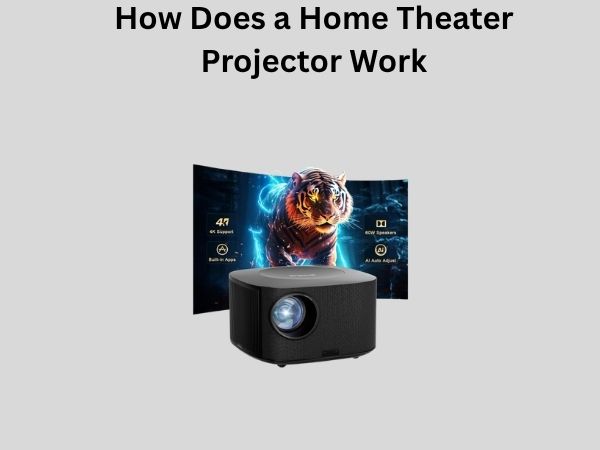
Behind the Lens: How Does a Home Theater Projector Work?
Have you ever wondered what happens when you dim the lights in your living room and that bright image suddenly appears on your wall? It’s like magic, right? But here’s the thing—there’s nothing magical about it at all. Instead, there’s a fascinating world of technology happening inside that little box mounted on your ceiling or sitting on your shelf. Understanding how a home theater projector works can actually help you make better purchasing decisions, maintain your equipment properly, and appreciate the engineering marvel you’re looking at.
In this comprehensive guide, I’m going to take you on a journey through the inner workings of a home theater projector. We’ll explore everything from the basic principles of light projection to the intricate components that work together to bring your favorite movies to life on the big screen. Whether you’re a tech enthusiast, someone considering buying a projector, or just curious about how things work, you’ll find valuable insights here.
Understanding the Basic Principle Behind Projectors
Before we dive into the nitty-gritty details, let’s establish a foundation. Think of a home theater projector as an incredibly sophisticated light show organizer. At its core, a projector takes light, manipulates it in very precise ways, and throws it onto a surface—usually a screen or white wall. The real complexity comes in how it manipulates that light to create images with clarity, color accuracy, and brightness.
The fundamental concept is actually centuries old. People have been projecting images for ages, starting with the camera obscura principle discovered during the Renaissance. However, modern home theater projectors have evolved into technological powerhouses that utilize cutting-edge optics, advanced processing, and sophisticated light sources.
The Light Source: Where It All Begins
Every projector needs a light source. Think of this as the engine that powers everything else. Historically, projectors relied on incandescent bulbs or halogen lamps, but modern home theater projectors primarily use three types of light sources: lamp-based systems, LED technology, and laser light sources. Each approach has distinct advantages and limitations.
Lamp-Based Light Sources
For many years, the traditional halogen or arc lamp was the standard in home theater projectors. These lamps produce an incredibly bright point of light—so bright that it can actually damage your eyes if you look directly at it. The lamp is positioned at the focal point of a reflector, which captures the light and directs it toward the optical system. It’s rather like how a flashlight works, but with much greater precision and intensity.
The downside? These lamps have a limited lifespan, typically lasting between 2,000 and 5,000 hours depending on the model. They also generate considerable heat, which is why you’ll notice projectors have cooling systems with fans.
LED Light Sources
LED projectors represent a more recent advancement. LEDs produce light more efficiently than traditional lamps and last significantly longer—sometimes up to 30,000 hours or more. They also run cooler and use less electricity. However, LEDs traditionally haven’t been quite as bright as lamp-based systems, though this gap has been narrowing in recent years.
Laser Light Sources
The newest frontier in home theater projection involves laser light sources. Lasers can be incredibly bright, extremely color-accurate, and have extraordinary longevity. They’re particularly common in high-end and commercial projectors. The trade-off? They’re considerably more expensive than other options.
The Optical Engine: The Heart of Image Creation
Now that we’ve established how light is generated, let’s talk about what happens to that light. The optical engine is where the real artistry and engineering of a projector come together. This is the system that transforms raw light into a detailed, colorful image.
Understanding Different Projection Technologies
There are several ways to create images from light, and different projectors use different technologies. The three main approaches in home theater are DLP, 3LCD, and LCoS technology.
DLP Technology (Digital Light Processing)
DLP stands for Digital Light Processing, and it was developed by Texas Instruments. Imagine a mirror so small that it can move thousands of times per second. That’s essentially what’s at the heart of DLP technology. A DLP chip contains millions of tiny mirrors, each of which can tilt independently.
Here’s how it works: light from the source is directed toward the DLP chip. Each mirror represents one pixel in your image. The mirrors tilt to reflect light onto the screen or away from it, and they tilt so rapidly that your eyes perceive continuous color. For color images, the system uses a color wheel—a spinning disc with red, green, and blue segments. As the wheel spins, different colors are directed onto the DLP chip and then reflected onto your screen.
The advantages of DLP include excellent contrast ratios and sharp images. Some people notice a subtle “rainbow effect” with DLP projectors, especially if they move their eyes quickly across the screen, but this is becoming less noticeable in newer models.
3LCD Technology
3LCD projectors work on a completely different principle. Instead of using a color wheel and reflecting mirrors, 3LCD systems use three separate LCD panels—one for red, one for green, and one for blue. Light from the source passes through a prism that splits it into these three colors, with each color going to its respective LCD panel.
An LCD panel is similar to the screen on your laptop or smartphone, but it’s designed specifically for projection. These panels contain liquid crystals that can block or allow light to pass through. Each pixel on the LCD panel can be controlled independently, allowing precise color and brightness control.
The light from all three panels is then recombined through another prism and sent through the projection lens onto your screen. The advantage here is that 3LCD systems can produce very bright images and are excellent at color accuracy. They also don’t produce the rainbow effect that some people experience with DLP.
LCoS Technology (Liquid Crystal on Silicon)
LCoS stands for Liquid Crystal on Silicon, and it’s a technology that combines aspects of both DLP and 3LCD systems. In LCoS projectors, liquid crystal displays are mounted on silicon chips and use reflected light rather than transmitted light like 3LCD systems do.
The result is often outstanding image quality with excellent contrast and color reproduction. LCoS projectors tend to be pricier than equivalent DLP or 3LCD models, but they often justify the cost with superior image quality, particularly in darker environments.
The Projection Lens: Focusing Your Image
Now we have an image created by our optical engine. But it’s still just light bouncing around inside the projector. We need to get that image onto your screen, and that’s where the projection lens comes in.
The projection lens works similarly to the lens in a camera or your eye. It takes the light from the optical engine and focuses it onto a distant surface—your projection screen or wall. The quality of this lens significantly impacts the final image quality. A poor-quality lens can introduce distortion, reduce sharpness, or cause color fringing.
Most home theater projectors have a zoom lens, which allows you to adjust the image size without moving the projector. This is tremendously convenient because it means you can fine-tune your setup without repositioning equipment. The lens might have a 1.5x zoom range, meaning you can make the image 50% larger or smaller than its default size by adjusting the lens.
Light Path: Following the Journey
Let’s trace the complete path that light takes through a projector, because understanding this journey really clarifies how everything works together:
- Light originates from the light source (lamp, LED, or laser)
- A reflector captures and focuses that light
- The light travels through optical elements that condition it (heat filters, focus optics)
- The light reaches the optical engine where it’s manipulated into an image
- The light passes through the projection lens
- The focused image appears on your screen
Throughout this journey, there are dozens of precisely engineered optical components—mirrors, prisms, lenses, filters, and dichroic elements—all working together to preserve image quality and color accuracy.
Processing and Signal Handling
Before that light even gets to your optical engine, there’s an enormous amount of digital processing happening. Modern projectors have sophisticated computer systems onboard that handle several critical functions.
Input Processing
When you connect your cable box, streaming device, or Blu-ray player to your projector, you’re sending a video signal. This signal might be 4K, 1080p, or another resolution. It might be coming from an HDMI cable, DisplayPort, or another connection type. The projector’s processor needs to receive this signal and interpret it correctly.
Image Scaling
If your projector’s native resolution is 1080p but you’re sending it a 4K signal, the projector needs to scale that down. Conversely, if you send a 720p signal to a 4K projector, it needs to scale up. Modern projectors use sophisticated algorithms to do this scaling while minimizing quality loss.
Color Processing
The projector’s processor also handles color management. It takes the color information from your input signal and converts it into instructions for the optical engine about how to produce those colors. This includes adjusting for gamma curves, color temperature, and ensuring that the colors you see match the intended colors from the content creator.
The Role of Heat Management
Here’s something that many people don’t think about: projectors get hot. Really hot. A powerful light source pumping out thousands of lumens generates tremendous heat. If that heat isn’t managed properly, the projector’s components can degrade, colors can shift, and the lifespan of the equipment can be dramatically reduced.
That’s why projectors have cooling systems. Typically, this involves one or more fans that draw air through the projector, passing it over heat-dissipating components, and expelling warm air out the back or sides. High-end projectors might use sophisticated cooling systems with multiple fans and heat pipes designed to move heat away from critical components.
Resolution and Pixel Density
You’ve probably heard projectors described as 1080p, 4K, or other resolutions. What does this actually mean in terms of how the projector works?
Resolution refers to the number of pixels the projector can display. A 1080p projector has a native resolution of 1920 by 1080 pixels, meaning roughly 2 million pixels total. A 4K projector has 3840 by 2160 pixels, or about 8 million pixels. In DLP projectors, this corresponds to the number of mirrors on the chip. In LCD projectors, it’s the number of liquid crystal elements. In LCoS projectors, it’s the number of reflecting pixels.
More pixels generally mean sharper images, though other factors like the optical system’s quality and the resolution of your content also matter significantly.
Brightness and Lumens Explained
Projector brightness is measured in lumens. A lumen is a unit of light output. When someone says a projector produces 3,000 lumens, they mean it outputs 3,000 lumens of light.
Why does this matter? Brightness affects what environments your projector can work in. A brighter projector works better in rooms with ambient light or for larger screens. A darker room can use a dimmer projector effectively. Most home theater projectors range from about 1,500 to 5,000 lumens, with higher-end models sometimes exceeding that.
Contrast Ratio: The Difference Between Light and Dark
Contrast ratio is another critical specification. This refers to the difference between the brightest whites and the darkest blacks a projector can produce. A projector with a 10,000:1 contrast ratio can produce blacks that are 10,000 times darker than its whites.
Why is this important? Better contrast ratios create more dramatic, immersive images. You notice more shadow detail and the overall image feels more three-dimensional. This is why cinema-grade projectors, which often have contrast ratios exceeding 50,000:1, produce such stunning images.
Focus and Keystone Correction
Once that image is leaving the projector and heading toward your screen, you need it to arrive in sharp focus and properly positioned on the screen. This is where focus mechanisms and keystone correction come in.
Focus works like a camera lens—you adjust it until the image on your screen appears sharp. Most projectors have a manual focus ring, though some higher-end models offer motorized focus that you can adjust from your remote.
Keystone correction addresses a common problem: what if your projector isn’t perfectly perpendicular to your screen? If it’s tilted up, down, left, or right, the image becomes trapezoidal rather than rectangular. Keystone correction electronically adjusts the image to compensate, stretching one side or the other to make the image rectangular again.
Color Accuracy and Calibration
A projector’s ability to display accurate colors is crucial for enjoying movies and content the way creators intended. Different projectors handle color differently, and this is influenced by the light source, the optical engine, and the electronic color processing.
Many projectors come with preset color modes—like Cinema or Movie modes that are calibrated to display colors more accurately. Some even support color management profiles and can be professionally calibrated for perfect color accuracy. This is why serious home theater enthusiasts sometimes have their projectors professionally set up and calibrated.
The Complete System Working Together
When you really think about it, a home theater projector is an incredibly complex system. Light generation, optical manipulation, electronic processing, thermal management, and mechanical adjustment all need to work in perfect harmony.
Every frame you watch involves light being generated, split into colors, passed through optical elements, manipulated by micro-mirrors or liquid crystals, focused through lenses, and projected onto your screen. All of this happens dozens of times per second, with no visible flicker or artifacts.
The engineers and designers behind projector technology have to balance numerous competing considerations: brightness versus efficiency, color accuracy versus contrast, sharpness versus zoom range, and cost versus performance.
Conclusion
Understanding how a home theater projector works gives you a deep appreciation for the technology you’re watching. What seems like simple image projection is actually a marvel of optical engineering, digital processing, and mechanical precision. Whether you own a projector, are considering buying one, or just enjoy understanding how technology works, recognizing these complexities helps you make informed decisions and appreciate the engineering involved.
From the light source that starts the journey to the lens that focuses the final image, every component plays a vital role. The optical engine determines how images are created, while processing systems ensure content is displayed correctly. Heat management keeps everything running smoothly, and calibration ensures colors look their best. When all these elements work together seamlessly, you get the immersive, cinematic experience that makes home theater so captivating. Now when you dim the lights and that image appears on your screen, you’ll know exactly what incredible technology is making that magic happen.
Frequently Asked Questions
What is the difference between DLP, 3LCD, and LCoS projectors?
DLP projectors use tiny mirrors that tilt rapidly to create images and typically employ a color wheel for color generation. They’re known for sharp images and good contrast. 3LCD projectors split light into three colors using prisms and separate LCD panels for each color, producing bright images with excellent color mixing. LCoS projectors use liquid crystal displays on silicon chips with reflected light, offering outstanding contrast and color reproduction but at a higher price point. Your choice depends on your priorities regarding brightness, color accuracy, contrast, and budget.
How long do projector lamps last?
Traditional lamp-based projectors typically have lamp lifespans between 2,000 and 5,000 hours, depending on the specific model and how intensively you use it. If you watch movies for