How Big Should My Projector Screen Be?
The ideal projector screen size depends on your room and viewing distance. For a truly cinematic feel, aim for a screen that fills about 40% of the vertical viewing area. Most experts recommend a viewing distance that is 1.5 to 2.5 times the screen’s diagonal measurement for the best immersion. Don’t forget to consider room dimensions and your projector’s throw ratio when deciding on your perfect projector screen size.
Choosing the right screen size is more than just picking a bigger number; it’s about balancing your desire for a big picture with practicalities. Too large, and you might strain your eyes or overpower your space. Too small, and you lose that theater-like magic. We found that many viewers overlook the impact of their seating position on their viewing experience. Think about where you’ll be sitting most often to determine the optimal screen diagonal and ensure maximum viewing enjoyment.
- Screen size depends on room and viewing distance.
- Aim for a screen that fills ~40% of vertical viewing space.
- Ideal viewing distance is 1.5x to 2.5x screen diagonal.
- Consider room size and projector capabilities.
- Don’t forget seating position!
Ready to find that sweet spot for your home theater? Let’s walk through exactly how to figure out the perfect projector screen size for your setup.
Finding Your Perfect Projector Screen Size
So, you’re ready to step up your home entertainment game. You’ve got the projector, you’ve got the room, but now it’s time for the big question: how large should that screen actually be?
We’ve all seen those home theater setups that just *feel* right. The screen is big enough to be immersive but not so big that you’re doing a full head-turn to catch the action. Getting that balance is key, and it all starts with a little bit of math and a good look at your space.
Many experts suggest a simple rule of thumb: your screen’s diagonal measurement should be about 1.5 to 2.5 times your optimal viewing distance. This is the sweet spot many found for enjoyable viewing. Let’s break down how to figure out your magic numbers.
Measure Your Viewing Distance
This is the most critical first step. Where will you actually be sitting most of the time? Grab a tape measure and find the distance from your primary seating position to where the screen will hang. Imagine your favorite armchair or couch. That’s your starting point.
Measure this distance accurately. A few extra inches or feet can make a big difference in the final equation. Don’t guess! We found that homeowners often overestimate this distance, leading to screens that are a bit too large.
Common Seating Distances
For context, let’s look at some typical seating distances and the corresponding screen sizes that often work well. This can give you a baseline.
| Viewing Distance (Feet) | Ideal Screen Diagonal Range (Inches) | Approximate Screen Width (Feet) |
|---|---|---|
| 6 feet | 60 – 96 inches | 5 – 8.3 feet |
| 8 feet | 80 – 128 inches | 6.7 – 11.1 feet |
| 10 feet | 100 – 160 inches | 8.7 – 13.9 feet |
| 12 feet | 120 – 192 inches | 10.4 – 16.7 feet |
Notice how the screen width grows? This table uses a standard 16:9 aspect ratio, common for most movies and TV shows. It helps visualize what that diagonal measurement means in real terms.
Calculate Your Ideal Screen Size
Now that you know your viewing distance, you can calculate your ideal screen size range. Remember, the screen diagonal is what we’re working with here.
Using the Viewing Distance Multiplier
Many AV enthusiasts and experts suggest a viewing distance that is between 1.5 to 2.5 times the diagonal measurement of the screen. Let’s flip that around to find the screen size.
- To find the minimum screen diagonal: Viewing Distance (in inches) / 2.5
- To find the maximum screen diagonal: Viewing Distance (in inches) / 1.5
Let’s say you measured your viewing distance at 10 feet. That’s 120 inches (10 feet * 12 inches/foot). Your minimum screen size would be 120 / 2.5 = 48 inches. Your maximum screen size would be 120 / 1.5 = 80 inches. So, for a 10-foot viewing distance, a screen between 48 and 80 inches diagonal would likely be a great fit.
Many sources recommend aiming for the higher end of that range for a more cinematic experience (American Cinematographer).
Considering Vertical Viewing Area
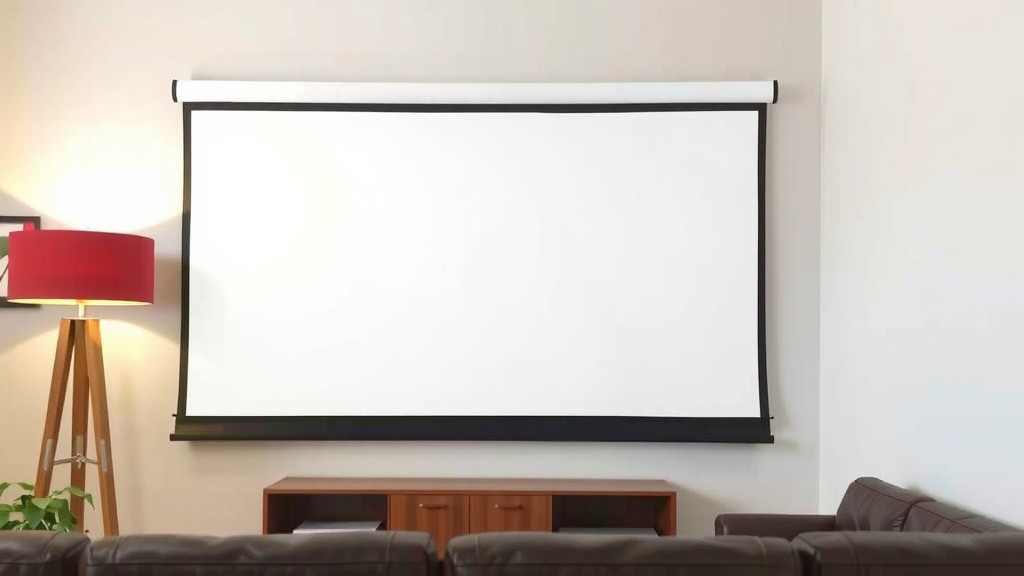
Another approach, which many home theater designers use, is the “vertical viewing angle.” The idea is to fill about 30-40% of the vertical space in your field of vision with the screen. This creates an immersive, theater-like feel without being overwhelming.
This method is a bit more visual and less about precise numbers. Stand where you’ll be sitting and look at the wall where the screen will be. Imagine a rectangle representing the screen. Does it feel “right”? Does it occupy a comfortable portion of your view?
We found that this visual approach often aligns well with the distance-based calculations, offering a good double-check for your desired immersion level.
Factor in Your Room Dimensions and Projector
Your viewing distance and ideal screen size are king, but you can’t ignore the realities of your room and your equipment.
Room Size and Layout
A massive screen might sound amazing, but will it dominate your living room? Consider the overall size of your room. A screen that’s too large can make a smaller room feel cramped and uncomfortable. Conversely, a tiny screen in a cavernous room can feel lost.
Think about furniture placement. You don’t want the screen to feel out of proportion with the rest of your room’s decor. We recommend measuring the wall space where you plan to install the screen. Ensure there’s enough room around the edges for mounting, speakers, and a bit of visual breathing room.
Projector Throw Ratio
Your projector’s throw ratio is also important. This tells you how far away the projector needs to be from the screen to cast a specific image size. A “short throw” projector can create a large image from a short distance, while a “long throw” projector needs more space.
Check your projector’s manual or manufacturer’s website for its throw ratio. You can then use online calculators to see what screen sizes your projector can achieve at different distances. This ensures your chosen screen size is actually feasible with your current projector setup.
For example, if you have a projector that can only cast a 100-inch screen from 15 feet away, you won’t be able to fit a 150-inch screen in that spot, no matter how much you might want it.
Your Projector Screen Checklist
Ready to finalize your decision? Keep these points in mind:
- Measure your primary seating viewing distance accurately.
- Calculate your ideal screen size range using the 1.5x to 2.5x multiplier.
- Consider the vertical viewing area – does the screen fill about 40% of your vision?
- Measure the available wall space for the screen.
- Check your projector’s throw ratio to ensure compatibility.
- Don’t forget to think about how the screen will fit aesthetically in your room.
Conclusion
Finding the perfect projector screen size is about balancing immersion with your specific space. You’ve learned that measuring your primary viewing distance is your first and most important step. Using that measurement to calculate an ideal screen diagonal range, and then cross-referencing it with your room’s dimensions and your projector’s capabilities, will lead you to the best fit. Don’t forget to visualize that 40% vertical viewing area for that true cinema feel. Now that you have the tools, it’s time to measure your room and make your home theater dreams a reality!
Frequently Asked Questions
What if I have a small room, but I want a big screen?
In a smaller room, prioritizing screen size can sometimes lead to an uncomfortable viewing experience. We found that sticking to the recommended viewing distance to screen size ratios is key. You might need to compromise on the absolute largest screen size to maintain optimal viewing angles and avoid eye strain, ensuring your setup is enjoyable.
How do I know if my projector can support a larger screen size?
You’ll need to check your projector’s throw ratio. This specification, usually found in your projector’s manual or on the manufacturer’s website, tells you how far the projector needs to be from the screen to create a certain image size. Use an online throw ratio calculator to see what screen diagonals your projector can achieve from your available distance.
Is a 16:9 aspect ratio screen always best?
For most movies and TV shows, a 16:9 aspect ratio is standard and works very well. However, some dedicated home theater enthusiasts might opt for wider aspect ratios like 2.35:1 or 2.40:1 for a more cinematic, letterbox-style viewing experience. Consider what content you watch most often when making this choice.
What does “vertical viewing area” mean for screen size?
This refers to the portion of your field of vision the screen should occupy when you’re seated. Many experts suggest aiming for the screen to fill about 30-40% of the vertical space you see. It’s a visual guide to ensure immersion without the screen feeling overwhelming or requiring excessive head movement.
Can I just use a blank wall instead of a projector screen?
While you can project onto a blank wall, a dedicated projector screen is highly recommended for the best image quality. Screens are designed with specific surfaces that enhance brightness, contrast, and color accuracy, providing a much more vibrant and clear picture than most walls can offer. We found a screen makes a noticeable difference in the overall viewing experience.