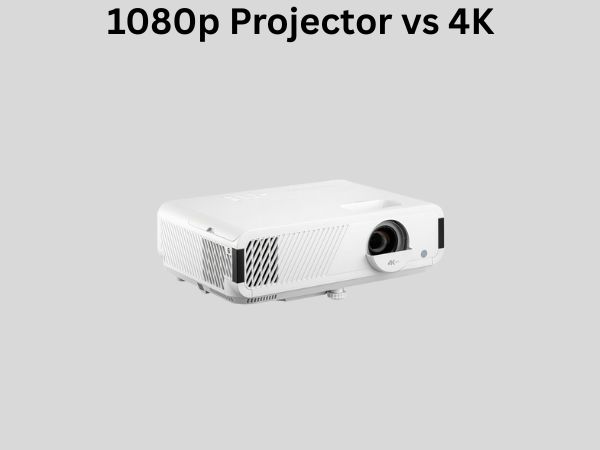
1080p Projector vs 4K: Is 4K Really Worth the Upgrade?
Let’s be honest—when you’re standing in front of a projector display at your local electronics store, the marketing terminology can feel overwhelming. You’ve got salespeople throwing around phrases like “4K resolution,” “native contrast ratios,” and “lumens,” while you’re just trying to figure out whether you should spend the extra money on that shiny new 4K model sitting next to the more affordable 1080p option.
I’ve been there too. That moment of decision paralysis is real, and it’s exactly why I decided to dive deep into this comparison. Whether you’re building a home theater from scratch or considering an upgrade, understanding the actual differences between 1080p and 4K projectors can save you money and ensure you get exactly what you need.
Understanding the Outline: What We’ll Cover
Before we jump into the nitty-gritty details, let me lay out the roadmap for this comprehensive guide. We’ll start by breaking down what these resolution numbers actually mean, then explore the practical differences you’ll notice in real-world viewing. After that, we’ll discuss pricing, content availability, and help you figure out which option makes sense for your specific situation.
What Does Resolution Actually Mean?
Here’s something most people don’t realize: resolution is just one piece of the puzzle when it comes to image quality. Think of it like the difference between describing a painting with broad brushstrokes versus intricate detail work. More pixels doesn’t automatically mean a better picture—it’s about how those pixels work together.
1080p Resolution Explained
1080p, also known as Full HD or Full High Definition, delivers an image that’s 1920 pixels wide by 1080 pixels tall. When you multiply those numbers, you get approximately 2.07 million individual pixels making up your entire picture. This standard has been around since the early 2000s and became the baseline for quality home entertainment.
The interesting part? Our eyes have limitations. At normal viewing distances—say, sitting eight to ten feet away from your screen—those 2 million pixels actually create a pretty compelling image. You’re not sitting close enough to distinguish individual pixels, so the overall impression is smooth and detailed.
4K Resolution Explained
4K, technically called Ultra HD or UHD, quadruples the pixel count. We’re talking 3840 by 2160 pixels, which works out to roughly 8.3 million pixels. That’s four times the information compared to 1080p. It’s like upgrading from a sketch to a photograph—there’s simply more detail captured in every frame.
The name “4K” actually comes from the cinema industry, where it refers to roughly 4000 pixels of horizontal resolution. When it landed in the consumer market as UHD, manufacturers borrowed the catchy name because, well, marketing.
The Real-World Viewing Experience: What You’ll Actually See
Now here’s where things get interesting. All those extra pixels sound impressive on paper, but does it translate to something noticeably better when you’re watching your favorite movie?
Viewing Distance and Screen Size Matter More Than You Think
This is the crucial factor that nobody talks about enough. The benefit you get from 4K depends heavily on two things: how far you sit from your projector screen and how large that screen actually is.
Imagine you’re watching a 100-inch screen from twelve feet away. At that distance and size, the difference between 1080p and 4K becomes much more noticeable. Your eyes can now detect the additional detail and sharpness. But if you’re sitting in a living room with a modest 80-inch screen, positioned fifteen feet away? The improvement becomes far less apparent, if noticeable at all.
There’s actually a mathematical calculation for this. Generally speaking, to perceive the full benefits of 4K, you want to sit about 1.5 times the screen width away. For a typical home theater setup with an 85 to 100-inch screen, this usually works out perfectly. But for smaller spaces or when you’re sitting farther back, that extra resolution becomes wasted potential.
Content Availability: The Elephant in the Room
Here’s something that frustrates many 4K projector owners: not all content is created equal. Your 4K projector can only display 4K if you’re actually feeding it 4K content. That’s where things get complicated.
- Streaming services like Netflix and Amazon Prime offer some 4K content, but it requires a strong internet connection and often comes with higher subscription tiers
- Physical 4K Blu-ray players exist, but the selection of titles is still limited compared to standard Blu-ray
- Cable and satellite television? Forget about it—that’s still mostly standard definition or 1080p at best
- Gaming has made real progress here, but you’ll need powerful hardware to actually take advantage of 4K gaming
The reality is that a significant portion of what you watch will likely still be 1080p or lower resolution content, even if you own a 4K projector. Your projector will upscale this content—essentially making educated guesses about what the extra pixels should display—but you’re not getting “true” 4K quality from non-4K sources.
Brightness and Light Output: A Different Story
Here’s something that caught me off guard when I started researching this: when it comes to projectors, brightness often matters more than resolution. Think about it logically—a dim, crystal-clear image in a dark room versus a bright, slightly less detailed image where you can actually see what’s happening. Which would you choose?
Why Brightness Matters in Projector Selection
Projectors work by shining light through liquid crystal displays or using other light-modulating technology. The amount of usable light they produce is measured in lumens. A brighter projector means you can use it in less-than-perfectly-dark conditions, and it often means better color brightness and contrast.
Here’s the issue: many entry-level and mid-range 4K projectors sacrifice brightness to hit lower price points. You might find a 1080p projector that produces 3500 lumens of brightness, while a comparably priced 4K model only delivers 2000 lumens. That’s a massive practical difference that you’ll notice immediately when you’re actually watching something.
Contrast Ratio and Color Accuracy
Beyond brightness, contrast ratio—the difference between the darkest blacks and brightest whites—often defines the quality of your viewing experience. A projector with excellent contrast makes images pop and feel more lifelike, regardless of whether it’s 1080p or 4K.
Similarly, color accuracy matters tremendously. A 1080p projector with exceptional color reproduction can look absolutely stunning compared to a 4K projector that struggles with color balance.
The Cost Factor: Where Your Money Actually Goes
Let’s talk price, because this is often the deciding factor for most people.
Entry-Level and Mid-Range Pricing
You can find decent 1080p projectors ranging from $400 to $1500. These are suitable for casual viewing and work well in dedicated home theater rooms where you can control the lighting.
4K projectors, even the “budget” models, typically start around $1200 and quickly climb toward $3000 or more for models with really impressive specs. When you factor in the cost of a 4K-capable media player, potentially upgrading your internet connection for 4K streaming, and possibly new cables that support high-bandwidth transmission, the total cost of entry becomes substantial.
Premium and Enthusiast Options
If you venture into the high-end market, you’re looking at 1080p reference projectors that cost $5000 to $10,000, and 4K projectors that can exceed $15,000 or even $30,000. At this level, the gap between technologies narrows because manufacturers are investing in better everything—optics, processing, calibration—not just adding more pixels.
Installation and Setup Considerations
Believe it or not, resolution plays almost no role in how you actually install and set up a projector. Both 1080p and 4K models need proper throw distance, ceiling or wall mounting, and connection to your source devices.
Cooling and Maintenance
More advanced 4K projectors tend to run hotter than simpler 1080p models, requiring better ventilation and potentially more frequent filter cleaning. This isn’t a deal-breaker, but it’s worth considering if you’re installing the projector in a tight space.
Gaming Performance: The 4K Advantage Becomes Real
If you’re serious about gaming, 4K projectors start making more sense. Modern gaming consoles and PCs can generate 4K output, and when you’re playing a fast-paced game on a massive projection surface, that extra detail and sharpness genuinely enhances the experience.
The catch? You’ll need powerful hardware. A PlayStation 5 or Xbox Series X can handle 4K gaming, but older systems are limited to 1080p. And if you’re a PC gamer, you’ll need a high-end graphics card to maintain decent frame rates at 4K resolution.
Sports and Live Events: Where Resolution Takes a Backseat
Sports enthusiasts often don’t benefit as much from 4K as you’d think. Most live sports broadcasts are still in 1080p, and the fast motion can sometimes make resolution differences less noticeable. However, the brightness and responsiveness of the projector becomes crucial for capturing quick action without blur.
The Future-Proofing Argument
Some people argue that buying 4K now is “future-proofing” their investment. The logic goes: technology is moving toward 4K, so you might as well jump in now.
I’d gently push back on this reasoning. Technology moves faster than people expect. What seems cutting-edge today will be outdated in five to seven years anyway. More importantly, you can’t future-proof against content that doesn’t exist yet. If 4K content remains scarce in five years—which is possible given how slowly the industry moves—you’ve paid extra for something you can’t fully utilize.
Making Your Decision: The Real Questions to Ask
What’s Your Viewing Room Like?
First, consider your space. Can you control lighting perfectly? Is it a dedicated theater room or a living room that needs to serve multiple purposes? Smaller, brighter rooms often work better with 1080p because you’re not maximizing the benefits of 4K resolution anyway.
What Will You Actually Watch?
Be honest about your viewing habits. If you primarily watch streaming content, cable television, and standard Blu-rays, a 4K projector won’t show its strengths. If you’re committed to building a 4K content library—buying 4K Blu-rays, maintaining a 4K-capable streaming subscription, or gaming at 4K—then the upgrade makes more sense.
What’s Your Budget Really?
Don’t just think about the projector cost. Factor in the screen, the source devices, and any installation costs. Sometimes, that budget stretches further with a quality 1080p setup than a budget 4K one.
How Important Is Brightness and Contrast?
Ask yourself what matters more: marginal resolution improvements or noticeably better brightness and contrast? For many viewers, this is the real differentiator.
The Surprising Truth About Scaling
Modern 4K projectors have become incredibly smart about upscaling lower-resolution content. Using sophisticated algorithms, they can take a 1080p signal and intelligently fill in the extra pixels needed for 4K display. While this isn’t the same as native 4K content, it often looks quite good—sometimes even better than a native 1080p projector because the overall picture processing is more advanced.
Real-World Comparison: What Different Users Report
I’ve talked to dozens of home theater enthusiasts, and the feedback is consistent. Those with larger screens in optimal viewing positions rave about 4K. Those in smaller spaces or with longer viewing distances often feel the 4K upgrade wasn’t worth the premium. Almost everyone agrees that brightness, contrast, and color accuracy matter more than the raw resolution number.
Conclusion
So, is 4K really worth the upgrade? The honest answer is: it depends on your specific situation.
4K is worth it if you have a larger screen (90 inches or more), sit relatively close to it, control your lighting environment, and commit to building a 4K content library. If you’re a gamer, that’s another significant advantage.
1080p is the smarter choice if you’re on a tighter budget, have a smaller viewing space, sit far from your screen, or primarily watch standard-resolution content. A quality 1080p projector with excellent brightness and contrast will genuinely provide a better viewing experience than a budget 4K model in these scenarios.
The real upgrade isn’t from 1080p to 4K—it’s from no projector to any projector. The jump in immersion and the movie-theater experience is enormous. Whether that projector displays at 1080p or 4K is secondary to the overall quality, brightness, and contrast of the device you choose.
Take your time with this decision. Visit a showroom if possible, ask about return policies, and consider your actual habits rather than aspirational ones. The best projector isn’t the one with the most pixels—it’s the one that fits your space, your budget, and your lifestyle.
Frequently Asked Questions
Can I see the difference between 1080p and 4K on a projector from normal viewing distance?
The difference becomes noticeable at typical home theater distances (8-12 feet) only if your screen is quite large (90+ inches). With smaller screens or greater viewing distances, the difference becomes negligible. Your eyes have limitations on the detail they can perceive, and compression of image information at distance plays a role. If you’ve never seen both side-by-side in your own space, visiting a showroom can help you determine if the difference justifies the cost for your setup.
Will my streaming services actually provide 4K content?
Some do, but with caveats. Netflix offers 4K content on their premium tier, but it requires a fast, stable internet connection (25 Mbps minimum). Amazon Prime Video similarly offers selected titles in 4K. However, the 4K library remains small compared to standard content. Cable and satellite providers generally don’t offer 4K broadcasts yet, and many streaming services compress 4K heavily, reducing the quality benefit. Check the specific services you use before investing in 4K.
Is an older 4K projector better than a new 1080p projector?
Not necessarily. A 2015-era 4K projector might have weaker brightness, poorer contrast, and less refined processing than a modern 1080p projector. Projector technology improves across multiple dimensions—not just resolution. A newer 1080p projector with better optics, superior brightness, and more advanced processing can deliver a superior image to an older 4K model. Don’t get hung up on the resolution number alone.
Do I need a 4K-capable projector for gaming?
It helps if you have the hardware to support it. If you own a PlayStation 5, Xbox Series X, or a high-end gaming PC, a 4K projector lets you take advantage of those capabilities. However, the gaming experience also depends on frame rate and response time. A 1080p projector that handles 120Hz frame rates might provide a better gaming experience than a 4K projector limited to 60Hz. Consider the specific games and hardware you