1080p Supported vs Native Projector: What’s the Real Difference?
When you’re shopping for a projector, you’ll stumble across two terms that seem to mean the same thing but actually tell very different stories: “1080p supported” and “1080p native.” It’s one of those confusing areas where manufacturers seem to be playing word games, and honestly, I get why so many people feel frustrated trying to understand the distinction.
Let me be straightforward with you—this difference matters more than you might think, and it could significantly impact your viewing experience. Whether you’re planning to set up a home theater, use a projector for presentations, or create the ultimate gaming setup, knowing what you’re actually getting is crucial.
Understanding the Basics: What Do These Terms Actually Mean?
Before we dive into the nitty-gritty details, let’s establish a foundation. Think of projector specifications like describing a car’s engine. You can say a car is “capable of going 200 miles per hour,” but that doesn’t mean it can actually maintain that speed on a regular Tuesday commute.
What Exactly Is “1080p Native”?
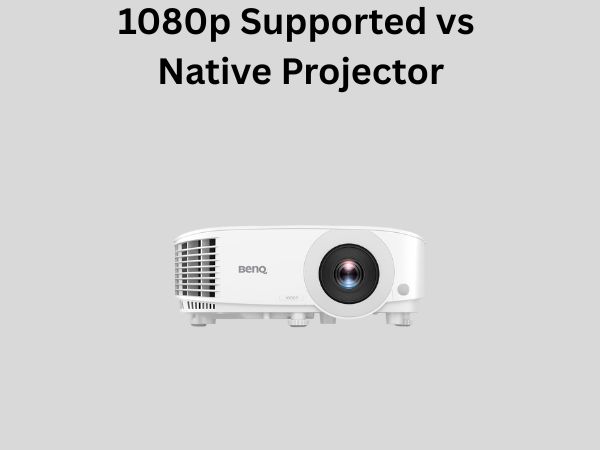
A projector with 1080p native resolution has a chip—called a Digital Micromirror Device (DMD) or LCD panel—that physically contains exactly 1920 by 1080 pixels. This is the actual hardware inside your projector. It’s like the real estate your projector truly owns and operates with.
When you connect a 1080p source to a native 1080p projector, you’re getting a one-to-one pixel mapping. Every pixel from your source device corresponds directly to a pixel on the projector’s chip. This is the ideal scenario, and it’s where you get the sharpest, clearest image with no manipulation or scaling required.
What Does “1080p Supported” Mean?
Now, “1080p supported” is where things get murky. This means the projector can accept a 1080p input signal and process it, but—and this is important—it might not display it at 1080p resolution. The projector has a lower native resolution, typically 720p or something like 1280 by 800 pixels.
Think of it like a translator who understands your language but can only respond using simpler vocabulary. The projector recognizes what you’re sending it, but it needs to squeeze or compress that information to fit its actual display capabilities.
The Technical Breakdown: How Do Projectors Actually Display Images?
To truly appreciate the difference between these two specifications, you need to understand how projectors work at their core. It’s actually fascinating stuff.
How Native Resolution Works
Inside a projector, there’s a light source—either a lamp, LED, or laser—that shines onto a tiny display chip. This chip is either a DMD chip (used in DLP projectors), an LCD panel (used in LCD projectors), or an LCoS chip (used in some premium models).
These chips are absolutely minuscule. We’re talking about something the size of a postage stamp or smaller. The resolution of the projector is determined by how many tiny mirrors or liquid crystals are on that chip. A 1080p native chip has exactly 1920 columns and 1080 rows of these microscopic elements.
The light gets turned on and off at incredible speeds for each of these elements, creating the image you see on your screen. Every pixel you see corresponds to one actual physical element on the chip. It’s pretty remarkable when you think about it.
How Scaling and Upconversion Works
When a projector is described as “1080p supported” but has a lower native resolution, here’s what’s happening behind the scenes: the projector includes a scaler chip that takes the incoming 1080p signal and converts it to match the projector’s actual native resolution.
Let’s say you have a projector with 720p native resolution (1280 by 720 pixels) that supports 1080p. When you send a 1080p signal to this projector, the scaler chip takes the 1920 by 1080 pixel information and has to figure out how to display it on a 1280 by 720 display.
The scaler doesn’t just throw away pixels randomly. Instead, it uses sophisticated algorithms to intelligently average or interpolate pixel information. It’s trying to preserve as much detail as possible from the original signal while fitting it into the smaller space available.
Image Quality Comparison: Where You’ll Notice the Difference
Now comes the question you’re really asking: does this difference actually matter for my viewing experience?
Sharpness and Detail
Here’s where native resolution wins every time. With a native 1080p projector displaying 1080p content, you’re getting maximum detail. Every bit of information from your source is being displayed without any loss or compromise.
With a projector that supports 1080p but doesn’t have native 1080p resolution, you’re always going to lose some detail. The scaling process, while clever, is still a form of compression. It’s like making a photocopy of a photocopy—each generation loses a little bit of clarity.
You’ll notice this most if you’re sitting relatively close to the screen or if the projected image is very large. The closer you sit or the bigger the image, the more noticeable any lack of sharpness becomes.
Text Clarity
If you’re using your projector for presentations or watching content with lots of text on screen, this is where the difference becomes painfully obvious. Text rendered on a native 1080p projector will appear crisp and clean, with smooth edges.
On a lower-resolution projector that’s upscaling 1080p, text can appear slightly blurry or jagged. The letters might have fuzzy edges because the scaler is doing its best to represent the original sharp text on a lower pixel count.
Motion and Action Scenes
During fast-moving scenes, the limitations of scaling can become apparent. Native resolution projectors tend to handle motion more smoothly because there’s no interpretation happening—the chip is displaying exactly what it receives.
Scaled projectors might show very slight artifacts or loss of smoothness during rapid motion, though this varies depending on the quality of the scaler chip used in the projector.
Brightness and Performance Considerations
Interestingly, there’s an unexpected advantage that sometimes goes to the “1080p supported” camp, and it’s not what most people expect.
Why Lower Native Resolution Sometimes Means Brighter Image
A projector with lower native resolution (like 720p) that supports 1080p might actually produce a brighter image than a native 1080p projector. Why? Because there are fewer pixels to illuminate.
Think of it this way: imagine you’re spreading the same amount of light across fewer pixels versus more pixels. The light gets concentrated, making each pixel brighter. A 720p projector has 921,600 pixels, while a 1080p projector has 2,073,600 pixels. That’s more than double the pixels to light up.
For environments where brightness matters—like using a projector in a room with windows or ambient lighting—sometimes a lower-resolution projector can actually seem like the better choice. However, this doesn’t make up for the loss in detail and sharpness.
Heat Generation and Fan Noise
Higher resolution projectors typically generate more heat because they have more pixels working harder. This means they often need more powerful cooling fans, which can translate to more fan noise during operation.
A 720p projector running 1080p content might run cooler and quieter than a true 1080p native projector, which is another small advantage for certain use cases.
Cost Implications: Why These Specs Matter to Your Budget
Here’s the reality: manufacturers use this specification difference to offer products at different price points, and understanding this helps you make smarter purchasing decisions.
Price Differences Explained
A projector that’s “1080p supported” but 720p native will typically cost significantly less than a true 1080p native projector. We’re talking about savings that can range from a couple hundred to over a thousand dollars, depending on the quality and features of the projector.
This is why you see so many budget-friendly projectors marketed with “1080p support.” It sounds impressive in the marketing materials, but the actual display capability is lower.
Is the Lower Price Worth It?
That depends entirely on your expectations and use case. If you’re buying a projector for casual movie watching in a smaller room and you’re sitting relatively far from the screen, you might not notice or care about the resolution difference. In that scenario, saving money with a 720p native projector could be the smart choice.
However, if you’re building a proper home theater, gaming setup, or need the projector for detailed work, spending more for native 1080p resolution is almost always worth it. You’ll get a better image that holds up to scrutiny.
Real-World Scenarios: Which Should You Choose?
Let’s look at some practical situations to help guide your decision.
Home Theater Setup
For a dedicated home theater where you’re watching movies in a dark room and sitting at a normal viewing distance, a native 1080p projector is strongly recommended. Movies are shot with detail in mind, and you’ll appreciate the sharpness. Plus, in a dark room, brightness isn’t usually an issue, so the higher pixel count won’t be a problem.
Gaming and Fast Action
Gamers should definitely lean toward native 1080p. Gaming benefits tremendously from sharp image quality, and motion handling is important. The superior processing of native resolution really shines here.
Business Presentations
For presentations with charts, graphs, and text, native 1080p or even higher is recommended. Text clarity is crucial in professional settings, and you don’t want attendees straining to read what’s on the screen.
Casual Entertainment in Bright Rooms
If you’re using a projector in a room with significant ambient light and you’re mainly watching casual content or sports, a 720p native projector with 1080p support might actually be practical. The increased brightness could be more valuable than the extra resolution in these conditions.
Future-Proofing Your Investment
Another factor to consider is longevity. As content becomes increasingly detailed and 4K becomes more common, having a true 1080p native projector rather than a scaled version feels more future-proof.
Even though 4K projectors are still expensive, the trajectory of technology suggests that 1080p native projectors will remain relevant longer than lower-resolution projectors claiming 1080p support.
What About 4K? Does This Apply There Too?
Yes, absolutely. You’ll see projectors marketed as “4K supported” that don’t have native 4K resolution. The same principles apply. A “4K supported” projector might have 1080p or 1440p native resolution and use scaling to handle 4K signals.
The distinction between native and supported resolution becomes even more important at higher resolutions because the difference in pixel count is more dramatic.
How to Check What You’re Actually Getting
When shopping for a projector, here’s how to tell what you’re really getting:
- Look for specification sheets that explicitly state “native resolution” versus “supported resolutions”
- If a projector only mentions support without specifying native resolution, that’s a red flag—it probably supports more than it natively displays
- Check the chip type and pixel count if available
- Read reviews where people discuss actual image quality, not just specifications
- Ask the retailer directly about native versus supported resolution
The Bottom Line: What You Need to Know
A native 1080p projector will always deliver better image quality than a lower-resolution projector that supports 1080p through scaling. This is physics and mathematics—there’s no way around it.
However, the practical difference might not matter for your specific use case. If you’re not particularly demanding about image quality or you’re using the projector in conditions where brightness matters more than resolution, a cheaper “1080p supported” projector could work fine.
The key is understanding what you’re buying and making an informed decision based on your actual needs, not on marketing language.
Conclusion
The difference between 1080p supported and native 1080p projectors is real, measurable, and impacts image quality. A native 1080p projector contains a display chip with 1920 by 1080 pixels and displays content without any scaling, resulting in maximum sharpness and detail. A projector that merely supports 1080p has a lower native resolution and uses scaling technology to handle 1080p signals, which inevitably results in some loss of detail.
The practical impact depends on your specific situation. For home theaters, gaming, and professional presentations, investing in native 1080p resolution is almost always the right call. For casual use in bright environments or when you’re sitting far from the screen, the cost savings of a lower-resolution projector might be acceptable.
When shopping for your next projector, don’t get fooled by marketing language. Dig into the specifications, understand what you’re getting, and choose based on what actually matters for your use case. Your viewing experience will thank you.
Frequently Asked Questions
Can a 720p projector really display 1080p content?
Technically yes, but with a catch. A 720p native projector can accept and process a 1080p signal thanks to scaling technology built into the projector. However, it will display this content at 720p resolution. The projector takes the 1080p information and compresses it to fit the 1280 by 720 pixel display. While the image will look decent, you’re not getting the full resolution advantage, and the scaling process inevitably results in some loss of detail and sharpness compared to a true 1080p native projector.
Will I actually notice the difference between native and supported 1080p?
Whether you notice the difference depends on several factors: how close you sit to the screen, how large your projected image is, the quality of the scaling technology in the projector, and how discerning your eye is. If you’re watching from a distance of 15 feet or more on a moderately sized image, you might not notice much difference. However, if you’re sitting closer, watching on a large screen, or if you’re looking at text-heavy content, the difference becomes very apparent. Most people who’ve seen both side-by-side can clearly see the superior sharpness of a native 1080p projector.
Is a “1080p supported” projector ever better than a native 1080p projector?
In specific scenarios, a lower-resolution projector might have some advantages. It could be brighter, run cooler and quieter, and cost significantly less. For use in very bright rooms where brightness is the priority, or for casual entertainment where resolution isn’t critical, a 720p native projector with 1080p support could actually be the better practical choice. However, in terms of pure image quality and resolution, native 1080p is always superior.
Should I pay more for native 1080p if I’m mostly watching sports?
Sports content benefits from native 1080p resolution, so it’s worth considering the upgrade. You’ll get clearer detail of the field or court, better text visibility for scores and statistics, and smoother motion handling. That said, if you’re watching from a distance and in a bright room, the brightness advantage of a cheaper 720p projector might