How Big Is a 150-Inch Projector Screen? A Complete Guide to Understanding Massive Display Dimensions
When you’re shopping for a projector screen, you might see the term “150-inch” and wonder what that actually means in practical terms. Is it really that large? How will it fit in your space? Will it look ridiculous in your living room, or is it the perfect size for your home theater dreams? These are all legitimate questions, and I’m here to help you understand exactly what a 150-inch projector screen looks like and whether it’s right for you.
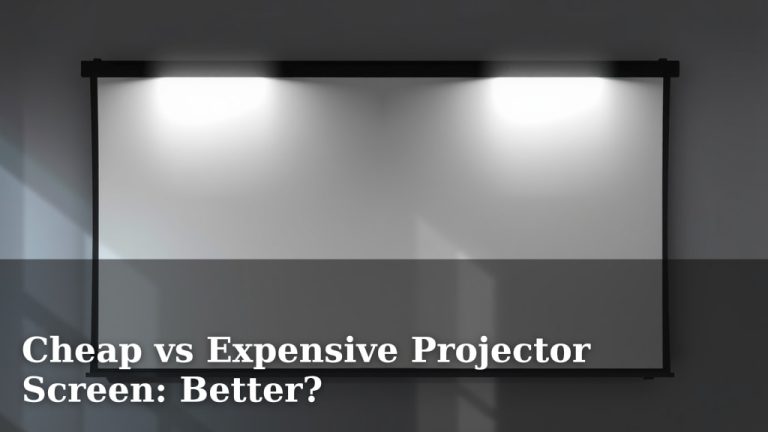
Understanding Projector Screen Measurements
Before we dive into the specifics of a 150-inch screen, let’s talk about how these measurements actually work. When manufacturers describe a projector screen as “150-inch,” they’re referring to the diagonal measurement of the screen, much like how television sizes are measured. Think of it like this: if you took a measuring tape and drew an invisible line from one corner of the screen to the opposite corner, that line would be 150 inches long.
This measurement method can be a bit confusing because it doesn’t directly tell you the width or height of the screen. Instead, it depends on the aspect ratio, which is the relationship between the width and height. Different aspect ratios will produce different width and height measurements, even though the diagonal is the same.
Why Diagonal Measurement Matters
You might wonder why the industry doesn’t just tell us the width and height directly. The answer comes down to consistency and tradition. The diagonal measurement is a standard way to describe screens because it accounts for different aspect ratios automatically. It’s similar to how television sizes have always been described, so consumers are already familiar with this method.
The Actual Physical Dimensions of a 150-Inch Screen
Now, here’s where things get interesting. A 150-inch projector screen isn’t a single, fixed size. Instead, its exact dimensions depend on the aspect ratio you choose. Let me break down the most common aspect ratios you’ll encounter:
16:9 Aspect Ratio (Most Common)
If you’re buying a 150-inch projector screen in the 16:9 aspect ratio, which is the standard for modern movies and television, here’s what you’re actually getting:
- Width: Approximately 131 inches (about 10.9 feet)
- Height: Approximately 74 inches (about 6.2 feet)
- Diagonal: 150 inches
To put this in perspective, that’s nearly 11 feet wide and just over 6 feet tall. Imagine standing in your room and measuring out a space that’s almost as wide as a standard garage door. That’s the scale we’re talking about here.
4:3 Aspect Ratio (Older Standard)
If you prefer the older 4:3 aspect ratio, which was more common before widescreen became standard, your dimensions would be slightly different:
- Width: Approximately 120 inches (10 feet)
- Height: Approximately 90 inches (7.5 feet)
- Diagonal: 150 inches
This option gives you a taller screen, which some people prefer for older content or specific applications.
21:9 Aspect Ratio (Ultra-Wide)
For those who want a truly cinematic experience, the 21:9 ultra-wide format offers a different take:
- Width: Approximately 143 inches (nearly 12 feet)
- Height: Approximately 61 inches (about 5 feet)
- Diagonal: 150 inches
This aspect ratio is wider but shorter, giving you that immersive theatrical experience you’d find in a cinema.
How Height and Width Compare to Your Room
Understanding the raw numbers is one thing, but visualizing them in your actual space is another. Let me help you get a mental picture of how massive a 150-inch screen really is.
Comparison to Everyday Objects
A 150-inch 16:9 screen is about as wide as a king-size bed is long. It’s roughly the height of a tall adult standing on the shoulders of another tall adult. If you were to install this screen on your wall, it would dominate the room in a way that few other pieces of furniture can match.
Wall Space Requirements
You’ll need a dedicated wall that’s at least 135 inches wide (accounting for some margin) to safely mount a 150-inch 16:9 screen. That’s over 11 feet. Most modern living rooms can accommodate this width, but you’ll want to verify by measuring your wall before making any purchases. Don’t forget to account for doorways, windows, or architectural features that might interfere.
Comparing 150-Inch Screens to Other Common Sizes
To help you understand whether 150 inches is right for you, let’s compare it to other popular screen sizes in 16:9 aspect ratio:
- 100-Inch Screen: 87 inches wide by 49 inches tall – still substantial but noticeably smaller
- 120-Inch Screen: 105 inches wide by 59 inches tall – getting closer to truly cinematic
- 150-Inch Screen: 131 inches wide by 74 inches tall – our subject of discussion
- 180-Inch Screen: 157 inches wide by 88 inches tall – reserved for serious enthusiasts or commercial use
When you see these comparisons side by side, you realize that jumping from 120 inches to 150 inches is a significant leap. You’re adding about 26 inches to the width, which doesn’t sound like much until you try to fit it in your room.
Viewing Distance and Optimal Experience
Here’s something many people don’t consider: a 150-inch screen is only optimal if you’re sitting far enough away from it. Sit too close, and your eyes will have trouble taking in the entire image. Sit too far away, and you’ll lose the immersive quality that makes large screens worthwhile.
The Recommended Viewing Distance
For a 150-inch 16:9 screen, the ideal viewing distance is typically between 12 and 18 feet from the screen. This range allows your eyes to see the full image without excessive head movement while still enjoying the cinematic experience.
Think about this practically. If your room is 20 feet deep and you place the screen on one wall, your seating area would need to start around 12 feet away. That means you need a pretty spacious living room to make a 150-inch screen work properly. In a typical living room that’s 15 feet deep, you might find yourself sitting a bit closer than ideal.
How Close Is Too Close?
Generally, you don’t want to sit closer than 1.2 times the diagonal of your screen. For a 150-inch screen, that’s about 9 feet. Below that distance, you’ll likely experience what’s called “overscan,” where you can’t comfortably see the entire image without moving your head or eyes too much.
Different Aspect Ratios and What They Mean
I mentioned aspect ratios briefly, but let’s dive deeper into what they actually mean for your viewing experience and how they affect the overall size of your setup.
What Aspect Ratio Is Best for Movies?
Most modern movies are produced in 16:9 or wider formats. If you’re a serious movie enthusiast, you’ll appreciate the 16:9 standard because it accommodates most contemporary films without letterboxing (those black bars on top and bottom). However, theatrical releases often use even wider formats like 2.39:1, which means you’ll still see some black bars even on an ultra-wide screen.
What Aspect Ratio Is Best for Sports and Gaming?
Sports broadcasts and video games typically use 16:9, making this the most versatile choice for mixed-content viewing. If you plan to watch everything from movies to sports to gaming, 16:9 is your safest bet.
What Aspect Ratio Is Best for a True Cinema Experience?
If you want to recreate the theatrical experience of a movie theater, you might lean toward the 21:9 ultra-wide format. This gives you that expansive, immersive feeling that makes you forget you’re watching a screen. However, this means accepting black bars when watching 16:9 content.
Installation Considerations for Such a Large Display
Installing a 150-inch projector screen isn’t like hanging a picture frame. There are several important factors to consider before you commit.
Mounting Options
You have a few choices when it comes to installation. You can mount it permanently on your wall, use a motorized ceiling-mounted system, or opt for a manual pull-down system. Each option has its pros and cons:
- Wall-Mounted (Permanent): Takes up permanent wall space but offers the cleanest look
- Ceiling-Mounted with Motor: Retracts when not in use but requires electrical work and structural support
- Manual Pull-Down: Budget-friendly but requires manual operation each time
- Freestanding Frame: Portable and flexible but takes up floor space
Structural Support Requirements
A large projector screen isn’t as heavy as you might think, but it’s still substantial. Depending on the mounting system, you may need to reinforce your walls or ceiling to ensure safe installation. This is especially important if you’re using a motorized system that has moving parts putting stress on the mounting points.
Room Requirements for a 150-Inch Setup
Let’s get practical about what kind of room you actually need to accommodate a 150-inch screen properly.
Minimum Room Dimensions
At minimum, you should have a room that’s at least 135 inches wide (11.25 feet) and 20 feet deep. Ideally, you’d want it even larger. The room also needs to be reasonably dark, as bright light will wash out the projected image, no matter how powerful your projector is.
Ceiling Height Considerations
A 150-inch 16:9 screen is 74 inches tall. You’ll want to position it so the center of the screen is at or slightly above eye level when seated. This means you need a ceiling that’s at least 8-9 feet tall, preferably higher if you want flexibility in positioning.
Ambient Light Control
The larger your screen, the more you need to control ambient light. You’ll want to invest in blackout curtains, proper lighting design, and potentially acoustic panels (which also help with sound). A dedicated home theater room or a basement often makes an ideal location for a 150-inch screen.
Cost Factors for Massive Displays
A 150-inch projector screen isn’t just about the screen itself. There are numerous costs involved in creating a proper setup.
Screen Cost Breakdown
A high-quality 150-inch projector screen can range from $2,000 to $10,000 or more, depending on the material and brand. Budget screens might be cheaper but offer inferior image quality and durability. Premium screens with special materials that preserve image quality from wide angles cost more but deliver a superior viewing experience.
Projector Costs
You’ll also need a projector capable of filling a 150-inch screen with bright, clear image. Quality projectors for this application typically range from $3,000 to $50,000 or beyond for truly high-end models. The projector needs sufficient lumens (brightness) to overcome ambient light and fill such a large screen properly.
Installation and Setup Costs
Professional installation, cabling, motorized systems, and acoustic treatments can easily add another $3,000 to $15,000 to your total investment. If you’re doing this right, expect a complete 150-inch setup to cost between $10,000 and $75,000.
Content Quality Needed for Large Screens
Here’s something that might surprise you: not all content looks good on a 150-inch screen. The larger the display, the more apparent any image quality issues become.
Resolution Requirements
For a 150-inch screen, you’ll want content in at least 4K resolution (3840 x 2160 pixels) to maintain good image quality. Standard 1080p content will look pixelated and soft when blown up to this size. This means you’ll need a 4K projector and 4K content sources like 4K Blu-ray, streaming services, or gaming consoles.
Source Quality Matters
Streaming services vary widely in quality. Netflix’s highest tier, Disney+, and 4K Blu-ray players all deliver superior quality compared to standard streaming. If you’re investing in a 150-inch screen, you should match that investment with quality content sources.
Projector Power Requirements
Filling a 150-inch screen with bright, visible light requires considerable projector power, especially if your room isn’t perfectly dark.
Brightness (Lumens) Needed
A quality home theater projector for a 150-inch screen should have at least 2,500 to 3,000 lumens for optimal performance in a dark room. If your room has ambient light, you might need 4,000 lumens or more. Commercial or outdoor applications require even brighter projectors.
Contrast and Color Accuracy
Beyond brightness, you want a projector with excellent contrast ratio and accurate color reproduction. Cheaper projectors might be bright enough but deliver washed-out colors and poor black levels, which ruins the viewing experience on a large screen.
Maintenance and Durability
A 150-inch projector screen is a long-term investment, and you’ll want to keep it in good condition for years to come.