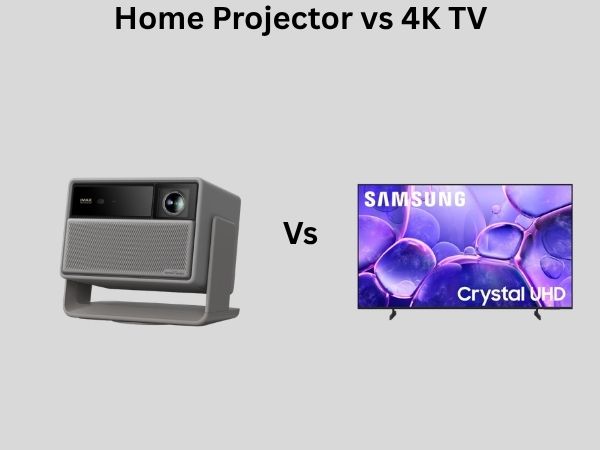
Home Projector vs 4K TV: Which Offers the Best Cinematic Experience?
Have you ever sat in a movie theater and felt that magical sense of being completely immersed in another world? That’s the feeling many of us chase when we’re setting up our home entertainment spaces. But here’s the million-dollar question: can we truly recreate that theater magic at home, and if so, which technology gets us closer—a home projector or a 4K TV?
This isn’t a simple choice between two equal options. Each technology brings its own strengths and weaknesses to the table, and what works perfectly for your neighbor might be a complete mismatch for your needs. Let me walk you through everything you need to know to make an informed decision that you won’t regret six months down the line.
Understanding the Core Differences
Before we dive into the nitty-gritty details, let’s establish what we’re actually comparing. A 4K TV is a flat-screen display that sits in your entertainment center, showing images at a resolution of 3840 x 2160 pixels. A home projector, on the other hand, is a device that beams images onto a screen or wall, creating a much larger viewing surface.
Think of it this way: a 4K TV is like looking through a window into another world, while a home projector is like stepping into a portal that surrounds you. The fundamental difference in how they deliver images to your eyes changes everything about the viewing experience.
The Screen Size Factor: Going Big vs. Staying Compact
Why Size Matters More Than You Think
Let’s address the elephant in the room first. Home projectors can create images anywhere from 80 inches to over 150 inches, depending on your room size and projector capabilities. A typical 4K TV maxes out around 85 inches for most households, with premium models reaching up to 98 inches, though these become increasingly expensive and impractical.
Why should you care about this? Because screen size directly impacts how immersive your experience feels. When watching action movies or sports, a larger screen pulls you into the action in ways a smaller screen simply cannot match. Your peripheral vision gets engaged, and you’re no longer just watching—you’re participating.
The Sweet Spot for Each Technology
For 4K TVs, the ideal viewing distance is typically 1.5 times the diagonal screen size. So for an 85-inch TV, you’d want to sit around 10-12 feet away to appreciate the 4K resolution properly. Sit closer, and you’ll start seeing individual pixels. Sit farther back, and the resolution advantage becomes meaningless.
Home projectors, meanwhile, work differently. Since they’re projecting light onto a surface, the viewing distance is far more flexible. You can sit much closer without pixel visibility issues, or farther back without losing the benefit of the high resolution.
Picture Quality and Image Clarity
Resolution: The Numbers Game
On paper, both technologies can deliver 4K resolution. However, there’s a crucial distinction that manufacturers often gloss over. Most home projectors marketed as “4K” actually use a technology called 0.47-inch DLP chips with pixel-shifting. This means they don’t have native 4K pixels like a true 4K TV does.
What does this mean in practical terms? When you’re watching a 4K movie on a high-end home projector, the image still looks sharp and detailed, but a 4K TV has a slight edge in crispness when you’re examining fine details. The difference is subtle enough that most viewers won’t notice during normal watching, but it’s worth understanding.
Brightness and Contrast: The Real Game-Changer
Here’s where things get interesting. Modern 4K TVs, especially those using QLED or Mini-LED technology, can achieve brightness levels of 1000 nits or higher. Home projectors typically max out around 3000-4000 lumens, which sounds impressive until you realize that lumens and nits measure different things.
The practical upshot? 4K TVs handle brightly lit rooms much better than projectors. You can have your lights on, windows uncovered, and still enjoy a vibrant, detailed picture. Try watching a home projector with significant ambient light, and your image will look washed out and dull.
Contrast, though, is where projectors often shine. The darkest blacks you can achieve with a projector are truly black—they’re literally the absence of light projected on a wall. 4K TVs, even the best ones, have a slight glow in their black areas because they’re emitting some light even during the darkest scenes. For cinematic experiences, especially in darker content like thrillers or sci-fi films, this gives projectors a distinct advantage.
Color Accuracy and Performance
Both technologies have made remarkable strides in color accuracy. Modern 4K TVs cover about 99% of the DCI-P3 color space, which is the standard for cinema. High-end home projectors achieve similar color volume and accuracy when properly calibrated.
The difference comes down to consistency and ease of use. 4K TVs maintain their color accuracy right out of the box and throughout their lifespan with minimal fading. Home projectors require more careful setup and occasional recalibration as their bulbs or laser sources age and their light output diminishes.
The Practical Considerations of Installation
Space Requirements and Flexibility
Installing a 4K TV is straightforward. You mount it on a wall, position your seating, and you’re ready to go. No special room preparation needed. Home projectors, conversely, demand more planning. You need to determine where the projector will sit or mount, ensure it’s the right distance from your screen or wall, and plan cable runs from your media devices.
If you’re renting, a 4K TV is your friend. You can take it with you when you move. A home projector setup is more permanent, though portable projectors exist for more flexibility.
Screen Requirements for Projectors
You have two options with projectors: project onto a painted wall or use a dedicated projection screen. A quality projection screen costs anywhere from $500 to $2000 or more, adding to your overall investment. A painted wall is cheaper but requires a smooth, evenly-colored surface. Neither option is as simple as just hanging a TV on the wall.
Cost Analysis: Budget Matters
Initial Investment
A solid 65-inch 4K TV from a reputable brand runs you $600-$1200. An 85-inch model sits in the $1500-$3000 range. For home projectors, you’re looking at $800-$2000 for a decent full HD projector, $1500-$3500 for a solid 4K projector, and $3000-$6000+ for premium models.
When you factor in a quality projection screen ($500-$2000), installation, sound system, and any room modifications, a projector setup can become significantly more expensive than a 4K TV of comparable visual quality.
Ongoing Costs
Here’s something often overlooked: maintenance and replacement costs. Home projector bulbs cost $150-$400 and need replacing every 3000-5000 hours. Laser projectors avoid this, but they carry a premium price tag. 4K TVs have virtually no ongoing bulb or lamp costs. They might develop pixel issues after many years, but this is relatively rare with modern panels.
Sound Quality Considerations
Most modern 4K TVs have adequate built-in speakers, though quality varies significantly. Some premium models deliver surprisingly good sound. However, if you want truly cinematic audio with surround sound and directional effects, you’re investing in a separate sound system regardless of your display choice.
Home projectors typically have even weaker built-in audio, making a quality soundbar or surround system almost mandatory. Factor this into your budget if you’re starting from scratch.
Content and Usability Experience
Gaming Performance
Are you a gamer? This matters. 4K TVs handle gaming better than most projectors. They offer lower input lag (the delay between controller input and on-screen action), higher refresh rates like 120Hz, and variable refresh rate technology like HDMI 2.1 support. High-end projectors are catching up, but many still lag behind in gaming performance.
If you’re playing competitive games, a 4K TV is the better choice. For casual gaming or story-driven adventures, a projector’s immersive screen size might offset the slight performance disadvantage.
Streaming and Regular TV Watching
Watching Netflix, news, or regular broadcasts looks great on both. However, 4K TVs are more practical for casual viewing because you don’t need to dim all your lights. Home projectors demand a darkened room to look their best, which makes them less suitable if you want to watch something while doing other activities.
Image Quality in Different Lighting Conditions
The Darkness Advantage: Projectors Rule
In a completely dark or dimly lit room, home projectors deliver a more cinematic, immersive experience. The massive screen size combined with true black levels creates an atmosphere that rivals actual movie theaters. This is where projectors truly excel.
The Daylight Reality: TVs Take the Win
In rooms with windows, during daytime viewing, or in typically lit living spaces, a 4K TV is far more practical. Its bright panel cuts through ambient light, maintaining vivid colors and sharp contrast. Try watching a projector in these conditions, and you’ll see why most home theater enthusiasts reserve their projectors for dedicated media rooms.
Durability and Lifespan
4K TVs typically last 7-10 years of regular use before performance noticeably degrades. Home projectors can also last 7-10 years, but this depends heavily on how well you maintain them and replace bulbs. Laser projectors promise longer lifespans, with some rated for 20,000+ hours of use.
Neither technology is likely to become obsolete anytime soon, as both support current streaming standards and content formats.
The Verdict: Which One Should You Choose?
Choose a 4K TV If:
- You want a hassle-free, straightforward setup that works immediately
- Your room receives natural light or you keep lights on while watching
- You’re budget-conscious and want to minimize long-term maintenance costs
- You game frequently or watch sports competitively
- You want the best possible image sharpness and fine detail clarity
- You value ease of use and don’t want to manage dark room requirements
- You plan to move or want maximum flexibility
Choose a Home Projector If:
- You have a dedicated media or home theater room that can be darkened
- You prioritize screen size and immersive viewing experience above all
- You watch primarily cinematic content like movies and want theater-like black levels
- You have the budget for a complete setup including a quality screen and sound system
- You prefer a single large screen experience over multiple viewing positions
- You’re willing to manage maintenance like bulb replacements
- You have adequate space to accommodate the projector and viewing distances
Creating the Hybrid Solution
Here’s a thought: who says you have to choose just one? Some home theater enthusiasts use both. A 4K TV for everyday watching, casual sports, and gaming, paired with a projector in a dedicated media room for serious movie marathons and cinematic experiences. If your budget allows, this approach gives you the best of both worlds.
Future-Proofing Your Investment
Technology evolves rapidly. Both 4K TVs and projectors will likely be relevant for several more years, but keep an eye on emerging technologies like micro-LED displays and next-generation laser projectors. For now, both are solid investments that won’t become obsolete immediately.
Final Thoughts on Your Decision
Choosing between a home projector and a 4K TV isn’t about which is objectively better—it’s about which aligns with your lifestyle, budget, room setup, and viewing habits. Spend time imagining how you’ll actually use your equipment day-to-day, not just during optimal conditions.
Conclusion
The battle between home projectors and 4K TVs doesn’t have a universal winner because they serve different purposes and suit different situations. A 4K TV is your practical, versatile choice—ready to perform in any lighting condition, requiring minimal setup, and delivering sharp, vibrant images consistently. It’s the technology that fits most modern living situations without demanding special accommodations.
A home projector, meanwhile, is the romantic choice for those willing to invest in the full experience. It creates that genuine theatrical atmosphere, delivers those inky blacks that make movies feel truly cinematic, and transforms a room into a dedicated entertainment sanctuary. But it demands more—more setup, more maintenance, more controlled environments, and more initial investment.
Neither choice is wrong. Your perfect cinematic experience depends entirely on your specific circumstances. Consider your room’s lighting, your budget, your viewing habits, and how much you’re willing to sacrifice convenience for immersion. Once you’ve honestly assessed these factors, your best choice will become obvious.
Frequently Asked Questions
Can I use a home projector in a room with windows?
While technically possible, it’s not ideal. You’d need blackout curtains or shades to block all natural light for the projector to display its best image. Even then, you’d only be able to watch when it’s completely dark outside or when you’re willing to cover all windows. A 4K TV handles windows and natural light far more gracefully without any special treatment needed.
What’s the difference between native 4K and upscaled 4K in projectors?
Native 4K means the projector has actual 4K resolution pixels. Most home projectors use pixel-shifting technology, which rapidly alternates between pixel positions to simulate 4K resolution. While the results look sharp and detailed, true native 4K projectors exist but cost significantly more. For most viewers, the difference is imperceptible during normal viewing, so don’t overpay for native 4K unless you’re examining fine details from very close distances.
How often do I need to replace a projector bulb?
Standard projector bulbs typically last 3000-5000 hours of use before their light output diminishes significantly. If you watch three hours daily, you’re looking at roughly 3-5 years before replacement becomes necessary. At $150-$400 per replacement, this is an ongoing cost worth factoring into your decision. Laser projectors eliminate this concern but come with a premium price tag.
Is 85-inch 4K TV too large for a typical living room?
It depends on your seating distance and room layout. For 4K resolution to be fully appreciated, you should sit 1.5 times the screen diagonal away. For an 85-inch TV, that’s roughly 10-12 feet. If your seating is closer than this, a smaller TV or a projector might be better. If you’re farther away, the large screen is absolutely fine and won’t cause any neck strain or discomfort.
Can projectors display bright, colorful content well?
Yes, modern projectors handle bright, colorful content excellently when you’re in a properly darkened room. Their brightness levels (measured in lumens) are more than sufficient