How 3D Projectors Work: A Complete Guide to Understanding 3D Projection Technology
Have you ever sat in a movie theater and watched something fly right off the screen toward your face? That magical experience isn’t just movie magic—it’s actually fascinating science in action. Today, I’m going to walk you through exactly how 3D projectors create that stunning depth that makes us duck in our seats.
When most people think about 3D movies or presentations, they might imagine some sort of wizardry happening behind the scenes. The truth? It’s actually a clever combination of physics, specially designed glasses, and some really smart technology. Let me break this down in a way that actually makes sense.
What Exactly Is a 3D Projector?
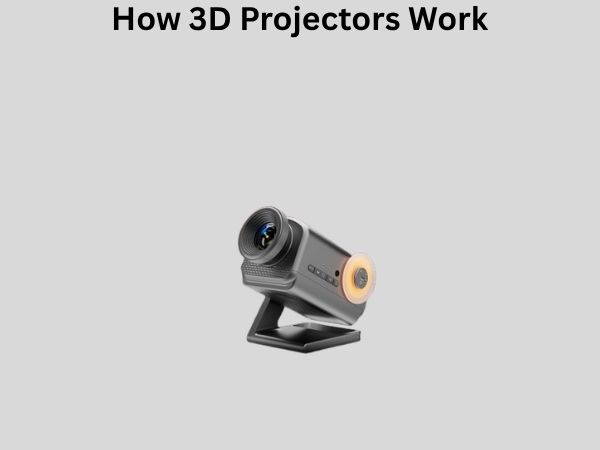
A 3D projector is basically a regular projector on steroids. While a standard projector shows you a single 2D image on a screen, a 3D projector displays two slightly different images simultaneously. Think of it like this: your left eye and right eye see the world from slightly different angles, right? That’s what gives you depth perception. Your brain combines these two different perspectives into one three-dimensional view. A 3D projector mimics exactly this process.
The key difference comes down to how these two images are delivered to your eyes separately. Without special technology, both images would just overlap on the screen, and you’d see a blurry mess. The magic happens when we use special glasses or technology to ensure each eye only sees its intended image.
The Foundation: Understanding Stereoscopic Vision
Before we dive into how projectors work, let’s talk about why our eyes see in 3D at all. This is called stereoscopic vision, and it’s absolutely fundamental to understanding 3D projection.
How Your Eyes Create Depth Perception
Your eyes are roughly 65 millimeters apart. This tiny distance—which seems insignificant—is actually the foundation of everything 3D. When you look at something, each eye captures a slightly different image. Your brain then compares these two images and uses the differences to calculate depth and distance. It’s incredible when you think about it, but it happens instantaneously, without you even noticing.
This is why closing one eye makes it harder to judge distances, especially if something is far away. Without that second perspective, your brain has to rely on other clues like shadows, relative size, and motion to understand depth.
Parallax: The Secret Ingredient
There’s a technical term for this difference between what your eyes see: parallax. The amount of parallax tells your brain how far or close something is. Objects that are close have a large parallax (your eyes see very different images), while distant objects have small parallax (your eyes see nearly identical images). A 3D projector exploits this principle by creating two images with calculated parallax differences.
The Two Main Technologies Behind 3D Projection
Now here’s where it gets interesting. There are actually several different ways that 3D projectors create this stereoscopic effect. Let me walk you through the two most common approaches you’ll encounter.
Active Shutter Glasses Technology
This is probably the technology you’ve experienced in many movie theaters. Active shutter glasses use a really clever system involving timing and shuttering.
How Active Shutter Glasses Actually Work
Imagine a tiny door that opens and closes extremely quickly over each lens of the glasses. The projector works in sync with these electronic glasses. Here’s the sequence: the projector displays the image for the left eye, and at the same moment, the left lens of the glasses opens while the right lens closes. Your left eye sees the image, but your right eye sees nothing. Then, in a fraction of a second, the projector switches to the right eye image, the right lens opens, and the left lens closes. The glasses switch back and forth so quickly—typically 120 times per second or more—that your brain doesn’t detect the switching. Instead, you perceive both images simultaneously, and your brain fuses them into a 3D experience.
This technology is elegant because the projector only needs one light source. It’s displaying both images on the same screen, just at different times. The glasses handle the separation.
Advantages and Disadvantages of Active Shutter Technology
- Creates excellent 3D depth and brightness
- Works with any projector after adding the required electronics
- Requires battery-powered glasses that need charging
- Can cause slight flickering if the refresh rate isn’t high enough
- More expensive glasses mean higher overall costs
Passive Polarized Glasses Technology
This is the other major approach, and it’s actually what most modern movie theaters use because it’s simpler and more reliable.
Understanding Polarization and Light Waves
Light waves vibrate in all directions perpendicular to their direction of travel. Imagine throwing a rope against a wall—the wave moves forward, but it oscillates up and down, side to side, diagonally, and everywhere in between. Polarized light, however, only vibrates in one direction.
A passive polarization system works by projecting two images with different polarizations. The left image might be polarized vertically (vibrating up and down), while the right image is polarized horizontally (vibrating side to side). The passive glasses you wear contain polarizing lenses—the left lens only lets through vertically polarized light, while the right lens only lets through horizontally polarized light. Each eye sees only the image meant for it because of this polarization filtering.
The Advantages of Passive Systems
- No batteries required—the glasses are simple and lightweight
- Extremely affordable since there’s no electronic component
- No flickering at all since both images are displayed simultaneously
- Requires a special polarized screen
- Slightly dimmer image compared to active shutter technology
How the Projector Itself Creates the Two Images
Now let’s talk about what’s happening inside the projector itself. This is where the real engineering magic happens.
Single Chip DLP Projectors with Sequential Processing
Many 3D projectors use what’s called a Digital Light Processing (DLP) chip. This is a tiny mirror made up of millions of even tinier mirrors, each only a few micrometers wide. Each mirror can rotate to direct light toward or away from the lens.
In a 3D configuration with active shutter glasses, the DLP projector rapidly displays the left image, then the right image, then the left image again, cycling through at an incredible speed. Since the mirrors can change position almost instantaneously, this works seamlessly.
Dual Projector Systems
Some higher-end setups use two separate projectors, each displaying one of the stereoscopic images. This approach eliminates the need for sequential processing entirely. One projector handles the left-eye image while the other handles the right-eye image, and they display simultaneously. This results in brighter, higher-quality images but requires more sophisticated alignment and calibration to ensure the images overlap perfectly.
LCoS Technology in 3D Projectors
LCoS stands for Liquid Crystal on Silicon, and it’s another technology used in 3D projectors. It works somewhat similarly to DLP but uses liquid crystals instead of mirrors. The principle remains the same: the projector rapidly switches between left and right images when using active shutter glasses, or it can project both simultaneously when using passive technology.
The Role of the Screen in 3D Projection
You might not realize it, but the screen itself plays a crucial role in 3D projection success. It’s not just a passive surface—it actively participates in the 3D experience.
Standard Projection Screens vs. Specialized 3D Screens
A regular projection screen will work with active shutter glasses, but for passive polarized systems, you absolutely need a specialized silver screen. Here’s why: these screens must maintain the polarization of the light they reflect. A regular white screen would scramble the polarization, making the 3D effect impossible. Silver screens, on the other hand, are specifically designed to preserve polarization characteristics. They’re more expensive, but they’re essential for passive systems.
Screen Gain and Brightness Considerations
Since 3D projection essentially splits the light between two images, the screen needs to be particularly good at reflecting light efficiently. Screens with higher gain (which means they reflect more light in a concentrated direction) help maintain brightness in 3D presentations. This becomes even more important when using passive glasses, which further reduce the light reaching each eye.
Color and Image Processing in 3D
Here’s something many people don’t think about: how does color work when you’re splitting light into two images? It’s actually quite sophisticated.
Maintaining Color Accuracy
Both the left and right images need to be in full color for the 3D experience to work properly. Advanced projectors use sophisticated color wheels or advanced liquid crystal technology to ensure that each stereoscopic image—whether it’s displayed sequentially or simultaneously—contains the full spectrum of colors. If the color processing wasn’t perfect, you’d see color fringing or lose color fidelity in your 3D image.
How Depth Cues Affect Color Perception
Your brain doesn’t just use parallax to understand depth. It also uses atmospheric perspective—distant objects appear slightly bluish and less saturated. Good 3D content creation takes this into account, adjusting colors based on the depth of objects in the scene. The projector then faithfully reproduces these colors to maintain the illusion.
Refresh Rates and Frame Rates Explained
This is crucial for understanding 3D projection quality. When we talk about refresh rates, we’re discussing how many times per second the image updates.
Why High Refresh Rates Matter for 3D
Remember how active shutter glasses switch between left and right eyes? If the projector is refreshing at only 60 Hz (60 times per second), then each eye is only getting 30 updates per second—it’s sharing that 60 Hz between both eyes. This can cause noticeable flickering. That’s why good 3D projectors operate at 120 Hz or higher. At 120 Hz, each eye still gets a smooth 60 Hz update rate, which is sufficient for a flicker-free experience. Some premium projectors go even higher to 240 Hz, providing an incredibly smooth visual experience.
Frame Interpolation in 3D Content
Modern 3D projectors often include frame interpolation technology. This means if the original content is at 24 frames per second (like cinema), the projector intelligently creates additional frames in between to increase the effective refresh rate. This reduces motion blur and provides smoother motion, which is especially important in 3D where motion parallax contributes significantly to the depth perception.
Calibration and Convergence: Getting the 3D Right
Creating convincing 3D isn’t just about splitting images—the images must be perfectly aligned. This process is called convergence.
What Is Convergence and Why It Matters
Convergence refers to the point where the left and right images overlap perfectly on the screen. If your projector’s convergence is off, the images won’t align properly, and you’ll see ghosting—a double image effect that ruins the 3D experience and causes eye strain.
In dual-projector systems, this alignment must be achieved mechanically and electronically. The projectors need to be angled so their images overlap perfectly, and there are often electronic adjustments to fine-tune this alignment at various points across the screen.
Manual and Automatic Convergence Correction
Better projectors include automatic convergence correction. They can detect misalignment and adjust accordingly. Some systems use test patterns or built-in sensors to ensure perfect alignment automatically. This is a huge convenience factor because manual convergence adjustment is tedious and requires expertise.
Different 3D Projection Standards and Formats
Not all 3D projection is created equal. There are several different standards used in various applications.
Cinema 3D Standards
Movie theaters use specific standards like RealD 3D or DCI 3D. These are optimized for the theatrical experience and involve specialized equipment, specific screen materials, and professional-grade projectors. The quality is exceptional because no compromises are made for cost or space constraints.
Consumer and Business 3D Standards
Home theater and business projectors might use different standards. Some use active shutter glasses, others use polarization. The important thing is ensuring your glasses match your projector’s technology.
Common Issues and Troubleshooting in 3D Projection
Even with all this sophisticated technology, things can sometimes go wrong. Let me walk you through common problems.
Ghosting and Image Crosstalk
Ghosting occurs when each eye slightly sees the image meant for the other eye. This creates a shadowy double-image effect. It’s usually caused by convergence problems, refresh rate issues, or glasses that aren’t working properly. If you experience ghosting, first check that your glasses are functioning correctly and that they match your projector’s technology.
Flickering and Eye Strain
Flickering typically indicates that the refresh rate is too low for active shutter glasses. Upgrading to a higher-refresh-rate projector or checking that your glasses’ batteries are fully charged can solve this. Some people are more sensitive to flickering than others, so the threshold varies.
Color Issues in 3D Mode
Sometimes the 3D image appears dimmer or has less vibrant colors than the 2D image. This is partially due to the split light between two images, but it can also indicate a problem with the color processing. Make sure your projector is properly calibrated and that the source material is high-quality.
The Future of 3D Projection Technology
3D projection continues to evolve. Newer technologies are emerging that promise even better experiences.
Glasses-Free 3D Projection
Researchers are developing glasses-free 3D displays using technologies like holography and directional light field displays. While these aren’t yet practical for projection in most settings, they represent the future direction of 3D technology. Imagine experiencing 3D without needing glasses at all—that day might not be far off.
Higher Resolution and Higher Frame Rates
As projector technology improves, we’re seeing higher resolution 4K and even 8K 3D projectors. Combined with higher frame rates, these provide stunning visual quality that was impossible just a few years ago.
Practical Applications of 3D Projectors Today
Beyond movies, 3D projection technology is used in numerous applications, and understanding how they work helps us appreciate these uses.
Medical and Scientific Visualization
Surgeons use 3D projection to visualize patient anatomy before surgery. Scientists use 3D projection to display molecular structures and astronomical data. The depth perception enables better understanding of complex spatial relationships.
Business Presentations and Design
Architects and designers use 3D projection to showcase their work. Automotive companies present vehicle designs in 3D to stakeholders. The imm