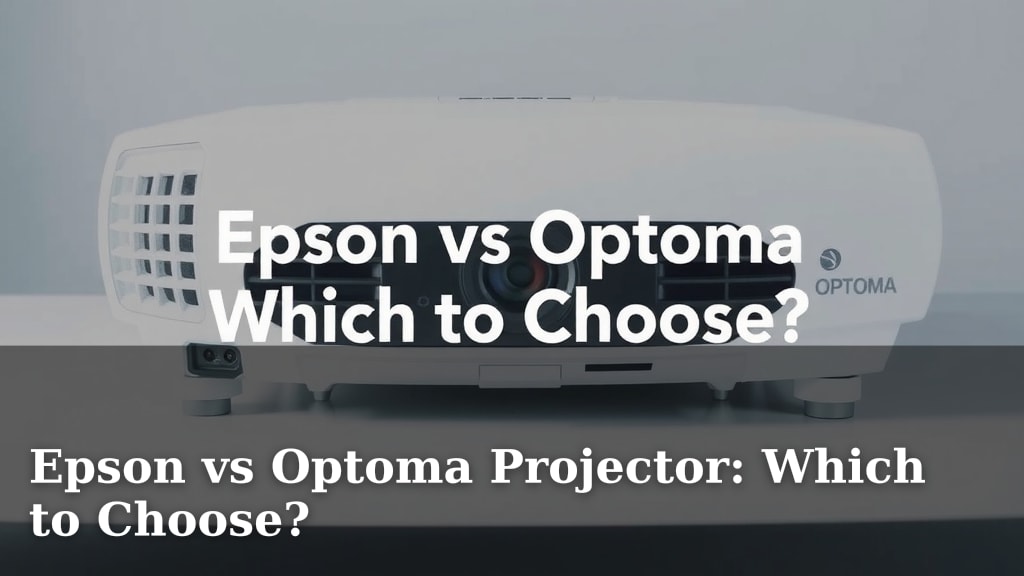
Epson vs Optoma Projector: Which to Choose?
Choosing between an Epson vs Optoma projector depends on your specific needs, but generally, Epson projectors offer a wider range of features for the price, while Optoma often excels in brightness and contrast, especially for home theater enthusiasts. You really can’t go wrong with either, but one might be a better fit for your setup. We’ll help you figure out which one!
When you’re looking at home entertainment or business presentations, projectors are key. We found that both Epson and Optoma bring impressive technology to the table. Your decision will likely hinge on factors like room lighting conditions and your budget. Let’s get your picture perfect.
- Epson often gives more bang for your buck.
- Optoma can be brighter with better contrast.
- Consider your room’s light and your budget.
- Your ultimate choice depends on your priorities.
We’ve gathered the key differences and advantages of each brand to help you make the best choice. Let’s walk through exactly what sets Epson and Optoma apart.
Epson vs. Optoma: Making Your Projector Choice
So, you’re in the market for a projector, and you’ve narrowed it down to two big names: Epson and Optoma. It’s like choosing between two fantastic restaurants – both serve great food, but one might have that perfect dish you’re craving. We’ve dug into what each brand brings to the table to help you pick the one that best fits your viewing or presentation needs.
Understanding Projector Technology: DLP vs. LCD
Before we dive into the brands, it’s helpful to know the basic technology they use. Most projectors rely on either DLP (Digital Light Processing) or LCD (Liquid Crystal Display) chips. This difference impacts everything from image quality to maintenance.
DLP Projectors: The Optoma Way
Optoma primarily uses DLP technology. Imagine tiny mirrors on a chip, each one tilting millions of times per second. These mirrors direct light to create an image. This method often results in deep blacks and a very sharp picture. You’ll notice excellent contrast ratios with DLP, which is great for movie nights.
LCD Projectors: Epson’s Strong Suit
Epson, on the other hand, is famous for its 3LCD technology. Instead of mirrors, they use three LCD chips. Each chip handles a primary color: red, green, and blue. This approach typically provides brighter images and vivid colors without the “rainbow effect” some viewers notice with single-chip DLP projectors. It’s like having three artists painting different parts of your picture perfectly.
Brightness and Contrast: What to Look For
When you’re comparing projectors, brightness and contrast are key. These specs tell you how well the projector will perform in different lighting conditions.
Brightness (Lumens): Battling Room Light
Brightness is measured in lumens. If you plan to use your projector in a bright room, or even a room with some ambient light, you’ll need a higher lumen count. We found that Optoma often offers projectors with very high lumen outputs, making them ideal for rooms that aren’t perfectly dark. Epson also has bright options, but they are particularly known for achieving good brightness with their 3LCD system, offering a balanced performance.
Think of lumens like the volume knob for your picture. More lumens mean a louder, more visible picture, especially when competing with sunlight or room lights.
Contrast Ratio: The Depth of Your Image
Contrast ratio refers to the difference between the brightest white and the darkest black a projector can produce. A higher contrast ratio means you get more detailed images and a more lifelike picture. Optoma often shines here, especially with their DLP technology, giving you those deep, inky blacks that really make movies pop. Epson’s 3LCD projectors also offer good contrast, providing a well-rounded image that many find very pleasing for general use.
Color Accuracy and Vibrancy
Color is what brings your content to life. Whether you’re watching a nature documentary or a vibrant animated film, accurate colors make a big difference.
Epson’s Color Prowess
Many users and reviewers point to Epson’s 3LCD technology as a winner for color accuracy. Because they use separate chips for red, green, and blue, Epson projectors can produce very bright and accurate colors simultaneously. This means you get full color even at high brightness levels, which is fantastic for presentations and colorful content.
Optoma’s Color Performance
Optoma’s DLP projectors also deliver excellent color. They are known for their sharpness and ability to produce vibrant hues. For home theater enthusiasts, the rich contrast often enhances the perceived color depth. We’ve found that Optoma’s color wheels are often designed for cinematic quality, giving you that true movie-theater feel.
Features and Connectivity
Beyond the core image technology, projectors come with a host of features. Think about what you need for your setup.
Smart Features and Ease of Use
Epson often packs more user-friendly features into their projectors. Many models come with built-in streaming apps, Wi-Fi connectivity, and even lens shift adjustments for easier placement. This can make setup a breeze. Optoma also offers smart features and app support on many of its models, but Epson often leads in offering a broader range of convenience features at competitive price points.
Port Selection: Hooking Everything Up
Both brands generally offer a good selection of ports, including HDMI, USB, and audio outputs. For most users, this is more than enough to connect game consoles, Blu-ray players, and laptops. It’s always a good idea to check the specific model’s specs to ensure it has the connections you need.
Price and Value Proposition
When you’re looking at the price tag, consider what you’re getting for your money. This is where your personal priorities really come into play.
Epson: Feature-Rich for the Price
Generally, Epson projectors tend to offer a great deal of features for their cost. You might find more built-in smart capabilities, better zoom ranges, or more flexible installation options in an Epson model compared to an Optoma at a similar price point. They often appeal to a wide audience looking for a versatile projector.
Optoma: Performance-Focused Options
Optoma often appeals to those who prioritize peak performance, especially in terms of brightness and contrast for home cinema. While they might have fewer bells and whistles in some entry-level models, their higher-end units deliver stunning image quality that serious home theater fans crave. You’re often paying for that specialized performance.
Key Differences at a Glance
To help you visualize the choice, here’s a quick comparison of what we’ve found:
| Feature | Epson (Generally) | Optoma (Generally) |
|---|---|---|
| Primary Technology | 3LCD | DLP |
| Brightness | Excellent, vivid colors at high brightness | Often higher native brightness, great for bright rooms |
| Contrast | Good, balanced performance | Excellent, deep blacks, cinematic feel |
| Color | Very accurate, vibrant, consistent | Sharp, vivid, excellent for movies |
| Features | Often more built-in smarts, wider installation flexibility | Strong focus on image quality and performance |
| Price Point | Often more features for the money | Can be more performance-focused |
Making Your Final Decision: A Quick Checklist
Still on the fence? Ask yourself these questions to guide your choice:
- What is your typical room lighting like?
- Is color accuracy or deep contrast more important to you?
- What’s your budget, and what features are must-haves?
- Will you use it mostly for movies, gaming, or presentations?
- How important are built-in smart features and easy setup?
- Are you sensitive to potential rainbow effects? (More common with single-chip DLP)
Conclusion
You’ve learned a lot about Epson and Optoma projectors. If you prioritize vivid, accurate colors and a broad set of features for your budget, Epson might be your winner. For those seeking the deepest blacks and highest brightness, especially for a dedicated home theater, Optoma often leads the pack. We found that both brands offer excellent performance, but your ideal choice hinges on whether you lean more towards versatility or peak visual performance. Take a moment to review your room conditions and viewing habits, and you’ll confidently select the projector that makes your entertainment or presentations shine.
Frequently Asked Questions
Which brand is better for gaming?
For gaming, consider input lag and refresh rates. Optoma often excels with lower input lag and faster response times due to its DLP technology, making it a popular choice for gamers. However, Epson projectors are also improving in this area, so always check the specific model’s specs for gaming performance.
Do Epson projectors have rainbow effect issues?
The rainbow effect is more commonly associated with single-chip DLP projectors. Epson uses 3LCD technology, which projects all three primary colors simultaneously, virtually eliminating the rainbow effect. You’ll likely experience more consistent and natural colors with an Epson.
Which projector is better for a bright room?
If your room has significant ambient light, a projector with higher brightness (measured in lumens) is crucial. Optoma often offers models with very high lumen counts, which are excellent for combating room light. Epson also has bright projectors, but Optoma frequently has an edge in sheer lumen output for bright environments.
Are Optoma projectors good for movies?
Yes, Optoma projectors are often praised for their home theater performance. Their DLP technology generally provides excellent contrast ratios and deep blacks, which are essential for a cinematic viewing experience. This allows movies to have a rich, lifelike depth.
What if I need a projector for business presentations?
For business presentations, you’ll want clarity, good color reproduction, and ease of setup. Epson projectors often shine here with their accurate color vibrancy and a wider range of features like lens shift for flexible installation. Ensure the model you choose has sufficient brightness for your meeting room’s lighting.