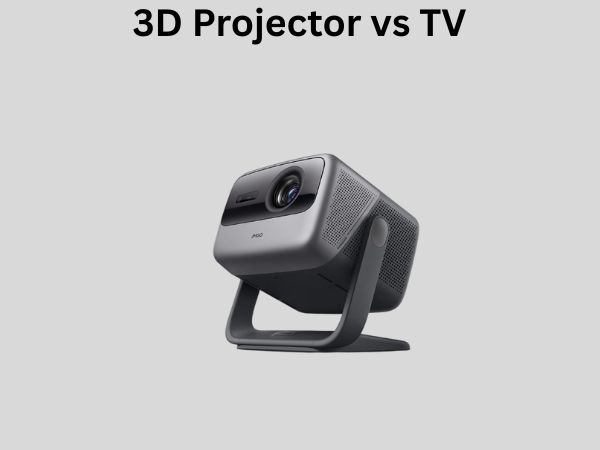
3D Projector vs TV: Which Is Better for Movies and Gaming?
When you’re looking to upgrade your home entertainment setup, you’re probably facing one of the biggest decisions in audio-visual technology: should you go with a traditional television or invest in a 3D projector? It’s not exactly an easy choice, and honestly, the answer depends on what matters most to you. Let me walk you through this comparison so you can make an informed decision that fits your lifestyle and budget.
Understanding the Basics: What Sets These Two Apart?
Before we dive into the nitty-gritty, let’s establish what we’re actually comparing here. A TV is a self-contained display unit that sits in your living room, bedroom, or entertainment space. It’s straightforward, plug-and-play, and requires minimal setup. A 3D projector, on the other hand, is a device that beams images onto a surface—typically a wall or dedicated screen—creating a much larger viewing experience.
Think of it this way: watching a TV is like reading a book, while a projector experience is like immersing yourself in a movie theater. Both deliver content, but the scale and immersion factor are fundamentally different.
Screen Size and Immersion: The First Major Difference
TVs: What You Get
Modern televisions come in various sizes, ranging from 32 inches to massive 85-inch behemoths. Most people have TVs between 55 and 75 inches. While these are impressive by residential standards, there’s a viewing distance sweet spot. Sit too close to a large TV, and you’ll see individual pixels. Sit too far away, and you lose visual detail. The recommended viewing distance is typically two to three times the screen’s diagonal measurement.
3D Projectors: The Immersion Game-Changer
Projectors operate on an entirely different scale. You can easily project 100-inch, 120-inch, or even larger images. Some serious enthusiasts have home theater setups with 150-inch screens. This creates a genuinely immersive experience where your peripheral vision gets involved, making you feel like you’re actually inside the scene rather than watching it from a distance.
For gaming and movies with dramatic cinematography, this immersion factor is absolutely transformative. Sports events, action sequences, and gaming battles feel more intense when they’re filling your entire field of view.
Picture Quality and Image Clarity
Where TVs Shine
Modern televisions, particularly OLED and high-end QLED models, deliver exceptional picture quality right out of the box. They offer higher brightness levels, which means they perform well even in partially lit rooms. TVs also typically have superior contrast ratios and color accuracy because they’re designed to work in varied lighting conditions.
The pixel density on a TV is also higher relative to viewing distance, so you get sharp, detailed images even when sitting relatively close. This is why a 65-inch 4K TV displays crisp text and fine details beautifully.
Projector Realities
Projectors require careful consideration when it comes to picture quality. The image brightness is lower than TVs, meaning you really need a dark room to see the full potential of your content. However, newer 3D projectors with advanced laser technology are closing this gap significantly.
The real advantage of projectors isn’t necessarily raw pixel-level clarity—it’s the overall cinematic experience. They excel at color volume and creating that theatrical feel that makes you forget you’re in your living room.
3D Capability: The Tech That Matters
3D on Television
Here’s the honest truth about 3D TVs: they’ve largely fallen out of favor. Most manufacturers have stopped producing 3D-capable televisions because consumer interest waned significantly. While you might find older 3D TVs on the secondhand market, the content ecosystem for 3D has shrunk dramatically. Streaming services rarely offer 3D content, and even Blu-ray 3D movies are becoming harder to find.
3D Projectors: Still Going Strong
3D projectors maintain much better 3D support and capability. If you’re passionate about watching 3D movies or gaming with 3D effects, a projector is genuinely your better option. They support various 3D technologies including DLP Link, active shutter glasses, and passive polarized systems. The 3D experience on a large projection screen is also significantly more impressive than what you’d experience on any TV, simply because of the sheer screen size.
Brightness and Room Lighting Considerations
Ambient Light and TVs
One of the biggest advantages TVs have is their ability to perform well in various lighting conditions. You can watch your favorite show with the lights on, windows uncovered, or with lamps throughout the room. A TV’s high brightness output ensures the image remains visible and enjoyable regardless of ambient light.
Projectors Need Darkness
Projectors are light-dependent by nature. A bright room will wash out your image, reducing contrast and color saturation. You’ll achieve the best results in a dark or blackened room. If your space gets natural sunlight or you prefer watching TV with the lights on, a projector demands significant investment in blackout solutions like motorized shades or curtains.
That said, newer high-lumen projectors (3000+ ANSI lumens) perform better in moderately lit spaces than older models, though they still prefer darkness.
Cost Comparison: Initial and Long-Term Investment
TV Pricing
A quality 4K TV in the 55 to 75-inch range typically costs between $500 and $2,500, depending on the brand and features. Premium OLED models can reach $3,000 to $5,000, but standard LED and QLED TVs offer exceptional value. TVs have minimal additional costs—maybe a soundbar and some cables.
Projector Total Cost
Here’s where projectors get expensive. A decent 1080p projector might run $800 to $1,500, but if you want 4K with good brightness and 3D capability, you’re looking at $2,000 to $4,000 or more. Add in a quality projection screen ($300 to $1,500), blackout curtains or shades ($500 to $2,000), proper mounting hardware ($200 to $500), and potential room acoustic treatments, and you’re easily investing $4,000 to $8,000 total.
Maintenance is another consideration. Projector bulbs (in older models) or laser systems need eventual replacement, which adds to the lifetime cost.
Gaming Performance: Latency and Responsiveness
TVs for Gaming
Modern gaming televisions are specifically designed for fast response times. They offer low input lag, variable refresh rates (VRR), and high refresh rate support up to 120Hz. If you’re serious about competitive gaming, especially on PlayStation 5 or Xbox Series X, a gaming TV provides the responsiveness that matters for quick reactions.
Projectors and Gaming
Projectors can support gaming, but they generally have higher input lag than TVs. Some newer gaming projectors are improving in this area, but a TV will always give you faster response times. However, for single-player games, story-driven experiences, and casual gaming, a projector’s immersive screen size more than compensates for the slightly higher latency.
Movie Watching Experience
The TV Experience
Watching movies on a quality TV is convenient and comfortable. You get a sharp, colorful picture with excellent contrast. HDR (High Dynamic Range) content looks stunning on modern TVs. The main limitation is screen real estate—you’re watching from a reasonable distance, so the cinematic scope is limited.
The Projector Experience
For true cinephiles, projectors deliver something TVs simply cannot: the authentic cinema experience in your home. A 100+ inch screen showing a film like Interstellar or The Lord of the Rings creates an emotional and visceral response that smaller screens struggle to achieve. It’s the difference between watching a concert video and being at the actual concert.
Installation and Space Requirements
TV Setup
TVs are remarkably flexible. You can mount them on walls, place them on stands, or even use them in temporary setups. They work in virtually any room and adapt to various furniture arrangements. No specialized preparation is needed.
Projector Installation
Projectors require more planning. You need a suitable mounting location (ceiling mount, shelf, or projector stand), proper distance from the screen, proper ventilation to prevent overheating, and a dedicated screen or smooth wall surface. Throw distance—the distance between the projector and the screen—is a critical factor. Some projectors have short throw ratios (useful for small spaces), while standard throw projectors need distance equal to roughly 1.5 times the screen width.
Maintenance and Durability
TV Longevity
Modern TVs are remarkably durable, with lifespans of 7 to 10 years or more under normal use. Maintenance is minimal—just keep the screen clean and ensure proper ventilation. There are no consumable parts to replace, making TVs hassle-free long-term investments.
Projector Maintenance
Projectors require more attention. Older lamp-based projectors need bulb replacements every 2,000 to 5,000 hours, which can be expensive. Laser projectors are more durable but have higher upfront costs. Filters need regular cleaning, cooling fans require maintenance, and the projection surface needs proper care to avoid dust buildup.
Noise Levels and Audio Considerations
TVs and Sound
Modern TVs are generally quiet, though built-in speakers are often underwhelming for serious audio enthusiasts. Most people pair TVs with external soundbars or surround systems anyway, so this becomes a wash in terms of total setup.
Projector Noise
Projectors generate cooling fan noise, which ranges from barely noticeable to distractingly loud depending on the model. Budget projectors might be louder, while premium models often have better cooling solutions. This is definitely worth researching when choosing a specific model.
Flexibility and Portability
TVs as Flexible Displays
TVs are portable relative to projectors. You can move them between rooms, take them with you if you relocate, or swap them for different models easily. They’re versatile for various uses beyond entertainment, like displaying artwork or workout videos.
Projectors: Permanent Installations
Once you’ve set up a projector, you’re essentially committed. Mounting, screen alignment, and room preparation mean it’s not something you casually move. This permanence is actually a benefit if you’re dedicated to a specific room setup.
Content Availability and Compatibility
Universal TV Compatibility
Any content source works with any TV. Streaming apps, cable boxes, gaming consoles, and computers all display perfectly. There’s no learning curve or compatibility issues to worry about.
Projector Content Considerations
Projectors are equally compatible with modern content sources, but brightness and contrast expectations differ. Content that looks great on a TV might need adjustment for projector viewing. That said, quality projectors display streaming content, games, and physical media beautifully.
Making Your Decision: Key Questions to Ask Yourself
Before deciding between a projector and TV, honestly answer these questions:
- How much space do you have, and can you dedicate a dark room to projection?
- Is screen size and immersive experience your priority?
- Do you watch content in various lighting conditions?
- How important is picture quality and pixel-level sharpness?
- Are you planning to watch 3D content regularly?
- What’s your realistic budget for installation and maintenance?
- How important is low input lag for gaming?
- Are you willing to manage a more complex setup?
The Hybrid Approach: Could You Have Both?
If budget allows, some enthusiasts set up both systems. A TV in the bedroom or family room handles everyday viewing, while a dedicated projector setup in a theater room provides the cinematic experience for special occasions. This approach gives you flexibility and the best of both worlds, though it requires more space and investment.
Conclusion
There’s no universal “better” choice between 3D projectors and TVs—it genuinely depends on your priorities, space, and lifestyle. If you value convenience, picture quality, flexibility, gaming responsiveness, and watching in various lighting conditions, a television is your answer. Modern TVs are more affordable, easier to set up, and perform excellently for most entertainment needs.
However, if you crave a true cinematic experience, have a dedicated dark room, prioritize immersion above all else, want authentic 3D capability, and are willing to invest in proper installation, a 3D projector transforms home entertainment into something genuinely special. The feeling of watching an epic film on a 120-inch screen in a properly set up home theater is something TVs simply cannot replicate.
Take time to consider your actual usage patterns, not just your aspirations. Will you realistically use that projector several times a week, or will it sit unused while you watch TV on your phone? Honest self-assessment leads to choices you’ll actually be happy with for years to come.
Frequently Asked Questions
Can you use a 3D projector in a bright room?
While technically possible, a bright room significantly diminishes the projector’s effectiveness. The image becomes washed out with reduced contrast and color vibrancy. Modern high-lumen projectors (3500+ ANSI lumens) perform better in moderately lit spaces than older models, but even these perform optimally in darker environments. For the best experience, invest in blackout solutions if your room gets natural light.
What’s the best screen size for a TV if I have a small apartment?
For typical apartment living with viewing distances of 7 to 8 feet, a 55-inch or 65-inch TV is ideal. These sizes provide cinematic quality without overwhelming your space. Anything larger than 75 inches in a small apartment feels overwhelming and requires sitting further back, which defeats the purpose in limited square footage. Consider your actual seating distance rather than trying to maximize size.
Are 3D projectors worth buying if I don’t watch 3D movies?
Absolutely. The 3D capability is one feature among many. A projector’s value comes from its large screen, cinematic quality, and immersive experience, regardless of 3D usage. If you primarily watch 2D content but want that theater-like environment, a 3D-capable projector still delivers exceptional entertainment value. Think of 3D as a bonus feature rather than the primary reason to purchase.
What refresh rate do I need for gaming on a projector?
Ideally, look for a gaming projector supporting at least 60Hz refresh rate, though 120Hz is better if you’re playing fast-paced games on PlayStation 5 or Xbox Series X. More important than refresh rate is input lag—aim for under 50ms for gaming. However, for