How Big a Screen for Your Projector: The Complete Room Setup Guide
Have you ever walked into a movie theater and felt completely mesmerized by that massive screen? That feeling of immersion, where the image seems to wrap around your entire field of vision – that’s what we’re chasing when we set up a home theater system. But here’s the thing: picking the right projector screen size isn’t just about going as big as possible. It’s actually a delicate balance between your room dimensions, viewing distance, and personal preferences.
In this comprehensive guide, I’m going to walk you through everything you need to know about choosing the perfect screen size for your projector. Whether you’re a movie enthusiast, a gamer, or someone who just wants to elevate their home entertainment experience, you’ll find practical answers here.
Understanding the Basics: Why Screen Size Matters
Think of your projector screen like a window into another world. If that window is too small, you’re constantly pulling yourself out of the experience to read subtitles or catch all the details. If it’s too large, you’ll find yourself moving your head back and forth like you’re watching a tennis match – not exactly the relaxing experience you had in mind.
Screen size fundamentally affects your viewing comfort, immersion level, and how well you can see fine details. It’s not just about aesthetics; it’s about function. The right screen size creates what’s called the “sweet spot” – that magical zone where everything feels natural and engaging.
The Relationship Between Distance and Screen Size
Here’s where most people get confused. You can’t just pick a screen size and hope it works. Your viewing distance is the primary factor that determines what screen size will work best for you. It’s like the relationship between a chef and their kitchen – everything has to be proportional.
The general rule of thumb in the home theater industry is that you should sit at a distance where the screen subtends an angle of about 30 to 40 degrees in your field of vision. If that sounds complicated, don’t worry – I’ll break it down for you.
Calculating Your Ideal Screen Size: The Math Made Simple
The 1.5x Rule Explained
The easiest method I’ve found is the 1.5x rule. Here’s how it works: multiply your viewing distance (in feet) by 1.5, and you’ll get the diagonal screen size in inches that’s recommended for you.
Let’s say you’re sitting 10 feet away from your screen. Multiply 10 by 1.5, and you get 15 feet. Since screen sizes are measured diagonally, that would be 15 inches – but wait, that doesn’t sound right. Let me clarify: if you’re 10 feet away, divide 10 by 1.5 to get the screen diagonal. That gives you approximately 6.7 feet or about 80 inches.
Actually, let me present this more clearly. If your viewing distance is 10 feet, here’s the formula: viewing distance in feet divided by 1.5 equals screen size in feet. So 10 divided by 1.5 equals 6.67 feet, which converts to about 80 inches diagonally.
The 1.2x Rule for Gaming and Sports
If you’re primarily using your projector for gaming or sports, you might want something slightly larger. The 1.2x rule works better in these scenarios because you benefit from that extra immersion and quick eye movement across the screen becomes less necessary.
Room Dimensions: Your Physical Constraints
Measuring Your Space Accurately
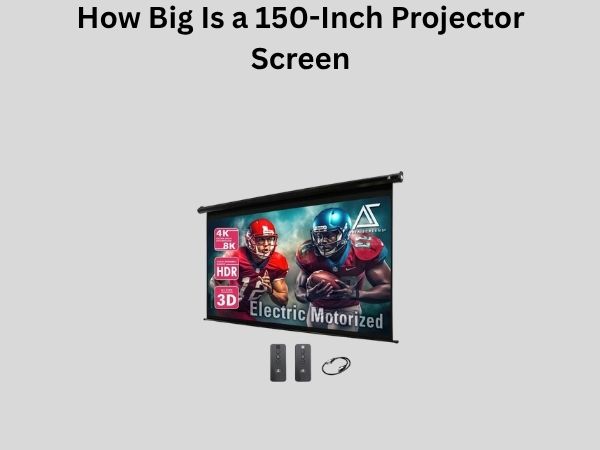
Before you get excited about that 150-inch screen, you need to walk through your actual room with a measuring tape. Don’t just estimate – physically measure everything. You need to know:
- The distance from where you’ll sit to where the screen will be mounted
- The width of your wall (accounting for furniture placement)
- The height of your wall and any ceiling obstructions
- How far back from the screen people will actually sit
Common Room Setups and Recommended Sizes
Let me give you some real-world examples based on typical living situations:
Compact Living Room (8-12 feet viewing distance): A 65 to 90-inch screen works beautifully. You get that cinematic feel without the screen feeling overwhelming in a smaller space. This setup is perfect for apartments or rooms where space is at a premium.
Standard Living Room (12-16 feet viewing distance): This is where you can really stretch your legs with a 100 to 130-inch screen. Most people in this category find that around 110 inches becomes their sweet spot. It’s large enough to feel immersive but not so large that you’re straining your neck.
Dedicated Home Theater (16+ feet viewing distance): Now we’re talking about the big leagues. A 130 to 180-inch screen can actually feel comfortable at these distances. Some dedicated enthusiasts even go larger, but you’re getting into diminishing returns at a certain point.
Aspect Ratio Considerations: The Shape of Your Screen
Understanding 16:9 vs. 2.35:1 Screens
Most modern projectors work best with a 16:9 aspect ratio, which is the standard for television and streaming content. However, movies are often shot in wider formats like 2.35:1 or 1.85:1. This creates an interesting dilemma.
When you watch a widescreen movie on a standard 16:9 screen, you’ll see black bars at the top and bottom. Some people find this slightly annoying, while others don’t mind it at all. On the flip side, content specifically shot in 16:9 will fill your entire screen nicely.
My recommendation? Unless you’re exclusively watching cinema releases and have the budget for a motorized anamorphic lens, stick with 16:9. It’s more versatile for the variety of content you’ll actually watch.
Wall Space vs. Screen Space: Making It Fit
Accounting for Screen Bezels and Frame
Here’s something people often overlook: the screen itself needs space around it. A 120-inch screen requires more wall space than just the image area. You need room for the frame, any mounting hardware, and ideally some breathing room around the edges.
As a general guideline, add 12 to 18 inches to both the width and height of your screen to account for the frame and mounting requirements. If you’re installing on a small wall, this could be a dealbreaker, so measure twice.
Ceiling Height and Screen Placement
Your screen shouldn’t be placed too high on the wall. The optimal viewing angle is when your eyes are roughly level with the middle of the screen or slightly below it. If you’re craning your neck upward to watch movies, your screen is mounted too high – and trust me, your neck will remind you of this decision after a two-hour film.
For most setups, the bottom of the screen should be about 24 to 36 inches above floor level, depending on your seating height. This usually places the center of the screen at or slightly above eye level when seated.
Brightness and Room Lighting: How They Affect Perceived Size
The Role of Ambient Light
Here’s something counterintuitive: a brighter room can actually make your screen appear smaller. That’s because your pupils contract in bright light, and your brain perceives the image as smaller. Conversely, in a dark room, the same screen size feels more immersive and larger.
If your room has significant ambient light, you might want to go slightly larger than the formula suggests. However, ideally, you should invest in blackout curtains or light-blocking shades to control your viewing environment.
Projector Brightness Requirements
A larger screen requires a brighter projector. Think of it like trying to illuminate a big area with a flashlight – you need more lumens. If you’re considering a massive screen in a room that gets natural light, you’ll need a projector with at least 2500 lumens. For dedicated dark rooms, 1500 lumens might suffice.
Content Type Matters: Different Uses, Different Sizes
Movies and General Viewing
For movies, you want that immersive experience but not so much that you’re constantly moving your eyes. The 1.5x rule I mentioned earlier works perfectly for this use case. You get that theater-like experience without the downsides of an oversized screen.
Gaming: Playing Big and Bold
Gamers often prefer slightly larger screens because reaction time and peripheral vision matter. You want to catch movement in your peripheral vision without moving your head. Here, you might lean toward the 1.2x rule, which gives you a bigger screen relative to your viewing distance.
Sports Viewing: Finding the Balance
Sports are interesting because while you want to see the action clearly, you also want to take in the overall field of play. The 1.5x rule works well here, but some sports enthusiasts prefer to go slightly larger – maybe a 1.3x ratio – to catch all the action without excessive head movement.
Budget Considerations: Getting the Most Value
The Cost-to-Size Ratio
Here’s an uncomfortable truth: bigger isn’t always better value. Screen prices don’t scale linearly. Going from a 100-inch to a 120-inch screen might cost 50% more, not 20% more. You need to consider what you’re actually gaining in enjoyment relative to what you’re spending.
My advice? Start with what the mathematics recommend based on your room, then make compromises based on your budget. It’s better to get a quality mid-sized screen than a cheap, enormous one that looks washed out.
Quality Over Size
A 120-inch screen made from subpar material won’t look as good as a well-constructed 110-inch screen. Consider the gain ratio (how well the screen reflects light), the uniformity of that reflection, and the viewing angles. These factors often matter more than a few extra inches.
Installation Factors: Wall Type and Mounting
Fixed vs. Motorized Screens
Fixed screens are permanently installed and take up wall space even when not in use. Motorized screens can be raised and lowered, which is handy if you want your wall to look different when the projector is off. However, motorized screens add complexity and cost.
Your choice might depend on how permanent your setup is. If you’re in a rental or expect to move, a portable screen on a stand might actually be the smartest choice, regardless of ideal size calculations.
Ceiling Mounting and Recessed Installation
Some enthusiasts mount their projectors in the ceiling and recesses screens behind the wall when not in use. This creates a clean aesthetic, but it’s a more complex installation. If you’re considering this route, make sure your screen size calculations account for any projection distance limitations your ceiling mounting creates.
Viewing Angle and Seating Arrangement
The Cone of Optimal Viewing
Not everyone sits directly in front of the screen. If you have seating that’s off to the sides, you need to account for viewing angles. Most quality screens maintain color and brightness at angles up to about 30 degrees off-axis, but this degrades beyond that.
If you have people sitting at sharp angles to your screen, you might need to go slightly larger so that even the peripheral viewers get a good experience. Alternatively, you could arrange seating so that most people are relatively centered to the screen.
Multiple Seating Rows
If you’re designing a room with multiple rows of seating – perhaps a real home theater – the front row distance matters most. The back row will be further away, which actually works in your favor regarding screen size, as they’ll have a similar viewing angle to the front row if positioned correctly.
Common Mistakes People Make When Choosing Screen Size
Let me share some pitfalls I’ve seen people encounter:
Going Too Large Too Fast: Getting a 150-inch screen when your viewing distance is only 12 feet is a rookie mistake. Your eyes can’t take in the entire screen without moving your head, defeating the purpose of immersion.
Ignoring the Formula: People often say “bigger is better” and buy enormous screens without considering the math. Then they end up sitting too far back, unable to enjoy the detail.
Neglecting Room Light Control: I’ve seen beautiful huge screens installed in rooms with big windows and bright overhead lights. The screen looks dull and underwhelming because the brightness isn’t controlled.
Forgetting About Refresh Rates and Resolution: A massive screen will make low-resolution content look terrible. Make sure your source material and projector can support the clarity your screen size demands.
Underestimating Space Requirements: People forget to account for seating depth, screen frame size, and speaker placement. Measure everything carefully before committing to a size.
Future-Proofing Your Screen Choice
Technology Evolution
Projector technology is constantly improving. Brighter projectors, better resolution, and improved color accuracy are coming. When choosing your screen size, consider whether future projectors might justify a larger screen. A slightly undersized screen now might be perfect with a better projector in five years, but the opposite isn’t true – you can’t shrink your screen.
This is another argument for being conservative with your screen size choice. It’s easier to upgrade your projector than to replace your screen.
Practical Examples and Real-World Scenarios
The Apartment Setup (1000 sq ft)
You have a living room that’s 20 feet long and 15 feet wide. Your seating is about 10 feet from where you’d mount the screen. Using the 1.5x rule: 10 feet viewing distance means approximately 80 inches is ideal. Given your wall width, an 85-inch screen would fit perfectly, giving you that sweet spot between immersion and practicality.
The Dedicated Home Theater (500+ sq ft)
You’ve built a dedicated theater room. Your front row is 15 feet from the screen, and you have room for a 16-foot-wide wall. Using the 1.5x rule: 15 feet means about 120 inches is ideal. Your wall can accommodate this, and a proper home theater screen at 120 inches will deliver that true cinematic experience you’re after.
The Multi-Purpose Room with Gaming Focus
You want to use your setup for movies, games, and sports. Your seating distance is 12 feet. For gaming, using the 1.2x rule suggests about 120 inches. For movies, the 1.5x rule suggests 96 inches. A 110-inch screen splits the difference and works well for all three uses.
Conclusion
Choosing the right projector screen size isn’t about having the biggest screen on the block – it’s about creating the optimal viewing experience for your specific space and needs. The formulas I’ve shared with you (the 1.5x rule for general viewing, the 1.2x rule for gaming) are based