120 vs 150 Inch Projector Screen: The Ultimate Big Screen Comparison Guide
When you’re shopping for a projector screen, you’re essentially making a decision that’ll impact your viewing experience for years to come. But here’s the thing—choosing between a 120 inch and 150 inch screen isn’t just about picking the bigger option. It’s about understanding what works best for your space, your eyes, and your wallet. Let me walk you through everything you need to know to make an informed decision.
Understanding Projector Screen Sizes
Let me be honest with you—when manufacturers mention a projector screen size, they’re referring to the diagonal measurement of the viewable area. So when we talk about a 120 inch or 150 inch screen, we’re looking at that diagonal distance from one corner to the opposite corner. It sounds simple enough, right? But here’s where it gets interesting.
What Does Diagonal Measurement Really Mean?
Think of it like measuring a television. When you buy a 55-inch TV, nobody’s talking about the width or height—it’s always that diagonal measurement. The same principle applies to projector screens, except these bad boys are significantly larger and require way more consideration. The diagonal measurement is the industry standard because it gives everyone a consistent way to compare screens, regardless of their aspect ratio.
The tricky part is that this diagonal measurement doesn’t directly translate to how much wall space you actually need. A 120 inch screen in 16:9 format has completely different width and height dimensions compared to a 120 inch screen in 4:3 format. That’s why you can’t just look at the number and make your decision.
Why Size Matters More Than You Think
Here’s the reality—screen size directly impacts your immersion level. A bigger screen fills more of your visual field, which means your brain has less space to see the room around you. This creates a more cinematic, absorbed experience. It’s the difference between watching a movie on your laptop versus sitting in an actual theater.
The Dimensions Game: 120 vs 150 Inches Explained
Now let’s get specific about what these two screen sizes actually mean in terms of physical dimensions.
120 Inch Screen Specifications
A 120 inch screen in the standard 16:9 aspect ratio (which is what most modern content uses) will measure approximately 105 inches wide and 59 inches tall. That’s roughly 8.75 feet wide and 5 feet tall. In metric terms, we’re talking about 2.67 meters wide and 1.5 meters tall.
This size is often considered the sweet spot for many home theater enthusiasts. It’s large enough to provide an impressive viewing experience, but it doesn’t require a theater-sized room. Think of it as the Goldilocks option—not too big, not too small.
150 Inch Screen Specifications
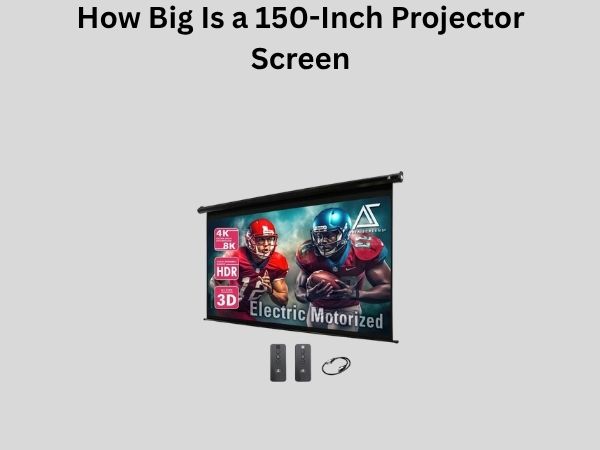
Move up to a 150 inch screen with the same 16:9 aspect ratio, and you’re looking at roughly 131 inches wide and 74 inches tall. That’s approximately 10.9 feet wide and 6.2 feet tall, or 3.31 meters by 1.88 meters in metric.
Now here’s where things get real—you’re adding about 25 inches to the width and 15 inches to the height. That might not sound like much, but the actual screen area increases by about 56 percent. Your wall needs to be significantly more spacious to accommodate this upgrade.
Practical Width and Height Comparison
- 120-inch screen: Approximately 9 feet wide, 5 feet tall (useful for walls that are 10-11 feet wide)
- 150-inch screen: Approximately 11 feet wide, 6.2 feet tall (requires walls that are 12-13 feet wide minimum)
- 120-inch diagonal: About 43% of the 150-inch diagonal measurement, but 64% of the viewing area
- 150-inch diagonal: About 25% larger than 120-inch, with 56% more screen area
Viewing Distance and Screen Size Relationship
Here’s something a lot of people overlook—your viewing distance is absolutely critical in determining which screen size works best for you. This relationship is crucial, and getting it wrong can actually hurt your viewing experience rather than improve it.
The Optimal Viewing Distance Formula
There’s actually a rule of thumb that home theater experts use. The ideal viewing distance for watching movies is typically between 1.2 to 2 times the height of the screen. This range keeps your eyes comfortable and lets you see the entire screen without straining your neck or moving your head constantly.
For a 120 inch screen (59 inches tall), that means your seating should be somewhere between 5.9 feet to 9.8 feet away from the screen. For a 150 inch screen (74 inches tall), you’re looking at a range of about 7.4 feet to 12.3 feet away.
Can Your Seating Distance Handle the Upgrade?
This is where many people make mistakes. They assume that because their room is large, they should get the largest screen possible. But if your seating distance doesn’t align with the screen size, you’ll either be craning your neck constantly or sitting so far back that the size advantage diminishes.
Let me give you an example. If you have a room where your couch is positioned 9 feet from the wall, a 150 inch screen might actually be too large for comfort. You’d be sitting right at the minimum distance, which means viewing the entire screen becomes exhausting. Conversely, if your couch is 12 feet away, a 120 inch screen might feel underwhelming.
Room Space Requirements
Beyond just the wall width, you need to consider the entire room layout and how the screen integrates with your existing furniture and décor.
Wall Space Considerations
A 120 inch screen requires a clean wall that’s at least 10 to 11 feet wide and 6 feet tall (accounting for mounting hardware and potential borders). A 150 inch screen needs a wall that’s minimally 12 to 13 feet wide and 7 feet tall.
But here’s the thing—you also need to consider ceiling height. If you’re mounting a 150 inch screen, you need enough vertical clearance above and below it so it doesn’t overwhelm the room vertically. In rooms with 8-foot ceilings, a 150 inch screen might make the space feel cramped.
Furniture Placement and Traffic Flow
A bigger screen means you might need to reconfigure your seating arrangement. You’ll want clear sightlines from every seat, which becomes more challenging in smaller rooms. With a 120 inch screen, you have more flexibility in furniture placement. With a 150 inch screen, you’re often forced into a more rigid layout.
- 120-inch screen rooms: Can work in rooms as small as 14 x 16 feet with proper planning
- 150-inch screen rooms: Really needs a minimum of 16 x 18 feet to feel balanced
- Ceiling height: Both screens prefer rooms with at least 9 feet of ceiling height
Cost Comparison and Budget Considerations
Let’s talk money, because this is often the deciding factor for most people.
Screen Panel Costs
A quality 120 inch projector screen typically costs between $800 to $2,500, depending on the brand and features. You can find budget options for $500-$800, but you’ll be sacrificing quality and longevity.
A 150 inch screen from reputable manufacturers usually ranges from $1,500 to $4,000 or more. That’s roughly 75 to 150 percent more expensive than a comparable 120 inch screen. The price increase isn’t linear because larger screens require more sophisticated materials and better engineering to maintain a flat, wrinkle-free surface.
Installation and Mounting Costs
A 120 inch screen might need $300-$800 in professional installation, depending on whether you’re wall-mounting or using a motorized system. A 150 inch screen, being heavier and more complex, might require $600-$1,500 in professional installation.
The bigger screen also demands better support infrastructure—you might need reinforced wall studs or a more robust motorized system, which adds to the total cost.
Projector Power Requirements
Here’s something crucial that often gets overlooked. Larger screens need brighter projectors to maintain the same image quality and brightness levels. A 120 inch screen might work well with a 2,500-3,500 lumen projector. A 150 inch screen typically needs 3,500-5,000+ lumens for comparable brightness.
A quality projector with 5,000 lumens costs significantly more than one with 3,000 lumens, sometimes $2,000-$3,000 more. So your upgrade might not just be the screen—you might need a new projector too.
Image Quality at Different Screen Sizes
There’s a common misconception that bigger always means better image quality. That’s not entirely accurate, and understanding why is important.
Pixel Density and Image Clarity
When you increase screen size without increasing resolution, you’re actually spreading the same number of pixels across a larger area. Think of it like a printed photo—if you blow up a low-resolution image to poster size, it becomes pixelated and blurry.
With a 4K projector (3840 x 2160 pixels), a 120 inch screen maintains excellent detail and clarity. The same 4K projector on a 150 inch screen is still sharp, but pixel density is slightly lower, meaning fine details might not be quite as crisp.
Viewing Distance and Perceived Clarity
Here’s where viewing distance comes back into play. If you’re sitting 10 feet away from a 120 inch screen, your eyes can resolve individual pixels at a certain threshold. Sit 12 feet away from a 150 inch screen, and your eyes become less sensitive to that same pixel density issue because you’re farther away.
This is why the optimal viewing distance formula exists. The distance is calibrated so that from your seating position, you can’t easily discern individual pixels, and everything looks sharp and clear.
Installation Challenges and Solutions
Installing a projector screen isn’t like hanging a picture frame. Both sizes present unique challenges.
Wall Preparation for 120 Inch Screens
A 120 inch screen is manageable for most home theater enthusiasts. You need to ensure your wall is flat and free of imperfections. Any slight curves or irregularities become visible, but they’re typically easier to address.
Wall studs need to be located and used as mounting points. A 120 inch motorized screen typically weighs 50-80 pounds, which is substantial but manageable with proper reinforcement.
Wall Preparation for 150 Inch Screens
A 150 inch screen is heavier (often 80-120 pounds) and requires more robust mounting infrastructure. You might need to reinforce wall studs or even add additional structural support. The larger size also makes achieving a perfectly flat installation more challenging.
Wall imperfections that might be invisible with a 120 inch screen become obvious with a 150 inch screen simply due to the increased surface area making everything more magnified.
Professional Installation Recommendation
- 120-inch screen: DIY installation is possible for experienced handypeople, but professional installation is recommended
- 150-inch screen: Professional installation is almost always the better choice
- Motorized screens: Both sizes benefit from professional calibration of motors and height settings
Brightness and Light Throw Considerations
Screen brightness is a technical topic, but it’s important for understanding image quality.
Gain and Brightness Relationship
Projector screens have a measurement called “gain,” which refers to how much light they reflect back to the viewer. A 1.0 gain screen reflects all light equally. Higher gain screens (1.3 or higher) are brighter but can create hot spots and have narrower viewing angles.
Both 120 inch and 150 inch screens can use the same gain materials. However, the same projector will produce a dimmer image on a 150 inch screen simply because the light is spread across a larger area.
Practical Brightness Implications
If you had a 3,000 lumen projector perfectly calibrated for a 120 inch screen, switching to a 150 inch screen would require either a brighter projector (at least 4,700 lumens) or higher gain screen material to maintain the same brightness level.
In rooms with ambient light, this becomes critical. If you’re planning to watch during daytime hours or in a room that can’t be fully darkened, the larger screen might actually require you to upgrade your projector to maintain a satisfactory image.
Aspect Ratios and Your Content
Not all screens are created equal when it comes to aspect ratio, and this choice impacts both screen sizes.
16:9 Aspect Ratio—The Standard Choice
Most modern content—streaming services, Blu-ray movies, and broadcast television—uses 16:9 aspect ratio. Both 120 and 150 inch screens in 16:9 format are excellent choices for modern content consumption.
21:9 and Specialty Aspect Ratios
Some enthusiasts prefer ultra-wide aspect ratios like 21:9 for an even more cinematic experience. These are available in both sizes but are less common and more expensive. The 150 inch screen has more dramatic visual impact with ultra-wide formats, but they also waste wall space if you primarily watch standard 16:9 content.
4:3 Aspect Ratio Considerations
If you watch older movies or television content that uses 4:3 aspect ratio, you’ll get black bars on either side with a 16:9 screen. Neither size has an advantage here, but it’s worth considering what content you’ll actually be watching.
Maintenance and Durability Factors
Your projector screen investment needs to last, and maintenance requirements differ slightly between sizes.