Data Projector vs Video Projector: Differences
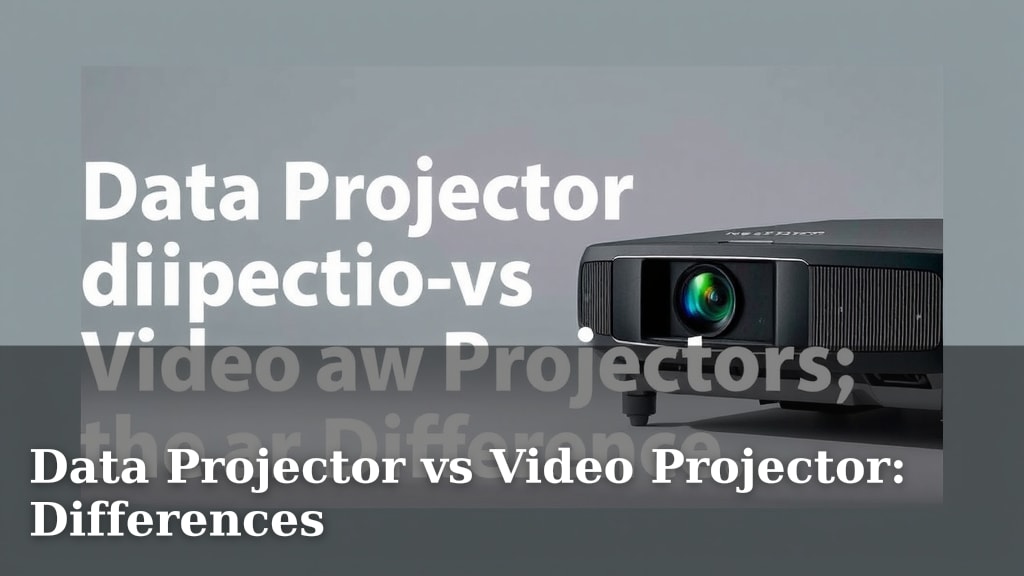
While often used interchangeably, data projectors and video projectors are not quite the same thing, though they share a core function. The main difference lies in their original purpose and intended signal type. Think of it this way: a data projector is specialized for computer output, while a video projector is built for moving pictures. We found this distinction can be key when choosing the right one for your needs.
Historically, data projectors were designed to display static images from computers, often for presentations. Video projectors, on the other hand, were originally meant for analog video sources. Today, technology has blurred these lines considerably, with most modern projectors capable of handling both. Yet, understanding their roots helps you appreciate their specific strengths and why certain models might be better suited for presentations versus movie nights.
- Data projectors traditionally show computer images.
- Video projectors primarily display video signals.
- Modern projectors often do both very well.
- The key difference is their original design focus.
Let’s break down what makes them different and how that might influence your decision when you’re looking to buy.
“`htmlUnderstanding Projector Types: Data vs. Video
So, you’re in the market for a projector. It’s easy to get lost in all the technical specs. But let’s clear things up. The terms “data projector” and “video projector” used to mean very different things. We found their historical purpose is key to understanding their current capabilities.
The Roots of Data Projectors
Think back to the early days of digital presentations. Companies needed a way to show computer screens in a meeting room. That’s where the data projector was born. Its primary job was to take a computer’s signal and make it large and visible on a screen. These projectors were built for clarity with text and sharp graphics. They focused on resolutions that matched computer outputs.
The Origins of Video Projectors
On the flip side, video projectors came about to display moving images. Think of early home theaters or cinema applications. They were designed to handle analog video signals like those from VCRs or broadcast TV. Color reproduction and smooth motion were their main priorities. Clarity for text wasn’t as big a concern.
How Today’s Projectors Blend These Functions
Now, here’s where things get interesting. Technology has advanced so much that the lines are very blurry. Most projectors you see today are not strictly “data” or “video” projectors anymore. They are built to handle a wide range of signals. You can often connect both your laptop and your Blu-ray player to the same modern unit. We found this versatility is a huge plus for consumers.
The Modern Projector: A Jack of All Trades
Manufacturers realized people want one device that does it all. Want to give a business presentation and then watch a movie? Your current projector can likely do both. They are engineered to accept various input types. This includes HDMI, which is standard for both computers and video sources now. This convergence means you often don’t need to choose one over the other.
Key Technical Differences That Still Matter
Even with convergence, some underlying design choices can still point towards a projector’s heritage. These differences can affect performance for specific tasks. We’ll look at resolution, brightness, and color handling.
Resolution and Aspect Ratio
Historically, data projectors focused on resolutions like XGA (1024×768) or WUXGA (1920×1200) to match computer monitors. Video projectors often used resolutions like 480p, 720p, or 1080p (Full HD). They also prioritized a 16:9 aspect ratio for widescreen viewing. While modern projectors support many resolutions and aspect ratios, you might notice some models still emphasize one over the other. A projector designed with presentations in mind might excel at sharp text even at lower resolutions. A cinema-focused model will likely offer higher native resolutions and a true 16:9 aspect ratio for that immersive feel.
Brightness (Lumens)
Brightness is measured in lumens. Data projectors often needed to be brighter. Why? Because they were frequently used in rooms with ambient light. Think of conference rooms or classrooms where the lights couldn’t be dimmed completely. Video projectors, on the other hand, shine in darkened environments. So, they could afford to be a bit less bright, focusing more on contrast and color accuracy in the dark. If your room has a lot of natural light, a projector with higher lumens might be more suitable, often leaning towards the “data” heritage.
Color Reproduction and Contrast
Video projectors have always aimed for vibrant, lifelike colors and deep blacks. This is essential for a good movie-watching experience. They use technologies that produce a wide color gamut and high contrast ratios. Data projectors might prioritize color accuracy for charts and graphs but not necessarily the same cinematic richness. If you’re a cinephile, pay close attention to the color accuracy ratings and contrast ratios. Many experts say these are critical for home theater quality (THX certification is a good indicator).
Choosing the Right Projector for Your Needs
So, how do you pick the best one for you? It really comes down to what you’ll be using it for the most. We found that thinking about your primary use case makes the decision much easier.
For Presentations and Business:
If your main goal is to display computer presentations, spreadsheets, or detailed graphics, you’ll want a projector that excels at clarity. Look for models with high resolution for sharp text. Good brightness is also important, especially if you can’t control the room’s lighting. Many models today are marketed as “business projectors” or “presentation projectors.” They often offer excellent connectivity for laptops and can handle a variety of input signals.
For Home Theater and Gaming:
Movie buffs and gamers need a projector that brings visuals to life. Focus on models that boast excellent color accuracy and high contrast ratios. A 16:9 aspect ratio is standard and highly recommended. Look for support for high refresh rates if you’re a serious gamer. Many home theater projectors are optimized for dark rooms, so they might not be as bright as business models. That’s perfectly fine if you can create a darkened viewing space.
The All-Rounder:
For many people, a projector will serve both purposes. In this case, you’re looking for a versatile machine. We found that projectors with multiple HDMI inputs and good all-around specifications usually fit the bill. Check the specs for both brightness and color performance. You might have to make a small compromise in one area, but a good mid-range projector can handle both tasks admirably.
Quick Checklist for Your Projector Purchase
Before you buy, quickly run through this list. It’ll help you stay focused on what matters:
- Primary Use: Presentations, movies, gaming, or a mix?
- Room Conditions: Can you control ambient light?
- Resolution Needs: Do you need razor-sharp text or cinematic detail?
- Brightness (Lumens): Match this to your room’s light levels.
- Color & Contrast: Especially important for video and gaming enthusiasts.
- Connectivity: Ensure it has the ports you need (HDMI, USB, etc.).
Conclusion
You’ve learned that while “data projector” and “video projector” used to mean distinct things, today’s models often blend these capabilities. Historically, data projectors focused on sharp computer text and graphics, while video projectors prioritized color and motion for entertainment. We found that most modern projectors can handle both well, but their core design can still influence performance. To choose the right one for you, consider your primary use: presentations needing bright, sharp text, or home theater demanding vibrant colors and contrast. Making this choice ensures you get the best viewing experience for your needs.
Frequently Asked Questions
Do I really need to worry about the difference between data and video projectors anymore?
While the lines have blurred, it’s still helpful to understand their origins. This helps you identify a projector’s strengths. For example, a model emphasizing high lumens might be better for bright rooms, a trait from its data projector heritage.
Can a projector designed for presentations also show movies well?
Many modern projectors can. However, if movie quality is a top priority, look for specs like high contrast ratios and wide color gamuts. A dedicated “business” projector might not offer the same cinematic vibrancy.
What does “resolution” mean for each type of projector?
For data projectors, resolution ensures sharp text and graphics, often matching computer screen formats like XGA or WUXGA. For video projectors, higher resolutions like 1080p or 4K deliver detailed, immersive images for movies and games.
Is brightness (lumens) more important for a data or video projector?
Brightness is generally more critical for data projectors, especially if you plan to use them in rooms with ambient light. Video projectors often perform best in darkened rooms, where lower lumen counts can still produce a rich image.
What’s the best aspect ratio to look for if I want a projector for home theater?
For home theater, you’ll want a projector with a native 16:9 aspect ratio. This is the standard for widescreen movies and TV shows, providing an immersive viewing experience without black bars on the sides.