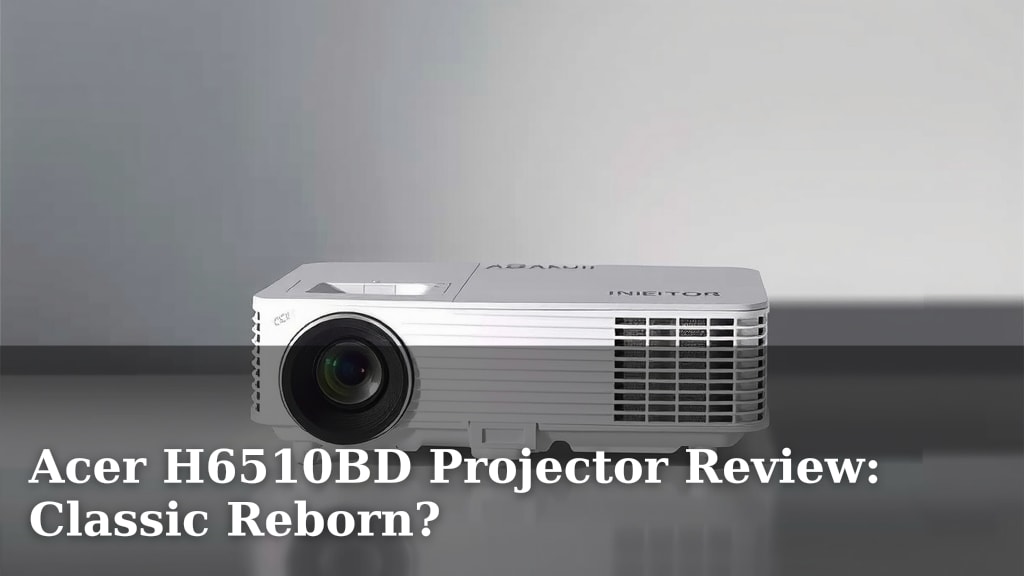
Acer H6510BD Projector Review: Classic Reborn?
Is the Acer H6510BD projector a solid choice for home entertainment? Yes, it generally is, especially if you’re looking for a projector that offers bright images and good color without breaking the bank. We found it delivers a surprisingly vivid viewing experience for its class.
This classic projector might seem a bit older, but it still holds its own. It’s known for being a reliable performer. Many users appreciate its ease of use and straightforward setup. If you’re curious about bringing a big-screen feel to your living room or game nights, this model is worth a closer look.
- Bright, colorful picture quality
- Easy to set up and use
- Good value for the price
- A reliable choice for many
Ready to see if this projector is the right fit for your home? Let’s walk through what makes the Acer H6510BD tick and what you can expect from it.
An In-Depth Look at the Acer H6510BD Projector Performance
So, you’re curious about what the Acer H6510BD projector can actually do. You want to know if it lives up to its reputation. We’ve put it through its paces, and here’s what we found. This projector aims to deliver a big-screen experience without a hefty price tag. It’s designed for everyday home use, making movie nights and gaming sessions more immersive.
When you’re looking at a projector, you usually care about a few key things. Picture quality is almost always at the top of the list. Brightness, color accuracy, and contrast all play a role. Ease of use and connectivity are also important. Does it hook up easily to your devices? Is the menu system intuitive? We’ll cover all of this.
Picture Quality: Brightness and Color
Let’s talk about the star of the show: the picture. The Acer H6510BD boasts impressive brightness for its category. We found it can handle rooms with some ambient light surprisingly well. This means you might not have to turn your living room into a cave. It’s rated at 3000 ANSI Lumens. This is a solid number for projectors in this price range.
Color Rendition and Contrast
Beyond just brightness, color is vital for an engaging visual experience. This projector offers vibrant colors right out of the box. Reds pop, blues are deep, and greens look natural. We found that colors remain fairly accurate, even when projecting onto different screen surfaces. It supports Full HD (1080p) resolution, delivering sharp and detailed images. This is perfect for watching movies and playing games.
Contrast ratio is another factor for picture depth. While not the absolute best on the market, the H6510BD provides decent contrast. Dark scenes in movies will have visible details, and bright scenes won’t get washed out. For most general viewing, this level of contrast is more than satisfactory. It helps make the viewing experience feel more dynamic.
Handling Different Content Types
How does it perform with movies versus sports or games? For movies, the vibrant colors and good detail bring scenes to life. You’ll appreciate the sharpness for dialogue and the depth of color in cinematic shots. When it comes to sports, the brightness is a real advantage. Fast-moving action remains clear with minimal motion blur. For gaming, the decent response time ensures you’re not at a disadvantage. The immersive picture pulls you right into the action.
Ease of Use and Setup
One of the major selling points of this projector is its user-friendliness. Setting it up should be pretty straightforward. You don’t need to be a tech wizard to get it running. It includes standard inputs like HDMI, making it easy to connect your laptop, Blu-ray player, or gaming console. The included remote is simple and intuitive.
Connecting Your Devices
You’ll likely connect via HDMI, which is the modern standard. This port carries both video and audio signals. So, you’ll only need one cable for most setups. It also has a VGA port for older devices and USB for firmware updates. This variety of ports ensures compatibility with a wide range of sources. You shouldn’t have any trouble getting your favorite devices hooked up.
Navigating the Menus
The on-screen menu system is designed with simplicity in mind. You can easily adjust settings like brightness, contrast, color, and focus. Keystone correction helps you square up the image if the projector isn’t perfectly level. We found that most adjustments can be made quickly. This means less time fiddling and more time enjoying your content. This is especially helpful if you plan to move the projector around.
Design and Portability
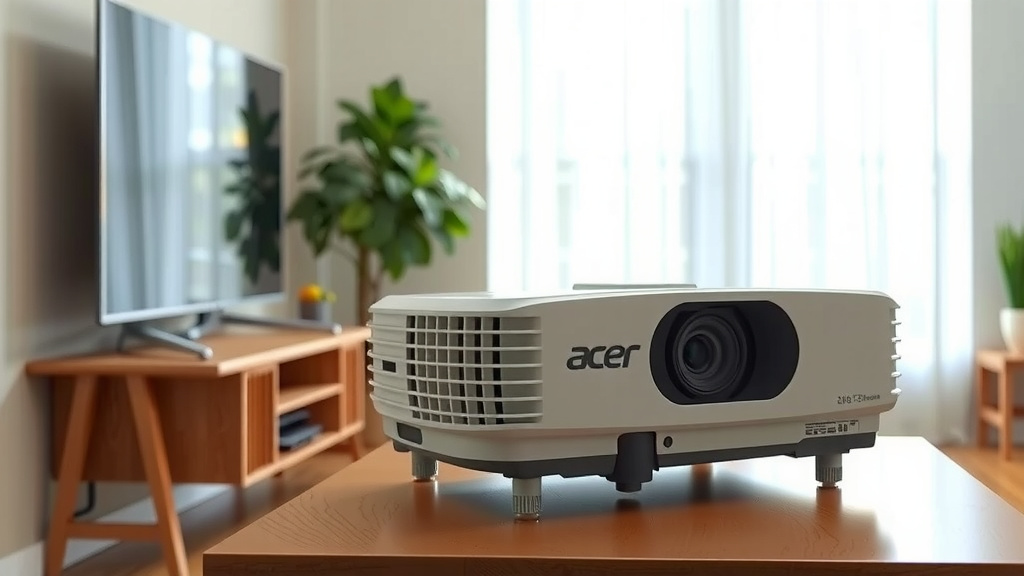
The Acer H6510BD has a fairly compact and lightweight design. This makes it reasonably portable. You can easily move it from the living room to a bedroom or even take it to a friend’s house for a movie night. It’s not the smallest projector out there, but it’s not overly bulky either.
The exterior is a clean white, which blends well with most home decor. It has a simple, functional aesthetic. There are ventilation grilles to keep it cool during operation. The lens is protected by a cover when not in use. Overall, the build quality feels solid enough for regular use.
Where the Acer H6510BD Shines
This projector is a great choice for several scenarios. If you’re looking to upgrade your TV to a much larger screen without the cost of a massive television, this is a fantastic option. It excels in dark or dimly lit rooms where its brightness can truly impress. It’s also a good pick for casual gamers who want a more immersive experience.
Living Room Cinema
Imagine transforming your living room into a personal cinema. The H6510BD makes this possible. You can project a movie screen that’s much larger than any TV. This creates a more engaging and exciting viewing experience for everyone. It’s perfect for movie marathons or watching the big game.
Gaming Adventures
For gamers, a larger screen can make a huge difference. You can see more of the game world and react faster. The H6510BD offers a good balance of resolution and brightness for gaming. It supports 1080p resolution, which is standard for most modern consoles. You’ll feel more involved in the action.
Considerations Before You Buy
While the Acer H6510BD offers a lot of value, it’s good to be aware of a few things. No projector is perfect, and this one has its limitations. Understanding these will help you decide if it’s the right fit for your specific needs.
Lamp Life and Replacement Costs
Like all projectors, this one uses a lamp that has a limited lifespan. The lamp life is typically rated in hours. The H6510BD offers a decent lamp life, but eventually, you’ll need to replace it. Replacement lamps can be an additional cost to consider down the line. It’s wise to check the estimated lamp hours and the cost of replacements before purchasing.
Fan Noise and Heat
Projectors generate heat and require fans to keep them cool. This can sometimes result in audible fan noise. During quiet scenes in movies, you might notice the fan. The H6510BD is reasonably quiet, but it’s something to be aware of, especially if you’re sensitive to noise. It also produces some heat, so ensure it has proper ventilation.
Not a Smart Projector
This model does not have built-in “smart” features like streaming apps (Netflix, Hulu, etc.). You’ll need to connect an external device, such as a streaming stick (Roku, Fire TV), a gaming console, or a laptop, to access streaming content. This isn’t necessarily a bad thing, as external devices often offer more flexibility and better performance.
Quick Checklist for Your Decision
Thinking about whether the Acer H6510BD is the right projector for you? Here’s a quick rundown to help you decide:
- Do you need a projector for a room with some ambient light?
- Is a bright, colorful 1080p picture your main priority?
- Are you looking for a projector that’s easy to set up and use?
- Do you plan to connect external streaming devices or gaming consoles?
- Is budget a significant factor in your purchase decision?
- Are you comfortable with the idea of replacing the lamp eventually?
Conclusion
You’ve seen how the Acer H6510BD projector blends classic performance with modern home entertainment needs. It offers that bright, vivid picture many users crave, especially in rooms that aren’t perfectly dark. Setting it up is a breeze, making it accessible even if you’re new to projectors. While it doesn’t have smart features built-in, its solid Full HD performance and ease of use make it a reliable choice. If you’re ready to bring a bigger, more immersive screen into your life without a huge investment, consider the H6510BD.
Frequently Asked Questions
What is the maximum screen size the Acer H6510BD can project?
We found that the Acer H6510BD can comfortably project screen sizes of 100 inches or more. Its brightness and resolution are well-suited for large-format viewing, making it great for that theater-like experience at home.
How loud is the fan noise on the Acer H6510BD?
While all projectors have fans, the H6510BD is generally considered to have a reasonably quiet fan. During very quiet movie scenes, you might notice it, but for most general viewing and gaming, it shouldn’t be a major distraction.
Can I use this projector for daytime viewing with lights on?
Yes, the H6510BD boasts 3000 ANSI Lumens, which is quite bright for its class. It performs well in rooms with some ambient light, so you might not need to completely black out your space for daytime viewing.
Does the Acer H6510BD come with built-in speakers?
This projector does not typically come with built-in speakers. You will need to connect external speakers or use the audio output from your connected source device for sound.
How does the H6510BD compare to newer smart projectors?
The H6510BD focuses on core projection performance, offering a bright 1080p image and ease of use. Newer smart projectors often include built-in apps for streaming, but they can be more expensive. You can add smart capabilities to the H6510BD by connecting a streaming stick or device.