4K OLED vs Projector: Which Is Better for Home Theater?
When you’re standing in your living room imagining your dream home theater setup, you’re probably caught between two compelling options: a stunning 4K OLED television or a powerful projector system. Both promise an immersive viewing experience, but they take completely different paths to get there. So which one should actually claim that prime spot in your entertainment space? Let me walk you through this decision together.
Understanding the Core Difference: What Makes Them Unique
Before we dive into the nitty-gritty comparisons, it’s worth understanding that we’re really comparing two entirely different technologies. A 4K OLED television is a self-contained unit that uses organic light-emitting diodes to produce its own light for each pixel on the screen. Think of it like having millions of tiny lightbulbs that you can turn on and off individually.
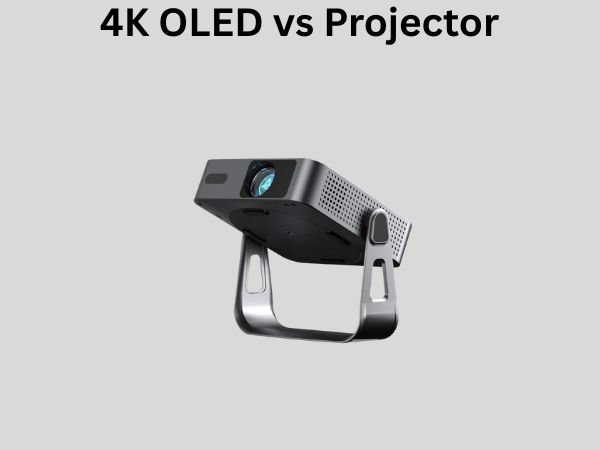
A projector, on the other hand, works more like a cinema. It shoots light onto a surface, usually a screen or wall, creating an image through reflection. The projector itself doesn’t create the final image you see—it’s the partnership between the projector and the projection surface that matters.
Picture Quality: The Visual Experience Breakdown
4K OLED Display Technology
The picture quality from a 4K OLED display is genuinely remarkable. Because each pixel produces its own light, you get absolutely perfect blacks. When a pixel is off, it’s truly off—there’s no backlight bleeding through like you might see with traditional LED televisions. This creates stunning contrast that makes your images pop.
The color accuracy on quality OLED panels is exceptional. You’re getting crisp, vibrant colors across the entire screen, and because the pixels are so close together in a 4K resolution, the image remains sharp even when you’re sitting relatively close to the screen. The response time is almost instant, which means action sequences in movies and games appear fluid and natural.
Projector Image Quality Considerations
Projectors have their own strengths when it comes to picture quality. Modern 4K projectors can produce incredibly bright, detailed images that fill an entire wall. The viewing angle is essentially unlimited—everyone in the room gets the same quality image regardless of where they’re sitting.
However, projectors typically can’t match the contrast levels you get from OLED displays. Even the best projectors require a dark room to really shine. In brightly lit spaces, the image appears washed out and loses much of its impact. Additionally, projectors are more susceptible to ambient light interference, so if someone opens a door or a window lets in sunlight, your picture quality suffers immediately.
Screen Size and Room Space: Think About Your Physical Setup
OLED Television Size Limitations
Here’s a practical reality: 4K OLED televisions max out around 97 inches currently. For most living rooms, that’s absolutely enormous. Unless you have a dedicated media room or a genuinely massive space, you probably won’t find yourself thinking, “I wish my TV was even bigger.”
The downside is that you’re limited by whatever maximum size is available on the market. If you have a cavernous living room with seating 20 feet away from the wall, you might feel like a 77-inch OLED is smaller than you’d prefer.
Projector Size Flexibility
Projectors win decisively on size flexibility. Whether you want a 100-inch screen, a 150-inch screen, or even a 200-inch screen, projectors can deliver it. You’re only limited by the size of your wall and the projector’s throw distance—the distance between the projector and the screen it needs to be to create your desired image size.
This flexibility makes projectors perfect for dedicated home theater rooms where you can design the space around the projector rather than fitting the projector into existing room constraints.
Room Lighting: Creating the Perfect Viewing Environment
OLED Performance in Various Lighting Conditions
One major advantage of OLED televisions is their brightness and capability in lit rooms. You can watch your favorite shows during the day with windows open. The image remains vibrant and visible even with ambient light in the room. This flexibility is a game-changer for people who want to maintain a living room that serves multiple purposes beyond just movie watching.
If you have kids, pets, or guests constantly moving through your entertainment space, OLED handles these real-world conditions gracefully. You don’t need to make your entire room a cave to enjoy the picture.
Projector Lighting Demands
Projectors absolutely require darkness to perform at their best. In a moderately lit room, projector images become dim and washed out. In a bright room, you might struggle to even see what’s happening on the screen. This means if you want a projector setup, you’re really committing to a dedicated dark room.
Many projector enthusiasts embrace this reality and build dedicated home theater rooms with blackout curtains, acoustic treatments, and theater seating. It’s a complete commitment to the cinema experience, which appeals to serious movie lovers but might feel excessive if you want a space that pulls double duty.
Installation and Setup: Practical Considerations
OLED Television Installation
Setting up a 4K OLED television is refreshingly straightforward. You mount it on your wall or place it on a stand, plug it in, and you’re ready to go. There’s no complicated calibration process required, though you can absolutely fine-tune settings if you’re particular about picture quality. Most people can have their OLED up and running within an hour of unboxing.
The simplicity extends to your viewing experience. You pick up the remote and start watching immediately. There’s no warmup time, no need to adjust brightness levels, and no maintenance requirements beyond keeping the screen clean.
Projector Setup Complexity
Projectors demand much more from you during setup. You need to decide on mounting location—ceiling or shelf placement typically works best. You need to install a projection screen properly and ensure it’s perfectly aligned. Then comes calibration, which can get surprisingly technical if you want optimal results.
You’ll need to adjust keystone correction, focus the image, calibrate brightness and contrast levels for your specific room conditions, and possibly run color calibration software. For enthusiasts, this deep customization is part of the appeal. For casual users, it might feel overwhelming.
Cost Comparison: What’s Your Budget Really Looking Like?
4K OLED Television Pricing
Quality 4K OLED televisions range from roughly $1,500 for smaller 55-inch models up to $5,000 or more for the largest 97-inch panels. Mid-range 65-inch models typically fall between $2,000 and $3,500. These are not budget-friendly options, but the price includes everything you need—the display itself is complete and ready to use.
Your only additional investments might be a quality sound system, wall mounting hardware, and maybe a media player if you don’t already have one. The total system cost is usually fairly predictable.
Projector System Total Cost
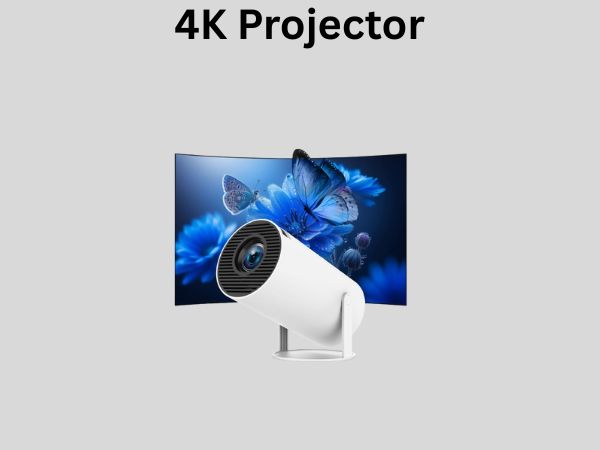
Here’s where projector costs can surprise you. A decent 4K projector alone costs $1,500 to $5,000, depending on brightness and features. But that’s only the beginning. You’ll also need:
- A quality projection screen ($500 to $2,000)
- Ceiling or wall mounting hardware ($200 to $500)
- Possibly a dedicated media player ($300 to $1,000)
- Electrical installation if you need additional outlets ($200 to $500)
- A sound system for proper audio ($1,000 to $5,000 or more)
Suddenly you’re looking at a total system cost that easily exceeds $5,000 to $10,000 for a quality setup. Projectors are frequently the more expensive option when you account for everything needed to create a complete home theater system.
Brightness Levels: Understanding Lumens and Real-World Brightness
OLED Brightness Characteristics
Modern 4K OLED televisions have improved significantly in brightness over recent years. Top models can reach 1,500 to 2,000 nits of peak brightness in small portions of the screen, which is genuinely impressive. This allows them to handle bright content effectively even in rooms with some ambient light.
However, sustained brightness across the entire screen is typically lower to prevent burnout of the organic materials. For most viewing content though, this isn’t a practical limitation in real-world use.
Projector Brightness Measurements
Brightness in projectors is measured in lumens. Casual projectors might produce 2,000 to 3,000 lumens. Better home theater projectors produce 3,000 to 5,000 lumens. Professional cinema projectors can exceed 20,000 lumens, but those are absurdly expensive for home use.
The brightness you actually need depends entirely on room conditions. A 5,000-lumen projector in a dark room creates an overwhelming cinematic experience. The same projector in a lit room might not produce sufficient brightness to overcome ambient light.
Maintenance and Longevity: Planning for the Long Term
OLED Display Lifespan
OLED technology has matured tremendously, and modern OLED televisions are built to last. Most manufacturers guarantee functionality for several years, and real-world experience suggests these displays remain excellent for a decade or more with normal use.
There’s one legitimate concern worth mentioning: burn-in. If you display static content on an OLED screen for extended periods, it’s possible for that image to become permanently etched into the display. Modern OLED TVs have built-in protections against this, and typical viewing habits won’t cause burn-in. However, if you plan to use your screen as a 24/7 information display or leave the same image on screen constantly, OLED might not be your best choice.
Regular maintenance is minimal. Occasionally clean the screen with a soft cloth, and that’s essentially it. No bulbs to replace, no air filters to clean.
Projector Maintenance Requirements
Projectors demand more ongoing maintenance. Most projectors use bulbs or lasers as light sources. Bulbs typically last 5,000 to 10,000 hours before needing replacement at a cost of $200 to $500. Laser light sources last longer but are more expensive initially.
Projectors also have air filters that need regular cleaning to prevent dust accumulation, which can reduce brightness and cause overheating. In dusty environments, you might need to clean these filters monthly. You’ll also need to occasionally clean the projector lens to maintain image clarity.
The upside is that projectors are more easily repaired and upgraded. If a bulb fails, you replace it. If a laser module needs service, you can replace it. An OLED display that fails is typically only repairable through manufacturer warranty.
Gaming and Fast-Action Content: Response Time Matters
OLED for Gaming Performance
If you’re a gamer or someone who appreciates fast-action sports and movies, OLED displays have a significant advantage. The response time is nearly instantaneous—moving objects appear incredibly crisp without blur or ghosting. Many modern OLED televisions support high refresh rates up to 144Hz, making them genuinely excellent gaming displays.
The variable refresh rate support means your games run smoothly even when frame rates fluctuate. If you’re a serious gamer considering your home theater setup, OLED is probably the better choice.
Projector Gaming and Action Content
Projectors typically have slightly higher input lag and slower response times compared to OLED displays. This doesn’t make them bad for gaming, but it’s noticeable if you’re comparing them directly. For casual gaming or primarily watching movies, the difference might be imperceptible. For competitive gaming or fast-action sports, OLED has the edge.
Viewing Distance and Resolution Visibility
Here’s something interesting: the relationship between viewing distance, screen size, and resolution perception. With a 4K OLED television, you’ll start seeing individual pixels if you sit very close to the screen. This is more noticeable on smaller models—a 55-inch OLED looks pixelated if you sit 5 feet away.
With projectors, the relationship works differently. The number of pixels is the same whether you’re watching a 100-inch image or a 200-inch image. As the screen gets larger, those pixels spread out and become less noticeable from normal viewing distances. This actually gives projectors an advantage for very large screens—the 4K resolution remains visually sharp at any reasonable viewing distance.
Sound System Integration: Audio Considerations
OLED Television Audio
Modern OLED televisions have decent built-in speakers that are perfectly adequate for casual viewing. If you’re serious about audio quality, you’ll add a soundbar or surround sound system regardless. The integration is straightforward since the TV handles both video and audio.
Projector Audio Needs
Projectors are video-only devices, which means you’re absolutely required to add a separate audio system. This isn’t necessarily bad—it actually forces you to build a proper home theater with quality sound rather than relying on mediocre built-in speakers. However, it’s an additional component and expense you must account for.
Aesthetics and Room Design: How It Impacts Your Space
OLED Television Aesthetics
Modern OLED televisions are gorgeous objects. They’re thin, sleek, and can serve as a design element in your room. Many people mount them as wall art, and manufacturers have created special ambient lighting features that make the TV look less like an appliance and more like a design statement.
The simplicity of mounting a single screen appeals to people who want their entertainment system to be visually minimal and unobtrusive.
Projector Room Design
Projectors require more thoughtful room design. You need to hide the projector itself, which usually means mounting it to the ceiling and dealing with wiring. You need to accommodate a projection screen, which is a significant visual element in the room. If you’re embracing the full home theater experience, you might add theater seating, acoustic panels, and blackout curtains.
This is either a dream come true or a nightmare depending on your aesthetic preferences. Some people love designing a dedicated theater room. Others prefer living spaces that don’t scream “home theater.”
Making Your Final Decision: A Practical Framework
Choose 4K OLED If You:
- Want maximum picture quality with perfect blacks and contrast
- Don’t have a dedicated dark room for your entertainment
- Value simplicity in setup and daily operation
- Game frequently or watch fast-action content
- Want a space that serves multiple purposes
- Prefer minimal maintenance and no bulb replacements
- Have a limited budget for a complete system
Choose a Projector If You:
- Want a massive screen that fills your entire wall
- Have a dedicated dark room or are willing to create one
- Enjoy the cinema-like experience of projected images
- Watch movies far more than you game
- Have a larger budget to invest in a complete system
- Value the flexibility to customize and tinker with your