The Perfect Fit: How Big of a Projector Screen Do I Need?
When you’re setting up a home theater or presentation space, one of the most critical decisions you’ll make is choosing the right projector screen size. It’s not as simple as picking the biggest option available—just like wearing shoes that don’t fit properly, an incorrectly sized screen can ruin your entire viewing experience. Let me walk you through everything you need to know to make the perfect choice for your specific situation.
Understanding the Basics: Why Screen Size Matters
Think of your projector screen as the canvas for your entire visual experience. The size of your screen directly impacts how immersed you’ll feel, how clearly you’ll see details, and whether you’ll experience eye strain during extended viewing sessions. Too small, and you’re squinting to see what’s happening on screen. Too large, and you’ll find yourself constantly moving your head side to side like you’re watching a tennis match.
The relationship between screen size, viewing distance, and content type creates a delicate balance. Getting this balance right means you’ll enjoy movies, games, presentations, and sports with optimal comfort and clarity. It’s an investment worth getting right from the start.
The Viewing Distance Rule: Your Starting Point
The golden rule for determining screen size starts with your viewing distance—that is, how far you’ll be sitting from the screen. This measurement is absolutely fundamental because it dictates everything else.
The Basic Formula
The most commonly recommended viewing distance is based on what experts call the “viewing angle” principle. For optimal viewing comfort, your eyes should take in the entire screen without excessive head movement. Most professionals recommend that your viewing distance should be between 1.5 to 3 times the screen width, depending on your preference and content type.
Here’s how it works in practice: if you’re sitting 10 feet away from your screen, you’d want a screen width somewhere between 3.3 and 6.6 feet. Does that feel like a wide range? It is, and that’s intentional because different situations call for different approaches.
Screen Width Versus Diagonal Size
When shopping for screens, you’ll notice manufacturers advertise the diagonal measurement—just like television sizes. This can be confusing when you’re trying to calculate based on width. Here’s a quick tip: for a standard 16:9 aspect ratio screen, the width is approximately 87% of the diagonal measurement. So a 100-inch diagonal screen would have a width of about 87 inches.
Content Type: What You’re Actually Watching
Not all content is created equal, and what works perfectly for movie night might not be ideal for video game marathons or business presentations.
Movies and Entertainment
For cinematic content, you want an immersive experience. The sweet spot is typically a viewing distance that puts you around 1.5 times the screen width away. This creates a field of view of roughly 40 degrees—similar to what you’d experience in a theater. At this distance, your peripheral vision captures most of the screen without much head movement required.
Video Games and Interactive Content
Gaming is different because you need to react quickly to on-screen elements. Having the entire screen fill your vision without peripheral distraction is actually beneficial here. Gamers often prefer sitting closer to their screens, making 1.2 to 1.5 times the screen width a better target distance.
Business Presentations
When you’re presenting information to an audience, readability becomes paramount. Text needs to be legible even from the back of the room. For presentations, you generally want a larger viewing distance—around 2 to 3 times the screen width—so that people farther back can still read smaller text clearly.
Sports Viewing
Sports fans often want maximum immersion. A closer viewing distance creates excitement and makes the action feel more dynamic. Many sports enthusiasts choose screen sizes that put them in the 1.2 to 1.5 times screen width zone for that edge-of-your-seat feeling.
Room Size and Physical Constraints
Theory is wonderful, but your actual room might have other ideas. Before you fall in love with a specific screen size, let’s make sure your space can actually accommodate it.
Ceiling Height and Mounting Considerations
Larger screens require more vertical space. You’ll need to account for the screen’s height, plus adequate space above and below it for proper sightlines. As a general rule, the center of your screen should be roughly at eye level when you’re seated. If you have low ceilings, a 120-inch screen might be physically impossible to mount at the right height.
Wall Length and Placement
Your dedicated projection wall needs to be long enough to house your screen with some breathing room on the sides. A 100-inch screen (16:9 aspect ratio) is roughly 87 inches wide—that’s more than 7 feet. Your wall needs to accommodate this comfortably, plus space for side speakers or aesthetic padding.
Throw Distance: Where Your Projector Goes
Here’s something people often overlook: your projector needs a specific distance to project an image of a certain size. This is called the throw distance or throw ratio. Some projectors are short-throw, meaning they can project a large image from a short distance. Others require considerable distance to fill a large screen.
Check your projector’s specifications for its throw ratio before committing to a screen size. If you have limited depth in your room, you might need a short-throw projector or a smaller screen.
The 30-Degree Rule Explained
Here’s another important principle that ties everything together: the 30-degree viewing angle rule. This guideline suggests that your eyes should never need to turn more than 30 degrees from center to see the edge of the screen.
How to Calculate Your 30-Degree Zone
If you sit at a distance D from the screen, the maximum screen width that keeps you within a 30-degree viewing angle can be calculated mathematically. In practical terms, this usually means your viewing distance should be about 1.73 times your screen width. This creates a comfortable zone where you’re seeing the entire picture without excessive eye movement or head turning.
Why 30 Degrees Is the Sweet Spot
Beyond 30 degrees, human vision becomes less sharp at the edges of our visual field. You’ll notice pixelation more easily, and watching becomes fatiguing. Within the 30-degree zone, you maintain excellent visual acuity across the entire image, which is why professionals recommend it.
Resolution and Screen Size: A Critical Relationship
Here’s where many people make mistakes: they buy a huge screen without considering their projector’s resolution.
1080p Projection
If you’re using a 1080p projector, you have a limit to how large you can go before you start seeing individual pixels. Generally, for full HD content, you want to stay under 100 inches for a comfortable viewing experience where you can’t discern the pixel grid. The larger you go with 1080p, the closer you need to sit to avoid seeing pixelation.
4K Projection
4K projectors offer four times the pixel density of 1080p, meaning they can fill larger screens while maintaining image sharpness. A quality 4K projector can comfortably handle screens of 150 inches or larger without noticeable pixelation from typical viewing distances.
The Viewing Distance Rule for Resolution
A practical guideline: multiply your projector’s resolution’s pixel count by a factor related to your viewing distance. For a 1080p projector, sitting 10 feet away means you probably shouldn’t exceed 100 inches. For 4K, you could comfortably go to 150 inches or beyond at that same distance.
Aspect Ratio Considerations
Not all screens are shaped the same, and the aspect ratio you choose affects how content looks and how much screen size you effectively get.
16:9 Aspect Ratio
This is the standard for modern movies and television. It’s wide and relatively short vertically. Most content today is created for 16:9, making it the most versatile choice. If you’re primarily watching streaming services, broadcast television, and modern films, 16:9 is your best bet.
2.35:1 Aspect Ratio
Cinema enthusiasts often prefer this ultra-wide format because theatrical films are shot in this ratio. If you’re a movie buff who appreciates the cinematic experience, a 2.35:1 screen delivers those films exactly as intended, without black bars. However, it uses wall space less efficiently for 16:9 content.
4:3 Aspect Ratio
Older content and some business presentations use this squarer format. Unless you’re specifically dealing with legacy content, this is rarely the best choice for modern home theaters.
Practical Size Recommendations by Room Setup
Let me give you some real-world guidance based on typical scenarios.
Small Rooms (10×12 Feet)
In compact spaces, you’re probably sitting 8 to 10 feet from your screen. A 70 to 85-inch screen hits the sweet spot here. It’s large enough for immersion but small enough that you’re not straining to see the edges. This size range works well for 1080p content and is quite affordable.
Medium Rooms (15×20 Feet)
Standard home theaters with 12 to 15 feet of viewing distance benefit from 100 to 120-inch screens. At this size range, you really start to feel the cinematic experience. Make sure you have a 4K projector or excellent 1080p upscaling, as larger screens show resolution limitations more clearly.
Large Rooms (20+ Feet)
In spacious dedicated theater rooms, you can go big—150 inches or even larger. These screens require 4K projection to look their best and create a truly immersive theater experience. However, they also need significant wall space and proper room treatment for optimal picture quality.
Installation Height and Screen Positioning
Size isn’t the only factor—placement matters tremendously for viewing comfort.
Optimal Eye Level Positioning
Your eyes should align with a point about one-third down from the top of the screen when you’re seated. This means the screen center is typically at or slightly above eye level. If your screen is too high, you’ll develop neck strain. Too low, and you’ll be looking down uncomfortably.
Horizontal Centering
Position your screen centered in your visual field. If you’re sitting off to one side, you’ll get distortion and the viewing experience won’t be optimal. Your seating arrangement should center on the screen, not the other way around.
Brightness and Screen Gain: Related to Size
Larger screens require more light from your projector to achieve the same brightness levels as smaller screens. This is an often-overlooked relationship.
Understanding Screen Gain
Screen gain refers to how much light your screen reflects back to the viewer compared to a standard white surface. A higher gain (1.3 or greater) means the screen is brighter but might have narrower optimal viewing angles. Lower gain (under 1.0) preserves color accuracy and works better for multiple viewers at different angles.
Projector Brightness Requirements
For a 100-inch screen in a moderately lit room, you’ll want at least 2000 lumens. For a 150-inch screen, you’re looking at 3000 or more lumens to achieve comfortable brightness levels. If your projector is underpowered for your screen size, you’ll have a dim image even with all the contrast cranked up.
Budget Considerations and Screen Investment
Let’s be honest: larger screens cost more money, and you need to balance your ideal size with your budget.
Fixed Frame Screens
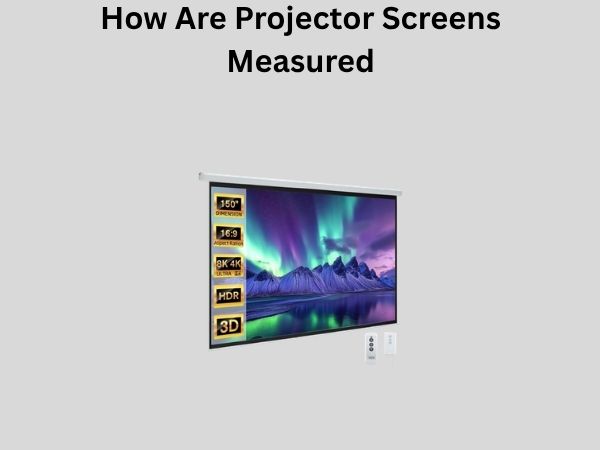
Permanently mounted screens are the most affordable per square inch of viewing area. A 100-inch fixed frame screen might cost $400-800, while a motorized screen of the same size could run $800-1500 or more.
Motorized Screens
If you want flexibility to hide your screen when not in use, motorized screens offer that convenience. The price premium over fixed screens is typically 50-100% more, but you get the ability to conceal the screen and use your room for other purposes.
Projector Budget Impact
Remember that larger screens require more capable (and expensive) projectors. A 1080p projector for an 85-inch screen might cost $500-1000, but a 4K projector suitable for a 150-inch screen could run $3000-8000 or more. Factor the entire system cost into your decision.
Common Mistakes to Avoid
Let me help you sidestep problems that others have encountered.
Going Too Large Too Fast
The “bigger is better” mentality leads many people to buy screens that create eye strain and neck pain. Just because you can fit a 150-inch screen doesn’t mean you should if you’re sitting 10 feet away.
Ignoring Projector Specifications
Buying a screen size that your projector can’t properly fill is a waste. A low-lumens projector will make even a moderately sized screen look dim and disappointing.
Neglecting Room Acoustics
A large screen is only part of the experience. If your room has poor acoustics, even the best picture won’t satisfy you. Consider how your screen size affects sound reflections and room treatment needs.
Underestimating Installation Challenges
Very large screens can be difficult to install properly, especially in finished rooms. Plan your installation carefully before committing to a size.
Testing Before You Buy
If possible, see screens of different sizes in action before making your final decision.
Visiting Showrooms
Many home theater retailers have display areas where you can see various screen sizes. Sit at the distances you plan to use in your own room and observe how they feel.
Renting or Borrowing Equipment
Some rental companies offer short-term projector and screen rentals. Investing $100-200 to test your setup before spending thousands is smart financial planning.
Conclusion
Choosing the right projector screen size isn’t about finding the biggest option that fits your room—it’s about finding the perfect balance between your viewing distance, room dimensions, content type, projector specifications, and personal preferences. Start by measuring your viewing distance and determining your seating arrangement. Use the 1.5 to 3 times screen width guideline as your foundation, adjusting based on content and the 30-degree rule. Consider your projector’s resolution and brightness capabilities, ensuring they’re adequate for your chosen screen size. Remember that your room’s physical constraints, ceiling height, and wall length all play crucial roles in determining what’s practical. Take time to understand the relationship between screen size, resolution, and perceived image quality at your typical viewing distance. By carefully considering all these factors, you’ll select a screen size that provides years of enjoyment without the regret of choosing too large or too small. The perfect